.MRM 파일 확장자
MIUI Theme Metadata
| 개발사 | Xiaomi |
| 인기도 |
2.0 | 1 투표 |
MRM 파일이란 무엇인가요?
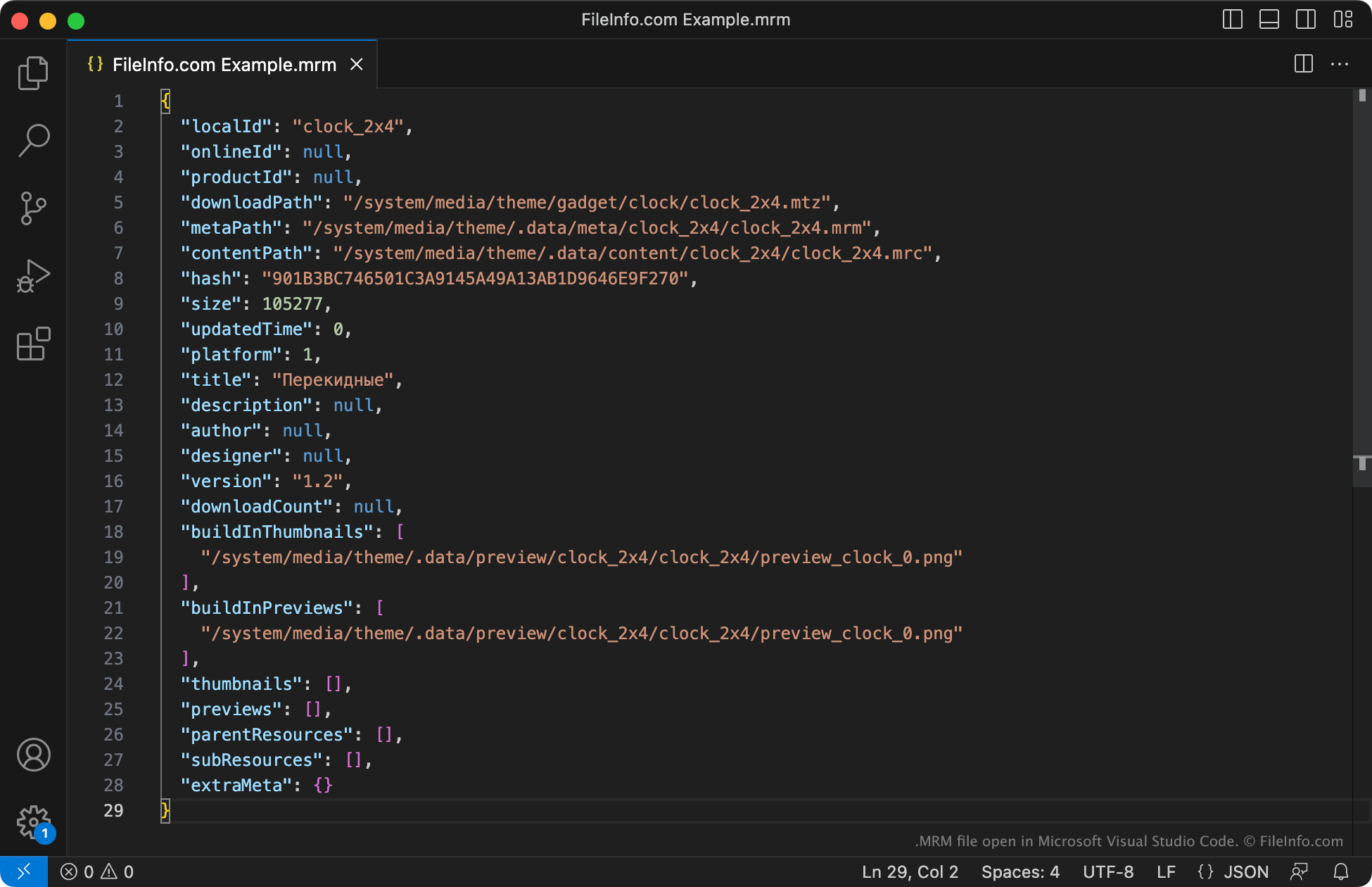
An MRM file is a metadata file used by a MIUI theme (.MTZ file). It contains information about the theme's name, contents, file size, author, preview images, and more. MIUI uses MRM files to show information about the associated theme to users, and to verify that the theme's contents have not been altered.
추가 정보
MIUI is an Android variant used by Xiamoi smartphones. It allows users to install custom themes packaged as MTZ files. To install a theme, users often download that theme's MTZ file and then apply the theme via the MIUI Theme App (also known as Xiaomi Themes).
Each MTZ file is a .ZIP package that contains a collection of theme assets and other files, including one or more MRM files. The MRM file(s) are JSON files that describe the theme's contents, where those contents will be unpacked, and other information. Most notably, each MRM file contains a hash used as a checksum. Checking this hash against the MTZ file's hash allows MIUI to verify that the theme contains the correct contents.
MRM 파일을 여는 방법
You can open an MRM file and view its contents with Microsoft Visual Studio Code or any other text editor. However, you should not edit an MRM file's contents, as doing so may cause MIUI to be unable to install or load the theme associated with your MRM file.
MRM 파일을 열거나 참조하는 프로그램
Yamaha MidRadio Audio File
| 개발사 | Yamaha |
| 인기도 |
2.0 | 1 투표 |
An MRM file is a proprietary audio file used by Yamaha MidRadio, a music playback and distribution system Yamaha developed for compatible computers and devices. It stores encoded audio data for playback through MidRadio software and supported Yamaha products. Yamaha used the MidRadio system primarily in the 2000s to distribute and play music online, and MRM files are now mainly associated with this legacy platform.
추가 정보
Users typically encountered MRM files when downloading songs through MidRadio-related services or transferring music to supported Yamaha devices. Yamaha designed the format for use within its own music ecosystem rather than as a general-purpose audio format like .MP3 or .WAV. Today, MRM files are uncommon and are most likely to appear in archived music collections or on older devices that used Yamaha's MidRadio platform.
MRM 파일을 여는 방법
You can open MRM files with Yamaha MidRadio Player. Since MidRadio is a legacy platform and current software support is limited, users may need access to an older compatible Yamaha application or device to play the file correctly.