

.LANG 파일 확장자
Minecraft 언어 현지화 파일
| 개발사 | Mojang |
| 인기도 |
4.3 | 137 표 |
LANG 파일이란 무엇인가요?
LANG 파일은 플레이어가 3D 세계를 만들고 탐험할 수 있는 개방형 게임인 Minecraft에서 사용하는 게임 리소스 파일입니다. 이 파일에는 게임 메뉴, 도전 과제 및 기타 게임 개체를 특정 언어의 이름에 매핑하는 키-값 문자열 쌍의 목록이 저장됩니다. LANG 파일은 현지화에 사용됩니다.
추가 정보

개발자가 여러 지역에서 사용할 프로그램을 만들 때는 각 지역의 언어로 프로그램의 텍스트를 번역하는 경우가 많습니다. 이 과정을 현지화라고 합니다.
개발자가 프로그램을 현지화하는 한 가지 방법은 프로그램의 텍스트 문자열을 각 언어의 문자열로 매핑하는 언어별 텍스트 파일을 여러 개 만드는 것입니다. 그러면 프로그램은 사용자의 언어 설정에 따라 게임 내 텍스트를 표시할 때 올바른 파일을 참조할 수 있습니다. Minecraft는 LANG 파일을 사용하여 사용자에게 현지화된 텍스트를 표시합니다.
Minecraft Java Edition의 LANG 파일은 어디에 저장되나요?
Minecraft Java Edition의 LANG 파일은 minecraft.jar 아카이브에 저장되며, 이 아카이브는 다음 디렉터리에 있습니다.
[user]/AppData/Roaming/.minecraft/bin
최신 버전의 Minecraft Java Edition에서는 LANG 파일이 .JSON 파일로 대체되었습니다.
Minecraft Bedrock Edition의 LANG 파일은 어디에 저장되나요?
각 Minecraft Bedrock Edition 리소스 팩(.MCPACK 파일)에는 게임 내 텍스트를 표시하는 데 사용되는 LANG 파일이 하나 이상 포함되어 있습니다. 이러한 파일은 팩의 texts 디렉터리에 저장됩니다.
LANG 파일을 여는 방법
LANG 파일은 일반 텍스트 형식으로 저장되므로 모든 텍스트 편집기로 열고 편집할 수 있습니다. 그러나 Minecraft Java Edition의 LANG 파일을 편집하면 게임이 제대로 실행되지 않을 수 있습니다. 따라서 진행하기 전에 minecraft.jar를 백업해야 합니다.
minecraft.jar에 저장된 LANG 파일을 편집하려면 다음 단계를 따르세요.
- 7-Zip 또는 JAR 파일을 탐색할 수 있는 다른 도구로 minecraft.jar를 탐색합니다.
- lang 폴더로 이동합니다.
- en_US.lang(또는 다른 LANG 파일)을 추출하여 컴퓨터의 위치에 저장합니다.
- Microsoft Notepad와 같은 텍스트 편집기로 LANG 파일을 편집합니다.
- 편집한 LANG 파일을 minecraft.jar에 다시 넣어 이전 파일을 덮어씁니다.
- minecraft.jar의 루트 디렉터리 안에 있는 META-INF 폴더를 삭제합니다.
- Minecraft를 다시 시작합니다.
LANG 파일을 열거나 참조하는 프로그램
GtkSourceView 언어 정의 파일
| 개발사 | The GNOME Project |
| 인기도 |
2.0 | 6 표 |
LANG 파일은 Language Definition XML 형식으로 저장된 구성 파일입니다. GTK 툴킷에 포함된 GtkTextView 위젯에서 특정 언어에 대한 구문 강조 지원을 추가하는 데 사용됩니다. GTK 툴킷은 그래픽 사용자 인터페이스(GUI)를 만드는 데 사용되는 위젯 모음입니다. LANG 파일에는 일반적으로 정의, 스타일, 메타데이터가 포함된 XML 형식의 정보가 들어 있습니다.
추가 정보
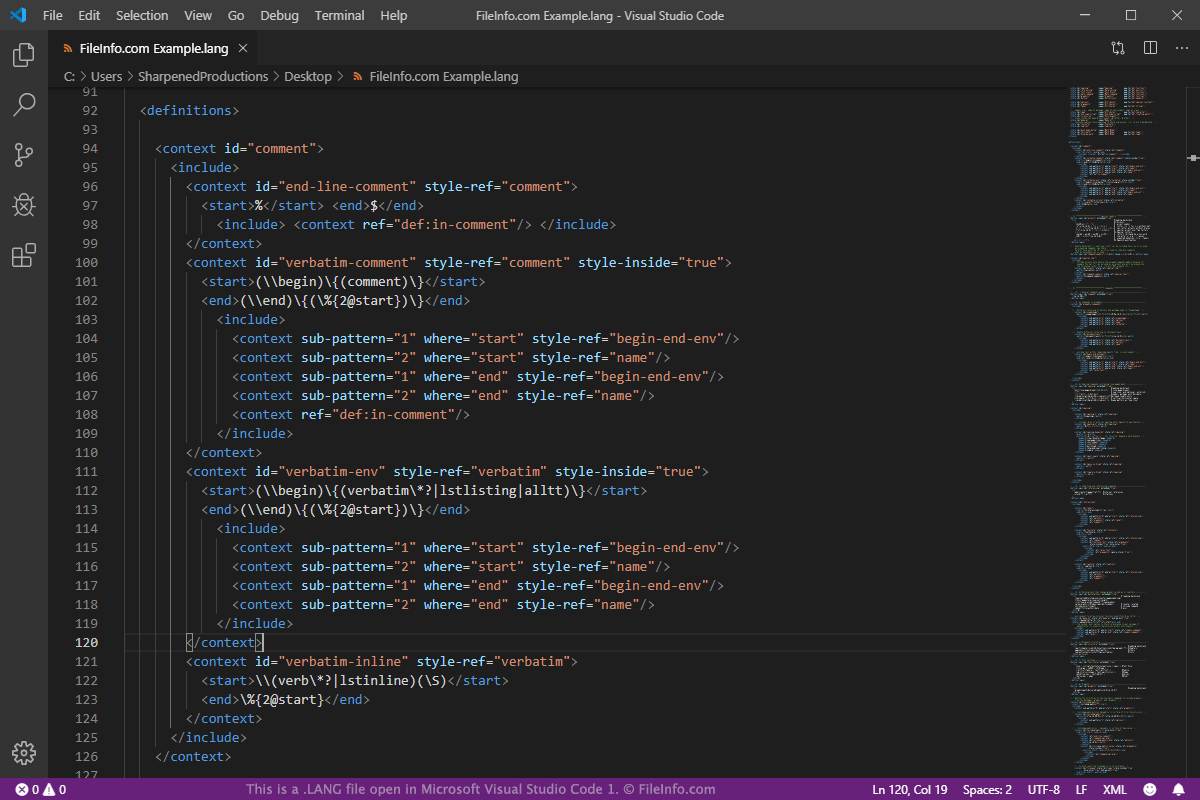
GTK는 프로그램용 GUI를 만드는 데 사용되는 오픈 소스 크로스 플랫폼 도구입니다. GUI를 설계하는 데 사용되는 다양한 위젯으로 구성됩니다. 이러한 위젯 중 하나인 GtkTextView는 GUI에서 여러 줄의 텍스트를 표시하고 편집하는 데 사용됩니다. GtkSourceView 라이브러리를 사용하면 GtkTextView 위젯의 기능을 확장할 수 있습니다. 라이브러리로 확장할 수 있는 기능에는 파일 불러오기 및 저장, 찾기 및 바꾸기, 구문 강조 기능이 포함됩니다.
GtkSourceView 라이브러리에서 LANG 파일을 사용하면 특정 언어에 대한 구문 강조 지원을 추가할 수 있습니다. 추가할 수 있는 언어로는 C, C++, Java, Fortran, Logtalk, Axe Parser 프로그래밍 언어, XML, HTML, LaTex 마크업 언어, PHP, Python, Perl 스크립팅 언어 등이 있습니다.
LANG 파일은 다른 프로그램에서 사용되지 않으므로 GTK 개발자가 아니라면 접할 일이 거의 없습니다. LANG 파일을 확인하거나 편집하려면 Microsoft Notepad, Apple TextEdit, Microsoft Visual Studio Code와 같은 일반 텍스트 또는 XML 편집기를 사용할 수 있습니다.
참고: GTK는 이전에 GIMP Toolkit 및 GTK+로 알려졌습니다.