.LANG ファイル拡張子

Minecraft Language Localization File

開発元 Mojang
人気度
4.3  |  137 
 

LANGファイルとは?

A LANG file is a game resource file used by Minecraft, an open-ended game that allows players to create and explore 3D worlds. It saves a list of key-value string pairs that map game menus, achievements, and other game objects to names in a given language. LANG files are used for localization.

詳細情報

Microsoft Visual Studio Codeで開いた.langファイルのスクリーンショット
Microsoft Visual Studio Codeで開いたLANGファイル

When developers create a program intended for use in multiple regions, they often translate the program's text into each of those regions' languages. This process is called localization.

One way developers localize programs is by creating multiple, language-specific text files that map the programs' text strings to each language's version of that string. The program can then refer to the correct file when showing in-game text, based on the user's language setting. Minecraft uses LANG files to show localized text to users.

Where are Minecraft Java Edition's LANG files stored?

Minecraft Java Edition's LANG files are stored in the minecraft.jar archive, which is located in the following directory:

[user]/​AppData/​Roaming/​.minecraft/​bin

In more recent versions of Minecraft Java Edition, LANG files have been replaced by .JSON files.

Where are Minecraft Bedrock Edition's LANG files stored?

Each Minecraft Bedrock Edition resource pack (.MCPACK file) includes one or more LANG files used to show in-game text. These files are stored in a pack's texts directory.

LANGファイルの開き方

LANG files are saved in a plain text format, so you can open and edit them with any text editor. However, editing Minecraft Java Edition's LANG files can potentially cause the game to not run properly. Therefore, you should back up minecraft.jar before proceeding.

To edit the LANG files stored in minecraft.jar, follow these steps:

  1. Explore minecraft.jar with 7-Zip or another tool that can explore JAR files.
  2. Navigate to the lang folder.
  3. Extract en_US.lang (or another LANG file) and save it to a location on your computer.
  4. Edit the LANG file with a text editor, such as Microsoft Notepad.
  5. Place the edited LANG file back in minecraft.jar, overwriting the previous file.
  6. Delete the META-INF folder within the root directory of minecraft.jar.
  7. Restart Minecraft.
File Viewer Plusで400種類以上のファイル形式を開けます。無料ダウンロード

LANGファイルを開く、または参照するプログラム

Windows
Linux
カテゴリ: ゲーム
更新日: 2022-07-14

Skype Language File

開発元 Skype
人気度
3.2  |  18 
 

Language file used by Skype, a popular online communication program; contains language information that changes the language of the Skype user interface.

詳細情報

LANG files can be loaded within Skype by selecting the "Tools→Change Language" option. They can also be edited by selecting "Tools→Change Language→Edit Skype Language File."

LANGファイルを開く、または参照するプログラム

Windows
カテゴリ: 設定
更新日: 2009-05-19

GtkSourceView Language Definition File

開発元 The GNOME Project
人気度
2.0  |  6 
 

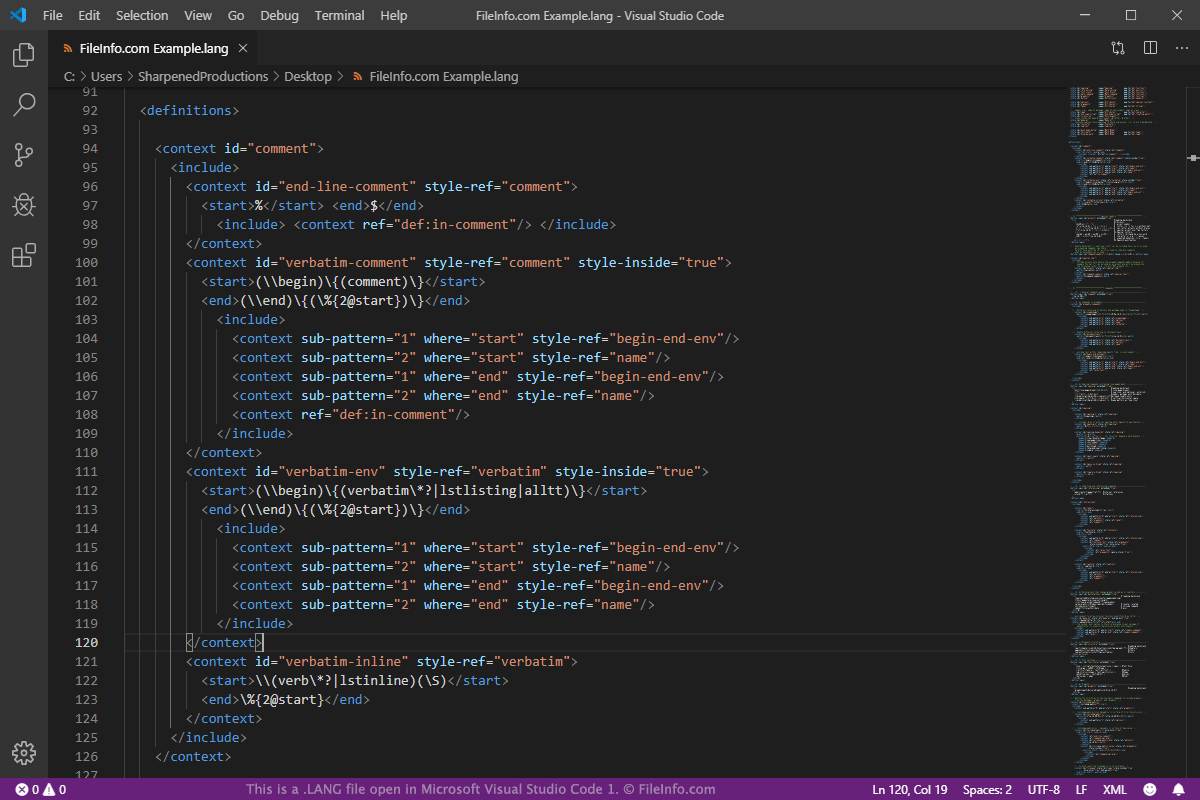
A LANG file is a configuration file saved in the Language Definition XML format. It is used to add syntax highlighting support for a specific language in the GtkTextView widget included with the GTK toolkit, which is a set of widgets used to create graphical user interfaces (GUIs). LANG files contain information in XML format that typically includes definitions, styles, and metadata.

詳細情報

Microsoft Visual Studio Code 1で開いた.langファイルのスクリーンショット
Microsoft Visual Studio Code 1で開いたLANGファイル

GTK is an open source, cross-platform tool used to create GUIs for programs. It consists of various widgets that are used to design the GUI. One of the widgets is GtkTextView, which is used for displaying and editing multiline text in the GUI. The capabilities of the GtkTextView widget can be extended by the GtkSourceView library. Some features that can be extended by the library include file loading and saving, search and replace, and syntax highlighting features.

Support for syntax highlighting can be added for specific languages using LANG files in the GtkSourceView library. Some languages that can be added include C, C++, Java, Fortran, Logtalk, and Axe Parser programming languages, XML, HTML, and LaTex markup languages, and PHP, Python, and Perl scripting languages.

You will most likely only encounter a LANG file if you are a GTK developer since they are not used by other programs. If you would like to view or edit a LANG file, you can use a plain text or XML editor, such as Microsoft Notepad, Apple TextEdit, or Microsoft Visual Studio Code.

注: GTK was formerly known as GIMP Toolkit and GTK+.

LANGファイルを開く、または参照するプログラム

Linux
無料
カテゴリ: 開発者
更新日: 2019-08-20

検証者 FileInfo.com

FileInfo.comチーム は、このページに掲載されているすべてのファイル形式とソフトウェアについて独自に調査しました。 私たちの目標は100%の正確性であり、検証済みのファイルタイプに関する情報のみを公開しています。

このページへの追加や更新をご提案いただける場合は、お知らせください。