

.LANG Estensione file
File di localizzazione linguistica di Minecraft
| Sviluppatore | Mojang |
| Popolarità |
4,3 | 137 Voti |
Che cos'è un file LANG?
Un file LANG è un file di risorse del gioco utilizzato da Minecraft, un gioco aperto che consente ai giocatori di creare ed esplorare mondi 3D. Salva un elenco di coppie di stringhe chiave-valore che associano i menu del gioco, gli obiettivi e altri oggetti del gioco ai nomi in una determinata lingua. I file LANG vengono utilizzati per la localizzazione.
Maggiori informazioni

Quando gli sviluppatori creano un programma destinato all'uso in più aree geografiche, spesso traducono il testo del programma nelle lingue di ciascuna di queste aree. Questo processo si chiama localizzazione.
Un modo in cui gli sviluppatori localizzano i programmi consiste nel creare più file di testo specifici per lingua, che associano le stringhe di testo dei programmi alla versione di ciascuna stringa nella relativa lingua. Il programma può quindi fare riferimento al file corretto quando mostra il testo nel gioco, in base all'impostazione della lingua dell'utente. Minecraft utilizza i file LANG per mostrare agli utenti il testo localizzato.
Dove sono archiviati i file LANG di Minecraft Java Edition?
I file LANG di Minecraft Java Edition sono archiviati nell'archivio minecraft.jar, che si trova nella seguente directory:
[user]/AppData/Roaming/.minecraft/bin
Nelle versioni più recenti di Minecraft Java Edition, i file LANG sono stati sostituiti dai file .JSON.
Dove sono archiviati i file LANG di Minecraft Bedrock Edition?
Ogni pacchetto di risorse di Minecraft Bedrock Edition (file.MCPACK) include uno o più file LANG utilizzati per mostrare il testo nel gioco. Questi file sono archiviati nella directory texts del pacchetto.
Come aprire un file LANG
I file LANG vengono salvati in un formato di testo normale, quindi puoi aprirli e modificarli con qualsiasi editor di testo. Tuttavia, la modifica dei file LANG di Minecraft Java Edition può potenzialmente impedire il corretto avvio del gioco. Pertanto, devi eseguire un backup di minecraft.jar prima di procedere.
Per modificare i file LANG archiviati in minecraft.jar, procedi nel seguente modo:
- Esplora minecraft.jar con 7-Zip o un altro strumento in grado di esplorare i file JAR.
- Passa alla cartella lang.
- Estrai en_US.lang (o un altro file LANG) e salvalo in una posizione sul computer.
- Modifica il file LANG con un editor di testo, ad esempio Microsoft Notepad.
- Inserisci nuovamente il file LANG modificato in minecraft.jar, sovrascrivendo il file precedente.
- Elimina la cartella META-INF dalla directory principale di minecraft.jar.
- Riavvia Minecraft.
Programmi che aprono o fanno riferimento ai file LANG
File di definizione del linguaggio GtkSourceView
| Sviluppatore | The GNOME Project |
| Popolarità |
2,0 | 6 Voti |
Un file LANG è un file di configurazione salvato nel formato XML Language Definition. Viene utilizzato per aggiungere il supporto all'evidenziazione della sintassi per un linguaggio specifico nel widget GtkTextView incluso nel toolkit GTK, che è un insieme di widget utilizzati per creare interfacce utente grafiche (GUI). I file LANG contengono informazioni in formato XML che in genere includono definizioni, stili e metadati.
Maggiori informazioni
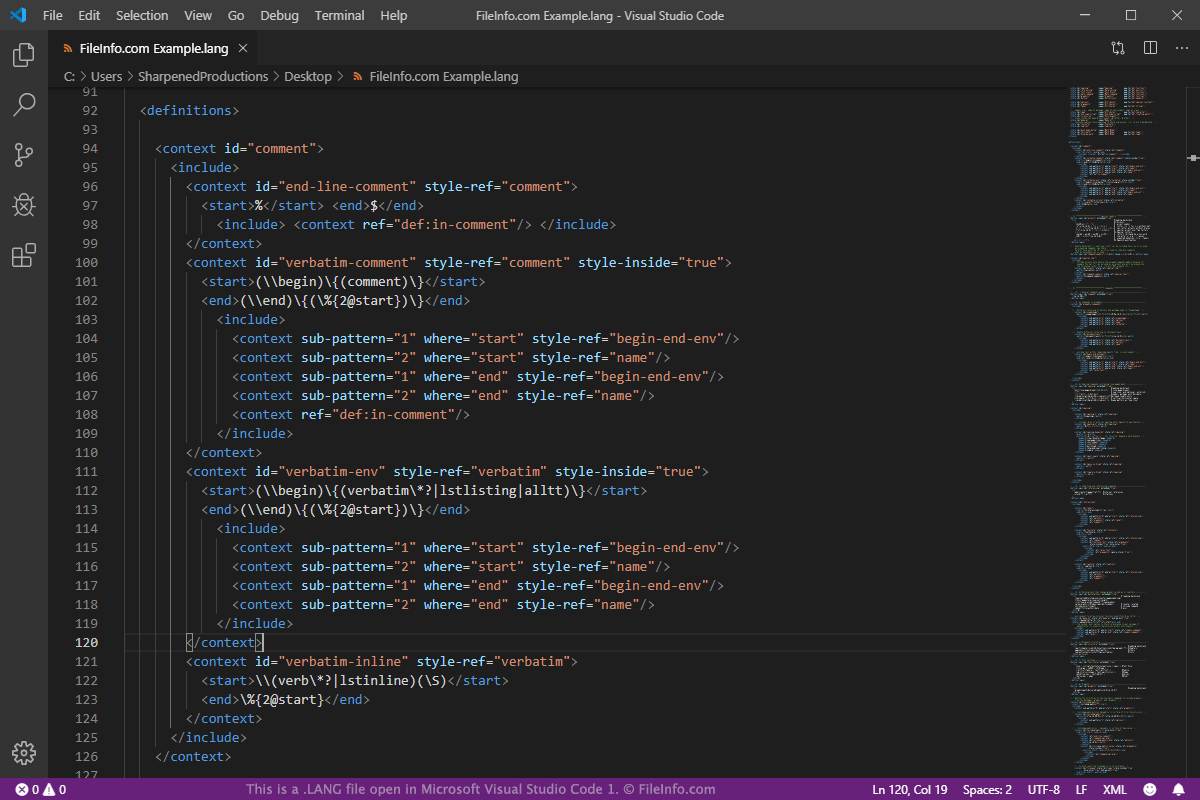
GTK è uno strumento open source e multipiattaforma utilizzato per creare GUI per i programmi. È costituito da vari widget utilizzati per progettare la GUI. Uno dei widget è GtkTextView, utilizzato per visualizzare e modificare testo su più righe nella GUI. Le funzionalità del widget GtkTextView possono essere estese dalla libreria GtkSourceView. Tra le funzionalità che possono essere estese dalla libreria ci sono il caricamento e il salvataggio dei file, la ricerca e sostituzione e l'evidenziazione della sintassi.
Il supporto all'evidenziazione della sintassi può essere aggiunto per linguaggi specifici utilizzando i file LANG nella libreria GtkSourceView. Alcuni linguaggi che possono essere aggiunti includono i linguaggi di programmazione C, C++, Java, Fortran, Logtalk e Axe Parser, i linguaggi di markup XML, HTML e LaTex e i linguaggi di scripting PHP, Python e Perl.
Probabilmente incontrerai un file LANG solo se sei uno sviluppatore GTK, poiché non viene utilizzato da altri programmi. Se vuoi visualizzare o modificare un file LANG, puoi utilizzare un editor di testo semplice o XML, come Microsoft Notepad, Apple TextEdit o Microsoft Visual Studio Code.
NOTA: GTK era precedentemente noto come GIMP Toolkit e GTK+.