.INS 파일 확장자
LaTeX Installer Script
| 개발사 | 해당 없음 |
| 인기도 |
4.1 | 64 투표 |
INS 파일이란 무엇인가요?
An INS file is an installer script used by LaTeX typesetting software. It is typically distributed with a .DTX DOCTex package and contains instructions for extracting the DTX content into separate files, such as .STY or .TEX files.
추가 정보
INS and DTX files are typically packaged together in a .ZIP archive. To run an INS file, first, extract the files from the ZIP archive using a Zip-decompression utility. Then, open the INS file in a LaTeX application or type latex filename.ins at the command line if the LaTeX command-line utilities are installed.
일반적인 .INS 파일 이름
[same name as accompanying DTX file].ins - The INS file bears the same name as the DTX file it is packaged with in the ZIP archive.
INS 파일을 여는 프로그램
Ensoniq Instrument
| 개발사 | Ensoniq |
| 인기도 |
3.8 | 26 투표 |
An INS file is a digital instrument sample used by Ensoniq synthesizers and sound cards, including the Mirage, ASR-10, and SD-1. It contains audio data and configuration settings that define how a particular instrument sounds when played on compatible Ensoniq devices.
추가 정보
Ensoniq synthesizers were popular among musicians and sound designers in the 1980s and 1990s. INS files were integral to creating and managing sounds for performances or compositions, enabling users to store and load instrument presets that recreate authentic instrument tones. While modern audio production tools may no longer use this format directly, tools like sample editors or legacy software may support INS files for converting or integrating them into contemporary digital audio workflows.
INS 파일을 여는 방법
You can open INS files with Chicken Systems Ensoniq Disk Tools in Windows. Original Ensoniq synthesizers that support the INS format, such as ASR-10 and SD-1, can also play the file if you have access to them.
INS 파일을 여는 프로그램
Internet Naming Service File
| 개발사 | Microsoft |
| 인기도 |
3.8 | 21 투표 |
Locates IP addresses and names of computers on the Internet, often referred to as "name resolution;" translates the IP address into a name that is stored by the Windows Internet Naming Service; not meant to be manually opened or altered.
INS 파일을 열거나 참조하는 프로그램
Adlib Tracker Instrument File
| 개발사 | Adlib |
| 인기도 |
3.6 | 27 투표 |
File created by Adlib Tracker, an audio tracking application; contains instrument samples accessed by Adlib Tracker to create compositions; file size is fixed and should not be opened.
추가 정보
참고: The Adlib Tracker II instrument file has the .A2I extension.
INS 파일을 열거나 참조하는 프로그램
Sample Cell II Instrument Definition File
| 개발사 | Avid Technology |
| 인기도 |
3.7 | 16 투표 |
Contains one instrument definition and references to external audio files used by the instrument; used by both Mac and Windows platforms, but incompatible with each other.
추가 정보
Does not contain actual audio data.
INS 파일을 열거나 참조하는 프로그램
Internet Settings File
| 개발사 | Microsoft |
| 인기도 |
3.6 | 16 투표 |
추가 정보
System administrators and ISPs sometimes provide IE connection settings files to users with a URL to the INS file. However, as a security precaution, webpage links to INS files are blocked by Internet Explorer so that arbitrary scripts cannot be run on the local computer from a Web link. Instead of placing the link in the Web address field, you need to use the the IE settings dialog to apply the connection settings.
INS 파일을 열거나 참조하는 프로그램
Inspiration File
| 개발사 | Inspiration Software |
| 인기도 |
3.5 | 10 투표 |
Data file created by Inspiration, a visual thinking and learning program typically used for educational purposes; sometimes referred to as a "mind map" file, since it may contain concept maps, webs, and idea maps.
추가 정보
Inspiration files can be viewed visually in Diagram View or displayed in a linear format, using Outline View.
INS 파일을 여는 프로그램
AGT Game Instruction File
| 개발사 | 해당 없음 |
| 인기도 |
2.9 | 7 투표 |
Instruction file used by AGiliTY, an Adventure Game Toolkit (AGT) interpreter; contains instructions on how to play the AGT game it is packaged with; does not need to be included with AGT game.
추가 정보
An AGT game is played by typing commands to navigate through a story. It's similar to a choose-your-own-adventure book. AGiliTy emulates older machines from the 1980s and 1990s that played the original AGT games.
AGT games can be packaged with a wide variety of files that contain game data, including .TTL and .VOC files. Because of the large number of files that accompany the AGT game, the files can be converted into a single .AGX file with the AGT2AGX utility that comes with AGiliTy. This conversion reduces load time, game file size, and clutter.
일반적인 .INS 파일 이름
[name of the game].ins - The INS file bears the same name of the game.
INS 파일을 열거나 참조하는 프로그램
Internet Explorer Installation Settings
| 개발사 | Microsoft |
| 인기도 |
1.0 | 2 투표 |
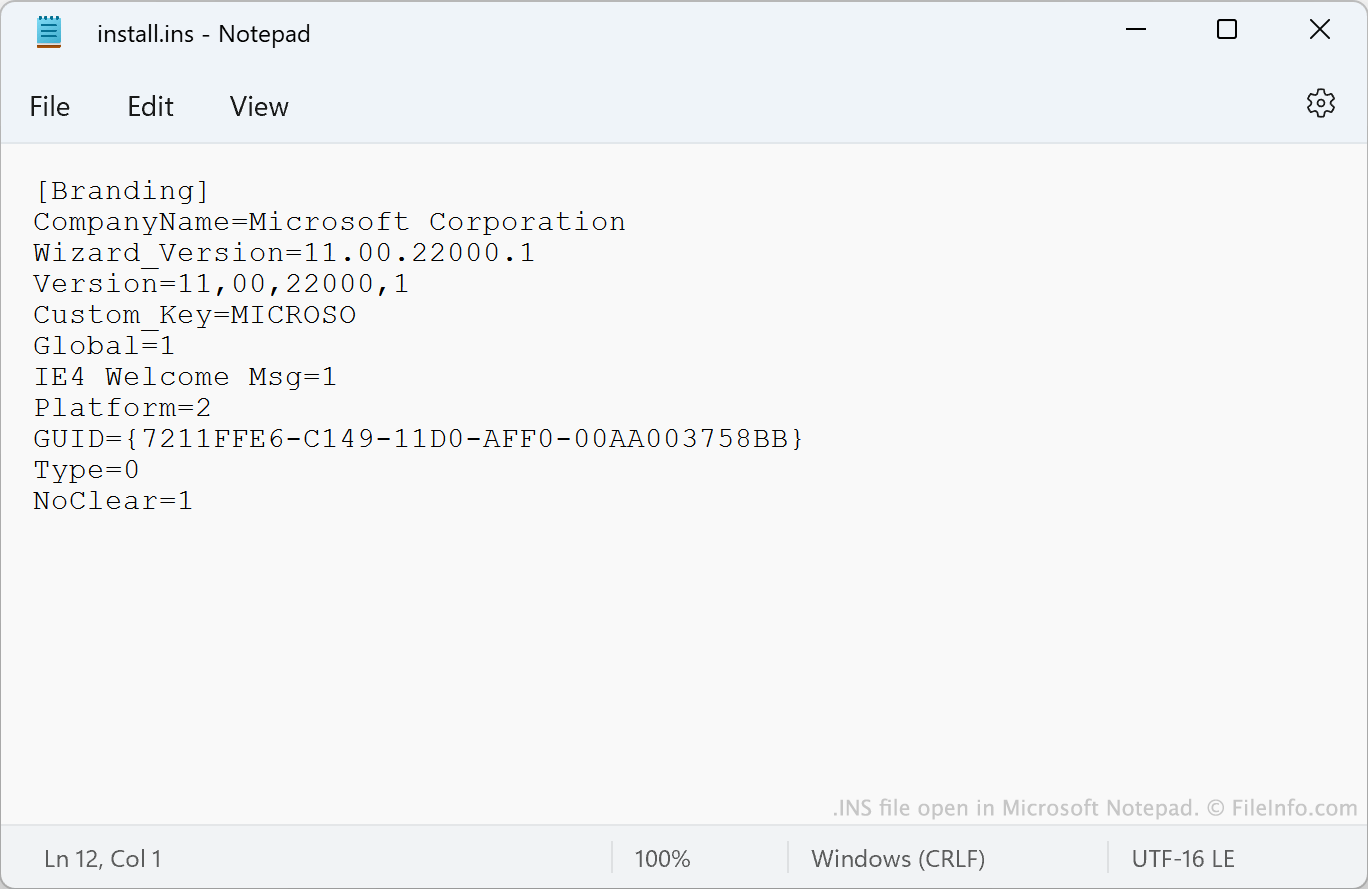
Install.ins is a settings file used by Microsoft Internet Explorer. It determines defaults for a user's instance of Internet Explorer. Administrators deploying managed versions of Internet Explorer can create custom install.ins files to specify custom defaults.
추가 정보
Internet Explorer is a common web browser included with many versions of Windows. All versions of Internet Explorer, including personal users' versions, include a file named install.ins. This file contains plain text data that specifies some Internet Explorer settings.
While a typical user's version of install.ins contains settings related mostly to the app's branding and version, a managed instance of Internet Explorer might include an install.ins file that specifies many more settings. For example, the file might alter Internet Explorer's name, specify a user's default search engine, specify default Favorites, and control whether and how a user can connect to proxy servers.
참고: IT administrators create install.ins files using the Internet Explorer Administration Kit (IEAK).
일반적인 .INS 파일 이름
Install.ins - Used to set certain Internet Explorer defaults.
INS 파일을 여는 방법
You can open install.ins in Microsoft Notepad (Windows) or any other text editor, but Windows will not allow you to save any edits you make to the file. If you want to replace your copy of install.ins, create a copy of the file, edit the copy, and then replace your current copy of install.ins with your edited copy.