

.FUSE 파일 확장자
Adobe Fuse 3D 모델
| 개발사 | Adobe Systems |
| 인기도 |
1.5 | 43 표 |
FUSE 파일이란 무엇인가요?
FUSE 파일은 3D 인간 캐릭터를 만드는 데 사용되는 프로그램인 Adobe Fuse로 만든 3D 모델입니다. Fuse에서 3D 인간 모델을 저장하는 데 사용되는 기본 형식이며 모델의 얼굴, 신체, 의상, 텍스처에 대한 정보가 포함되어 있습니다. FUSE 파일은 저장하고 닫은 다음 추가로 편집할 수 있도록 다시 열 수 있습니다.
추가 정보
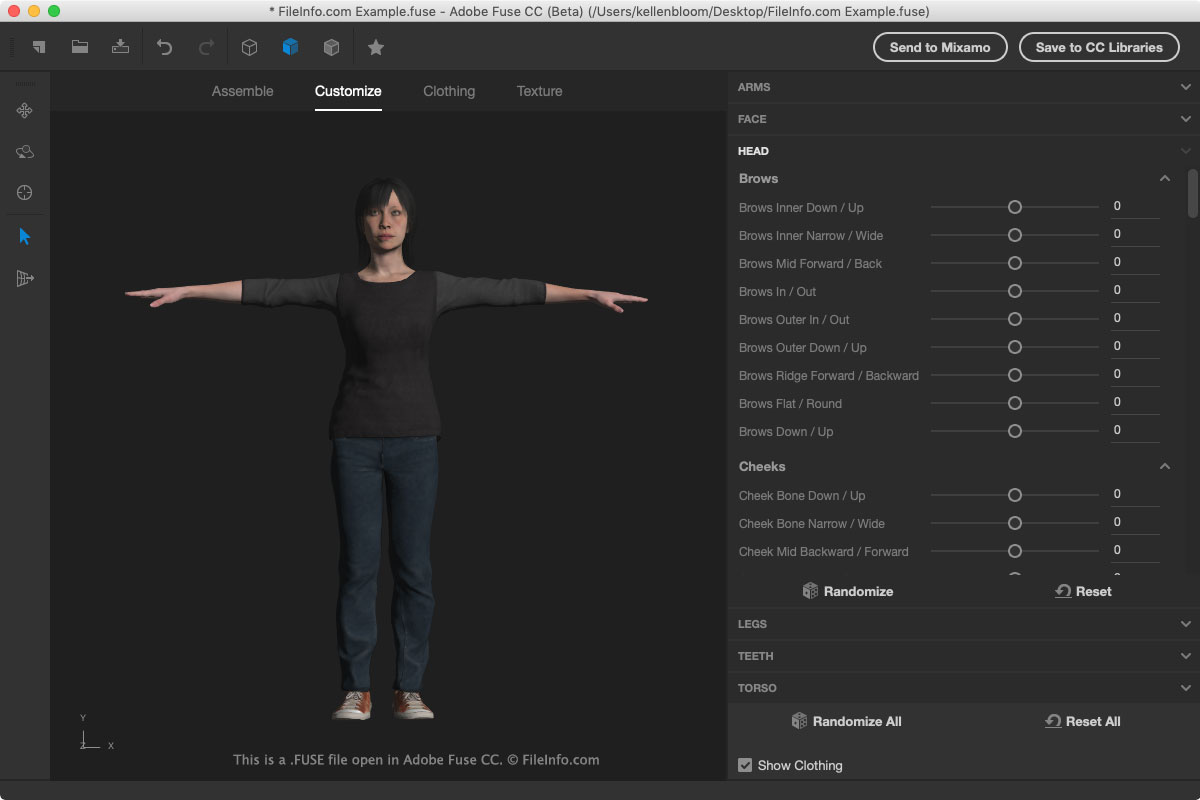
FUSE 파일에는 모델 에셋이 실제로 저장되는 대신 해당 에셋에 대한 참조가 포함되어 있으며, 에셋을 실제로 저장하면 FUSE 파일의 크기가 커집니다. Fuse는 FUSE 파일을 열 때 에셋을 불러오기 위해 에셋 파일 위치에 대한 참조를 읽습니다. 따라서 FUSE 파일이나 해당 에셋을 이동해서는 안 됩니다. 이동하면 모델이 Fuse에서 올바르게 표시되지 않을 수 있습니다.
FUSE 파일을 이동해야 한다면 Fuse에서 .OBJ 파일로 내보내십시오. 파일을 내보내려면 를 선택하십시오.
Fuse에서 FUSE 파일을 열려면 메뉴에서 을 선택하십시오. Fuse에서 FUSE 파일을 만들려면 또는 도구 모음의 "Begin a New Model" 아이콘을 선택하십시오.
FUSE 파일을 저장하려면 를 선택하거나 도구 모음의 "Save" 아이콘을 클릭하십시오. Fuse 3D 모델을 Creative Cloud Libraries에 직접 저장한 다음 Adobe Photoshop으로 드래그할 수도 있습니다.
참고: Fuse는 비디오 게임 개발자나 모더가 게임에서 캐릭터를 만들거나 수정할 때 자주 사용합니다.
FUSE 파일을 여는 프로그램
Windows
무료
Mac
무료