

.FUSE Dateiendung
Adobe Fuse-3D-Modell
| Entwickler | Adobe Systems |
| Beliebtheit |
1,5 | 43 Stimmen |
Was ist eine FUSE-Datei?
Eine FUSE-Datei ist ein 3D-Modell, das mit Adobe Fuse erstellt wurde, einem Programm zum Erstellen menschlicher 3D-Figuren. Sie ist das native Format zum Speichern menschlicher 3D-Modelle in Fuse und enthält Informationen zum Gesicht, Körper, zur Kleidung und zu den Texturen des Modells. FUSE-Dateien können gespeichert, geschlossen und zur weiteren Bearbeitung erneut geöffnet werden.
Weitere Informationen
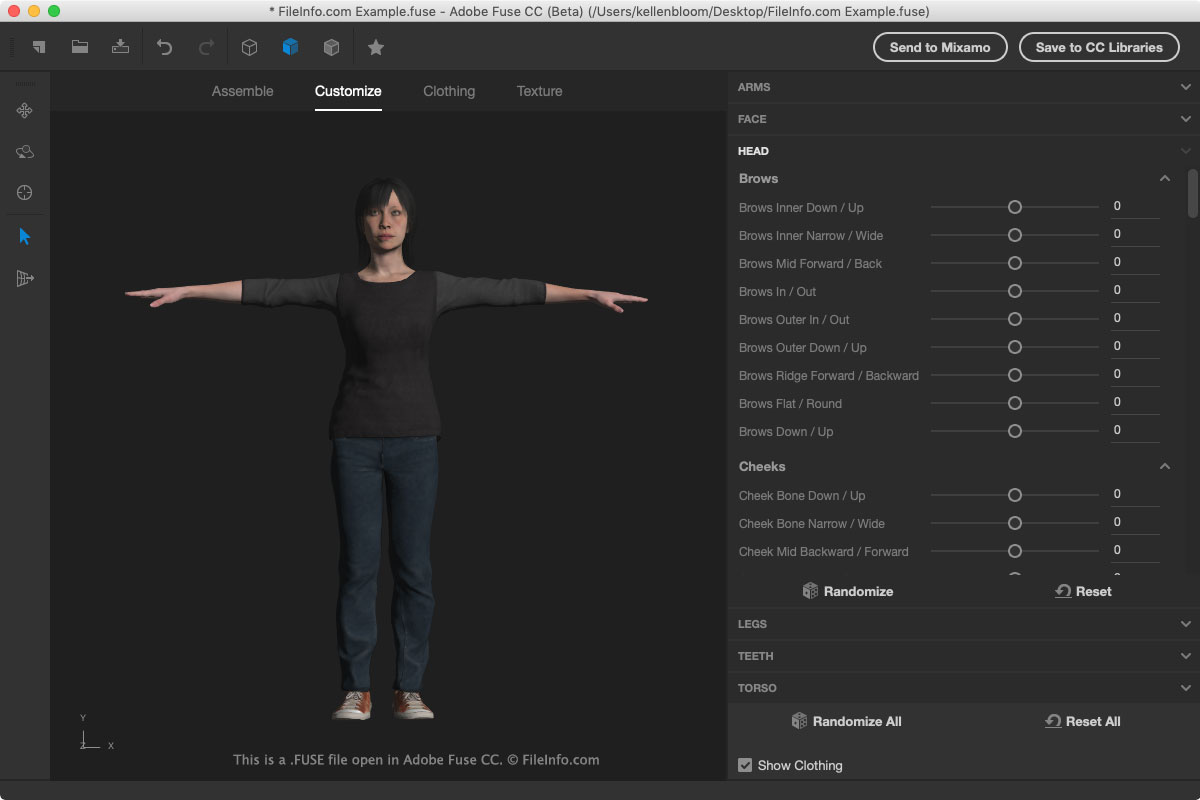
Die FUSE-Datei enthält Verweise auf Modellressourcen, anstatt die Ressourcen tatsächlich zu speichern, da dies die Größe der FUSE-Datei erhöhen würde. Die Verweise auf die Speicherorte der Ressourcendateien werden von Fuse gelesen, um die Ressourcen beim Öffnen der FUSE-Datei zu laden. Daher sollten Sie die FUSE-Datei oder ihre Ressourcen nicht verschieben. Andernfalls wird das Modell möglicherweise nicht korrekt in Fuse angezeigt.
Wenn Sie die FUSE-Datei verschieben müssen, exportieren Sie sie in Fuse als .OBJ-Datei. Um die Datei zu exportieren, wählen Sie .
Um eine FUSE-Datei in Fuse zu öffnen, wählen Sie im Menü . Um eine FUSE-Datei in Fuse zu erstellen, wählen Sie oder das Symbol „Begin a New Model“ in der Symbolleiste.
Um die FUSE-Datei zu speichern, wählen Sie oder klicken Sie auf das Symbol „Save“ in der Symbolleiste. Sie können Fuse-3D-Modelle auch direkt in Creative Cloud Libraries speichern und sie anschließend in Adobe Photoshop ziehen.
HINWEIS: Fuse wird häufig von Videospielentwicklern oder Moddern verwendet, um Figuren in Spielen zu erstellen oder zu verändern.