

.ELEMENTS 파일 확장자
RapidWeaver Elements 프로젝트
| 개발사 | Realmac Software |
| 인기도 |
3.0 | 1 표 |
ELEMENTS 파일이란 무엇인가요?
ELEMENTS 파일은 Realmac Software가 개발한 macOS 웹사이트 제작 도구인 RapidWeaver Elements로 만든 웹사이트 프로젝트입니다. 웹사이트 프로젝트의 구조와 콘텐츠를 저장하는 macOS 패키지이므로 사용자는 나중에 사이트를 계속 편집하고 게시할 수 있습니다. ELEMENTS 파일에는 일반적으로 웹사이트에서 사용하는 페이지 레이아웃, 구성 요소, 스타일 설정, 콘텐츠, 프로젝트 리소스 및 미디어가 포함됩니다.
추가 정보
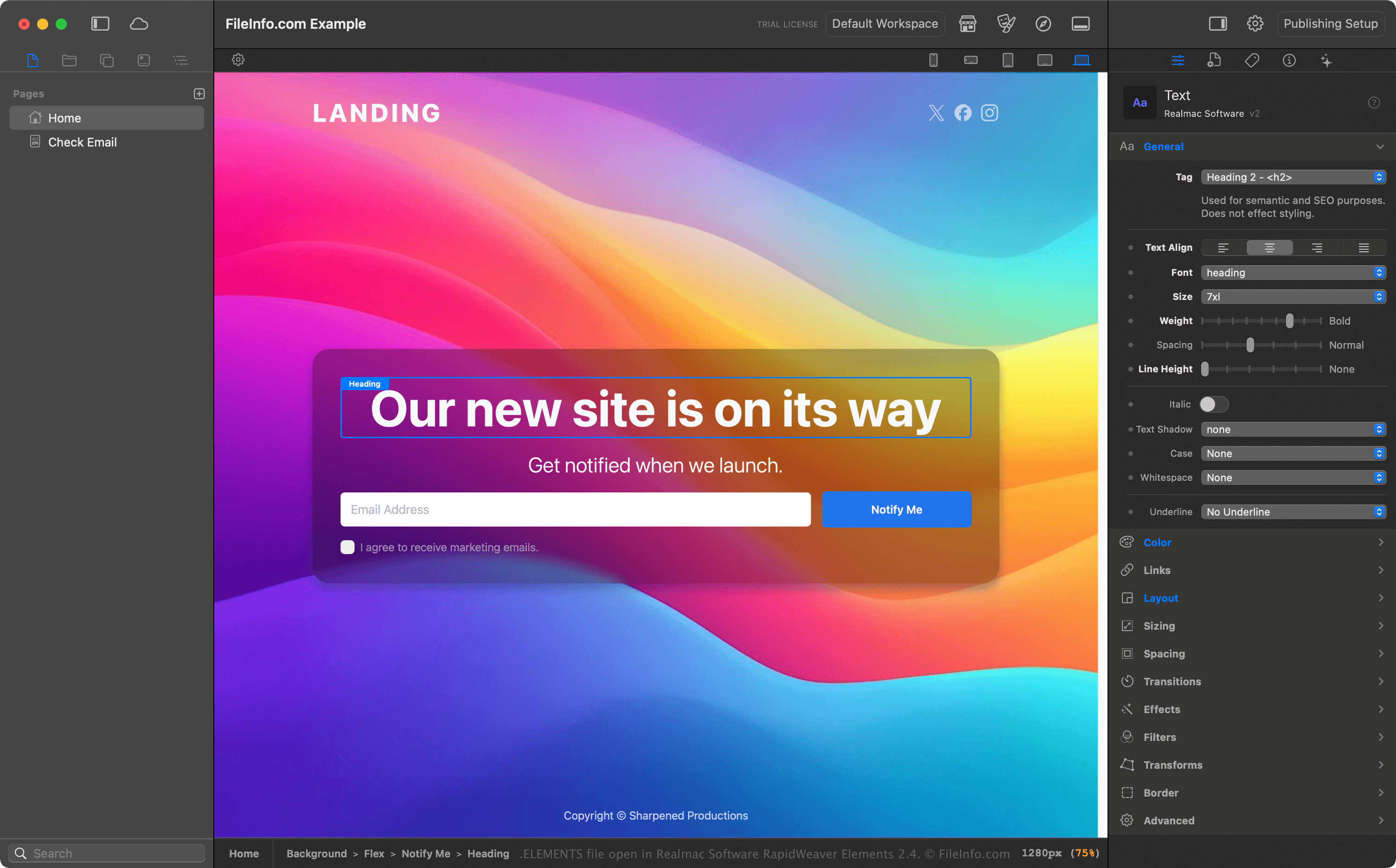
RapidWeaver Elements는 시각적 구성 요소 기반 편집기로 웹사이트를 만들 때 ELEMENTS 파일을 기본 작업 형식으로 사용합니다. 사이트의 각 부분에 대해 .HTML과 .CSS를 직접 작성하는 대신, 사용자는 애플리케이션 내에서 관리되는 재사용 가능한 구성 요소와 프로젝트 리소스를 사용해 페이지를 구성합니다. 이미지, 글꼴, 문서 및 기타 파일과 같이 프로젝트에 추가된 리소스는 프로젝트와 함께 저장되며, 사이트를 내보내거나 게시할 때 포함할 수 있습니다.
웹 디자이너, 프리랜서, 취미로 웹사이트를 만드는 사람 및 개발자는 일반적으로 ELEMENTS 파일을 사용해 웹사이트 프로젝트를 정리하고 개발 중 편집 가능한 웹사이트 데이터를 보존합니다. 이 형식은 RapidWeaver Elements 작업 흐름을 위해 특별히 설계되었으며, 일반적인 웹사이트 교환 형식으로 사용하기 위한 것은 아닙니다.
ELEMENTS 파일을 여는 방법
macOS에서 Realmac RapidWeaver Elements로 ELEMENTS 파일을 열 수 있습니다. Elements에서 ELEMENTS 파일을 열려면 을 선택합니다. 프로젝트를 연 후 웹사이트를 편집하고, 리소스를 관리하고, 페이지를 미리 보고, 완성된 사이트를 게시하거나 내보낼 수 있습니다.
macOS 패키지로 ELEMENTS 파일 열기
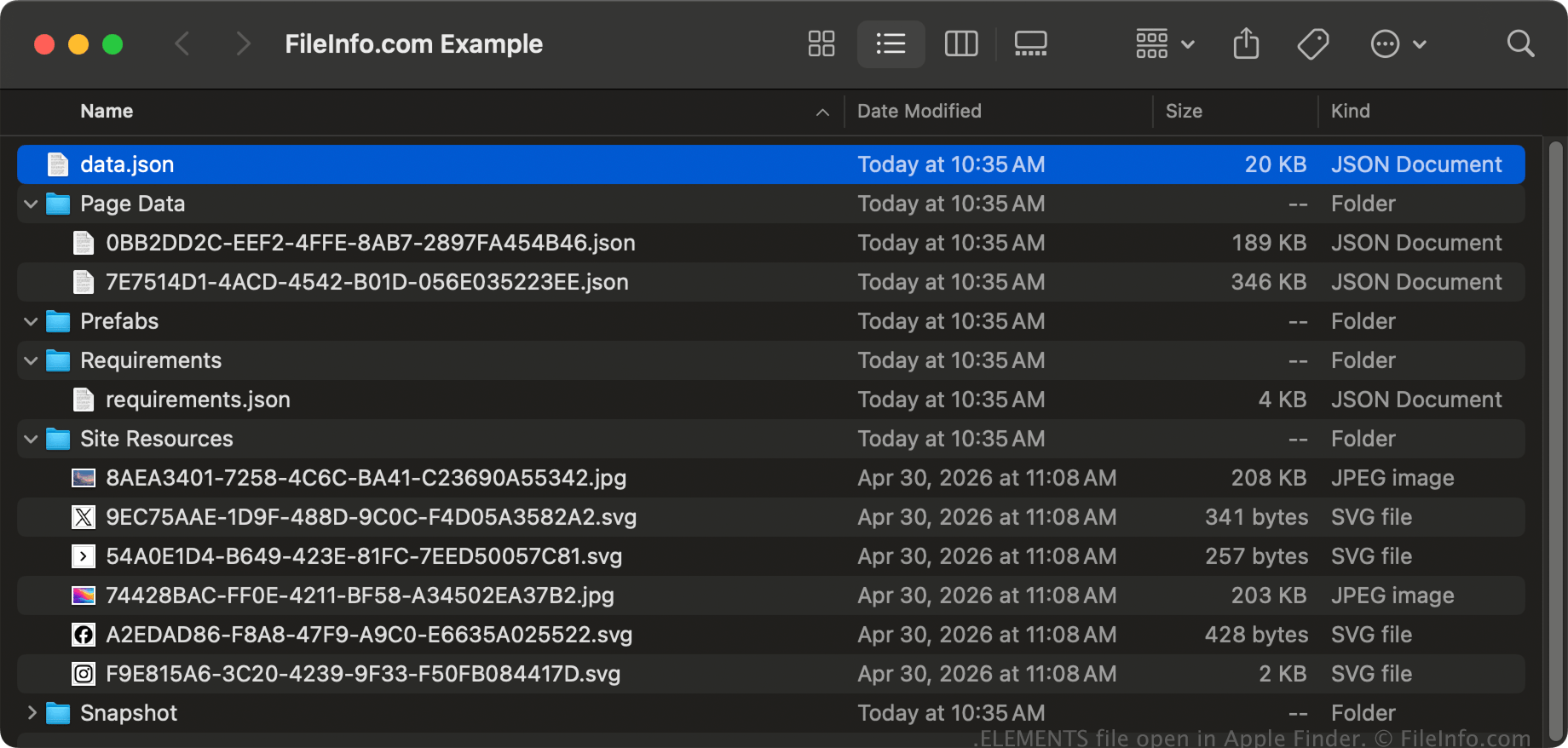
macOS에서는 ELEMENTS 파일을 마우스 오른쪽 버튼으로 클릭하고 를 선택해 Apple Finder에서 패키지의 디렉터리와 파일을 볼 수 있습니다. ELEMENTS 파일에 저장되어 있을 수 있는 파일로는 .JSON 파일(예: data.json 파일)과 .JPG, .PNG 및 .SVG 파일과 같은 미디어 파일이 있습니다.
참고: ELEMENTS 파일의 콘텐츠를 수정하면 프로젝트가 손상될 수 있습니다.