

.ELEMENTS File Extension
RapidWeaver Elements Project
| Developer | Realmac Software |
| Popularity |
3.0 | 1 Vote |
What is an ELEMENTS file?
An ELEMENTS file is a website project created by RapidWeaver Elements, a macOS website builder developed by Realmac Software. It is a macOS package that stores the structure and content of a website project so users can continue editing and publishing their site later. ELEMENTS files typically contain page layouts, components, styling settings, content, project resources, and media used by the website.
More Information

RapidWeaver Elements uses ELEMENTS files as the primary working format for building websites with a visual, component-based editor. Instead of manually writing .HTML and .CSS for every part of a site, users assemble pages using reusable components and project resources managed within the application. Resources added to a project, such as images, fonts, documents, and other files, are stored with the project and can be included when the site is exported or published.
Web designers, freelancers, hobbyists, and developers commonly use ELEMENTS files to organize website projects and preserve editable website data during development. The format is designed specifically for the RapidWeaver Elements workflow and is not intended to serve as a general website interchange format.
How to open an ELEMENTS file
You can open ELEMENTS files with Realmac RapidWeaver Elements in macOS. To open an ELEMENTS file with Elements, select . After opening the project, you can edit the website, manage resources, preview pages, and publish or export the finished site.
Opening an ELEMENTS file as a macOS package
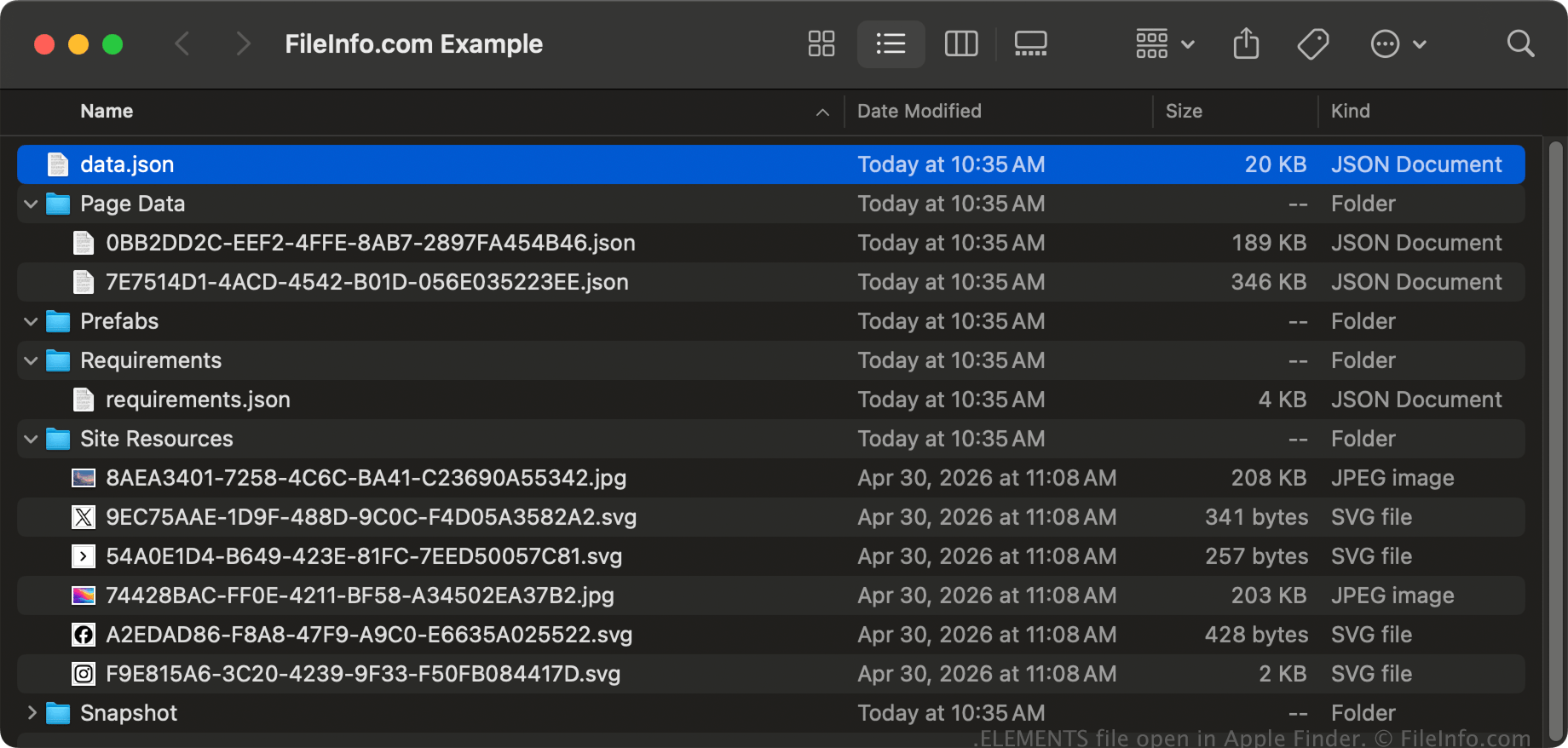
In macOS, you can right-click an ELEMENTS file and select to view the package's directories and files with Apple Finder. Files you may find stored within an ELEMENTS file include .JSON files (e.g., a data.json file) and media files, such as .JPG, .PNG, and .SVG files.
NOTE: Modifying the contents in an ELEMENTS file may corrupt the project.