.DPL 파일 확장자
Delphi Package Library
| 개발사 | Embarcadero Technologies |
| 인기도 |
3.6 | 10 투표 |
DPL 파일이란 무엇인가요?
A DPL file is a dynamically linked library (DLL) used by Embarcadero Delphi and designed specifically for modular application development in Delphi’s package system. It contains precompiled components, units, or classes that developers use to package reusable code that functions across Delphi projects.
추가 정보
Embarcadero Delphi is an integrated development environment (IDE) that creates Windows, macOS, iOS, Android, and Linux applications. Developers use DPL files to extend Delphi applications by dynamically loading and linking libraries at runtime. This is particularly useful for component-based development, where custom user interface (UI) elements, database drivers, or other functionality can be packaged separately and integrated as needed, which makes development more efficient by reducing redundancy and ensuring consistency across projects..
참고: Versions 3 and earlier of Delphi used DPL files until Embarcadero Technologies replaced them with .BPL files in version 4.
DPL 파일을 여는 방법
You can open DPL files with Embarcadero Delphi. For example, you can load a DPL file in a Delphi project (.DPR or .DPROJ file) by selecting Project → Options and click Runtime Packages under Packages.
DPL 파일을 여는 프로그램
PotPlayer Playlist
| 개발사 | Kakao Corp. |
| 인기도 |
2.0 | 1 투표 |
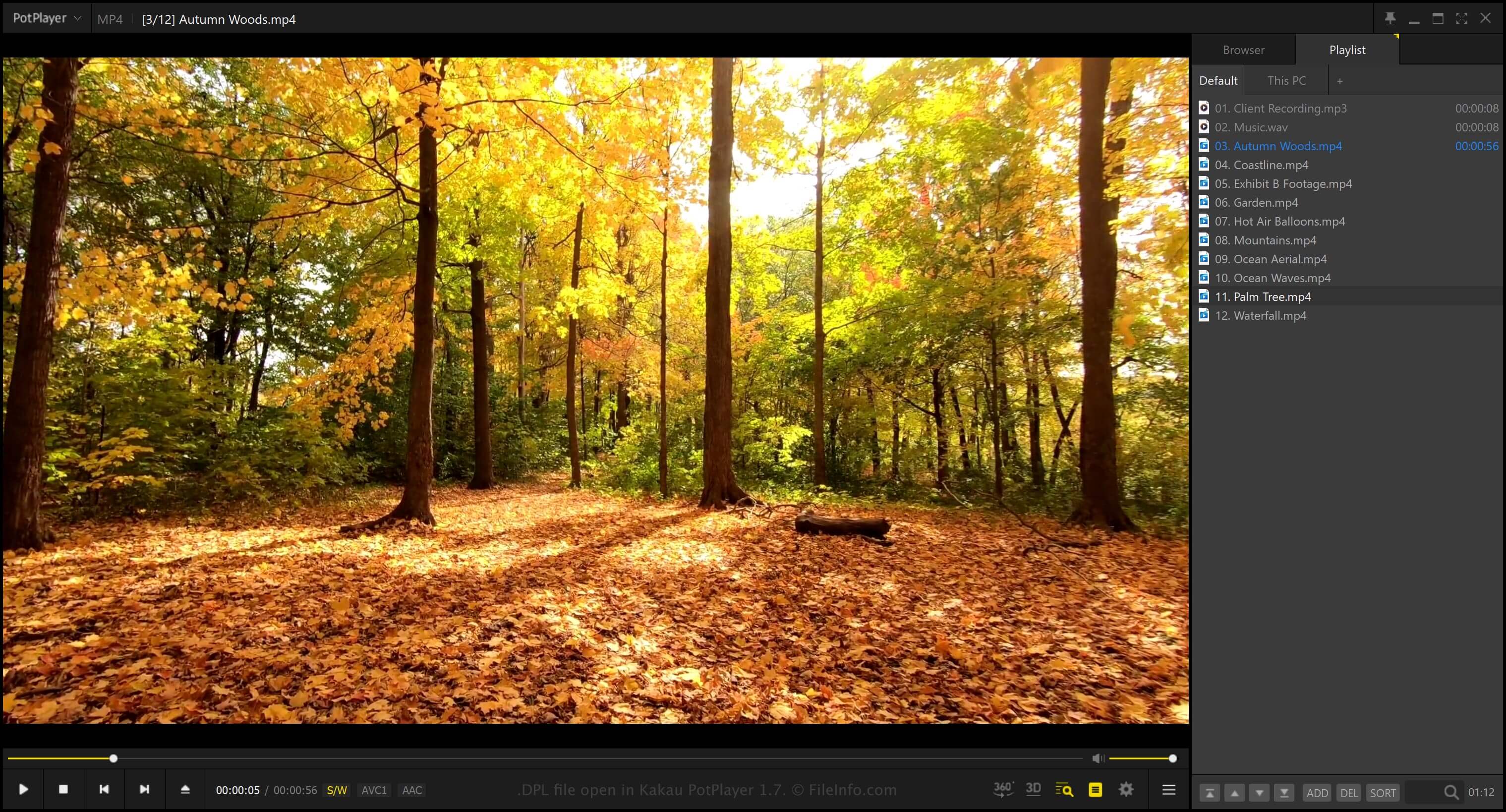
A DPL file is a playlist created by Kakao PotPlayer, a free multimedia player for Windows. It contains a plain-text list of one or more files, folders, and URLs that PotPlayer uses to play back media, such as music or videos. PotPlayer users create playlists to organize audio and video they want to play back at certain times, whether relaxing at home, at a party, or during a presentation.
추가 정보
To display the Playlist panel in PotPlayer, select PotPlayer → Playlist. Once opened, you can choose Add to add a file, folder, or URL to the playlist.
If you want to save the playlist as a DPL file, right-click the Playlist panel and select Playlist → Save playlist as. PotPlayer does not save actual audio or video data in the DPL file. Instead, it saves references to the locations of the files or folders (if you add a file or folder to the playlist).
DPL 파일을 여는 방법
You can open DPL files with Kakao PotPlayer in Windows. To open a DPL file, right-click the Playlist panel and select Playlist → Open a playlist.