

.DPL Dateiendung
PotPlayer-Wiedergabeliste
| Entwickler | Kakao Corp. |
| Beliebtheit |
2,0 | 1 Stimme |
Eine DPL-Datei ist eine von Kakao PotPlayer, einem kostenlosen Multimedia-Player für Windows, erstellte Wiedergabeliste. Sie enthält eine Klartextliste mit einer oder mehreren Dateien, Ordnern und URLs, die PotPlayer zur Wiedergabe von Medien wie Musik oder Videos verwendet. PotPlayer-Benutzer erstellen Wiedergabelisten, um Audio- und Videodateien zu organisieren, die sie zu bestimmten Zeiten wiedergeben möchten, sei es beim Entspannen zu Hause, auf einer Party oder während einer Präsentation.
Weitere Informationen
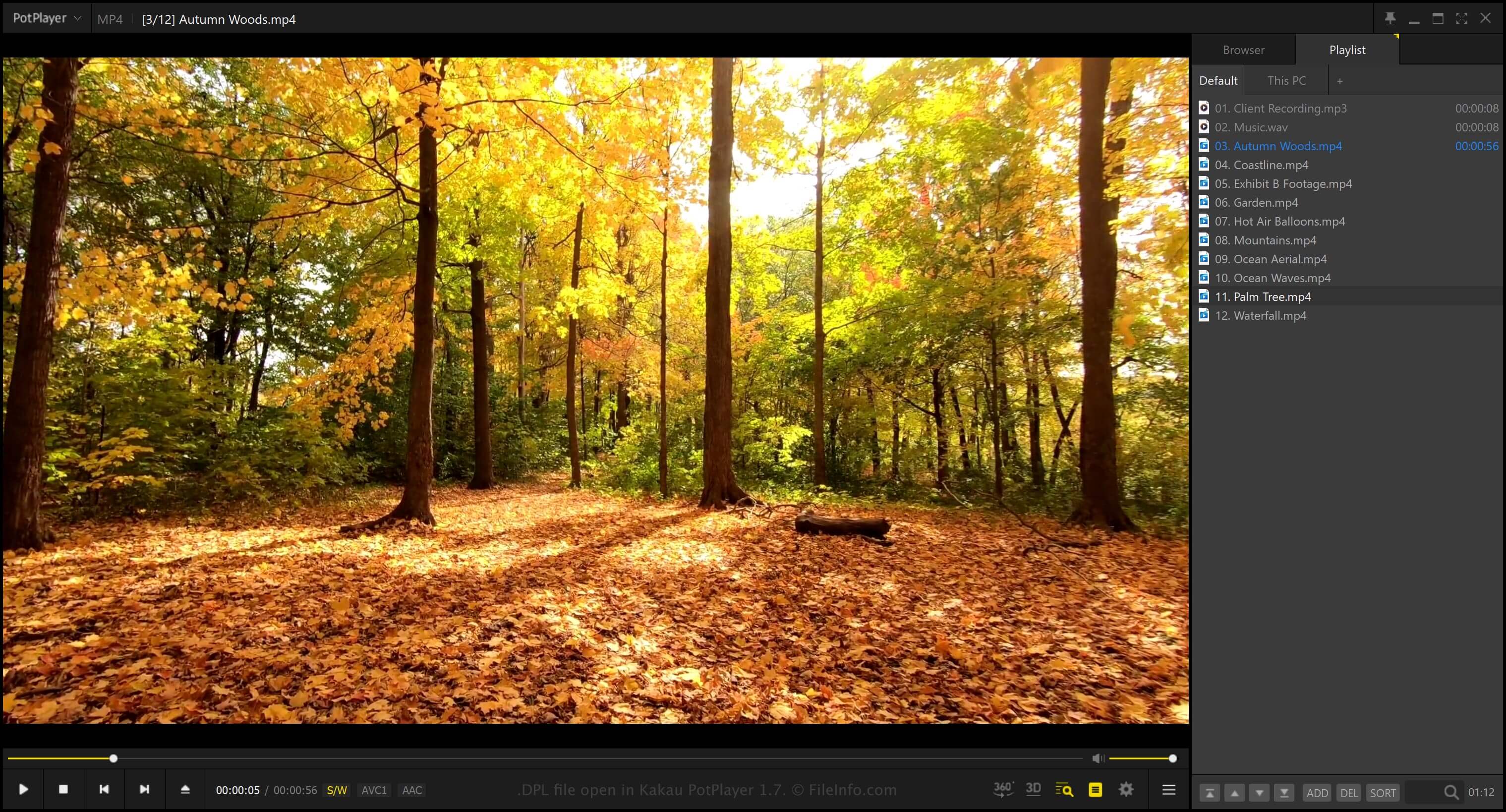
Um das Wiedergabelistenfenster in PotPlayer anzuzeigen, wählen Sie . Nach dem Öffnen können Sie auswählen, um der Wiedergabeliste eine Datei, einen Ordner oder eine URL hinzuzufügen.
Wenn Sie die Wiedergabeliste als DPL-Datei speichern möchten, klicken Sie mit der rechten Maustaste auf das Wiedergabelistenfenster und wählen Sie . PotPlayer speichert keine tatsächlichen Audio- oder Videodaten in der DPL-Datei. Stattdessen speichert das Programm Verweise auf die Speicherorte der Dateien oder Ordner (wenn Sie der Wiedergabeliste eine Datei oder einen Ordner hinzufügen).
So öffnen Sie eine DPL-Datei
Sie können DPL-Dateien mit Kakao PotPlayer unter Windows öffnen. Um eine DPL-Datei zu öffnen, klicken Sie mit der rechten Maustaste auf das Wiedergabelistenfenster und wählen Sie .