.DPL ファイル拡張子

2個のファイルタイプ.dpl拡張子を使用しています。

Delphi Package Library

開発元 Embarcadero Technologies
人気度
3.6  |  10 
 

DPLファイルとは?

A DPL file is a dynamically linked library (DLL) used by Embarcadero Delphi and designed specifically for modular application development in Delphi’s package system. It contains precompiled components, units, or classes that developers use to package reusable code that functions across Delphi projects.

詳細情報

Embarcadero Delphi is an integrated development environment (IDE) that creates Windows, macOS, iOS, Android, and Linux applications. Developers use DPL files to extend Delphi applications by dynamically loading and linking libraries at runtime. This is particularly useful for component-based development, where custom user interface (UI) elements, database drivers, or other functionality can be packaged separately and integrated as needed, which makes development more efficient by reducing redundancy and ensuring consistency across projects..

注: Versions 3 and earlier of Delphi used DPL files until Embarcadero Technologies replaced them with .BPL files in version 4.

DPLファイルの開き方

You can open DPL files with Embarcadero Delphi. For example, you can load a DPL file in a Delphi project (.DPR or .DPROJ file) by selecting Project → Options and click Runtime Packages under Packages.

File Viewer Plusで400種類以上のファイル形式を開けます。無料ダウンロード

DPLファイルを開くプログラム

Windows
無料体験版
カテゴリ: 開発者
更新日: 2025-02-20

PotPlayer Playlist

開発元 Kakao Corp.
人気度
2.0  |  1 
 

A DPL file is a playlist created by Kakao PotPlayer, a free multimedia player for Windows. It contains a plain-text list of one or more files, folders, and URLs that PotPlayer uses to play back media, such as music or videos. PotPlayer users create playlists to organize audio and video they want to play back at certain times, whether relaxing at home, at a party, or during a presentation.

詳細情報

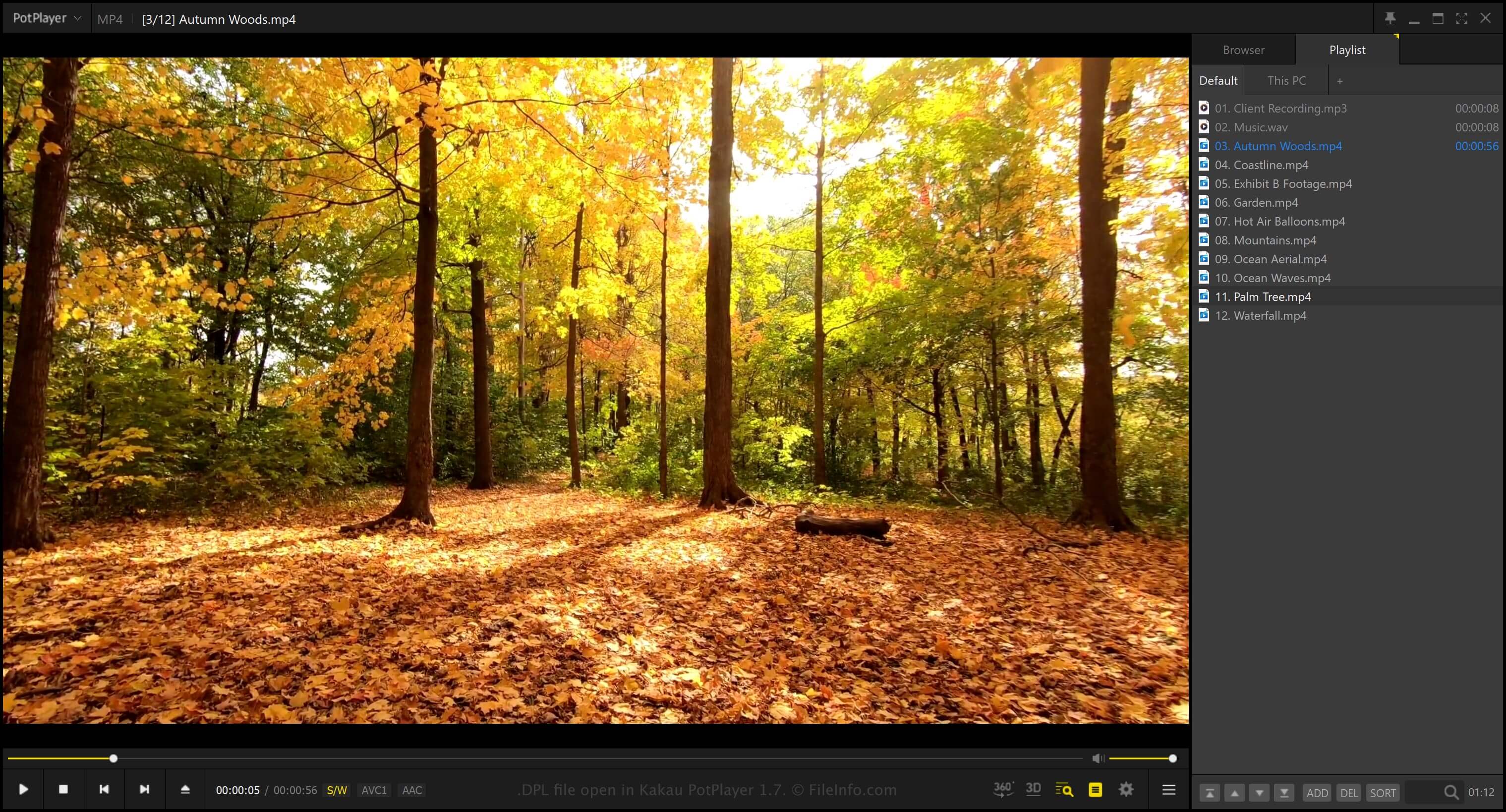
Kakao PotPlayer 1.7で開いた.dplファイルのスクリーンショット
Kakao PotPlayer 1.7で開いたDPLファイル

To display the Playlist panel in PotPlayer, select PotPlayer → Playlist. Once opened, you can choose Add to add a file, folder, or URL to the playlist.

If you want to save the playlist as a DPL file, right-click the Playlist panel and select Playlist → Save playlist as. PotPlayer does not save actual audio or video data in the DPL file. Instead, it saves references to the locations of the files or folders (if you add a file or folder to the playlist).

DPLファイルの開き方

You can open DPL files with Kakao PotPlayer in Windows. To open a DPL file, right-click the Playlist panel and select Playlist → Open a playlist.

DPLファイルの変換方法

Kakao PotPlayer can convert DPL files to various file types (select Playlist → Save playlist as), including the following formats:

  • .PLS - Multimedia Playlist File
  • .M3U - M3U Media Playlist
  • .M3U8 - UTF-8 M3U Playlist
  • .ASX - Microsoft ASF Redirector File

DPLファイルを開くプログラム

Windows
カテゴリ: その他
更新日: 2026-04-01

検証者 FileInfo.com

FileInfo.comチーム は、このページに掲載されているすべてのファイル形式とソフトウェアについて独自に調査しました。 私たちの目標は100%の正確性であり、検証済みのファイルタイプに関する情報のみを公開しています。

このページへの追加や更新をご提案いただける場合は、お知らせください。