.CPF 파일 확장자

Cognos Project File

개발사 IBM
인기도
3.6  |  11 투표
 

CPF 파일이란 무엇인가요?

Project file created by Cognos Framework Manager, a data modeling tool included with IBM Cognos Business Intelligence (BI) software; contains data "metamodels" that that organize BI data from underlying databases; provides the means to store data models that can be used for BI analysis.

File Viewer Plus(으)로 400개 이상의 파일 형식을 여세요.무료 다운로드

CPF 파일을 여는 프로그램

Windows
카테고리: 데이터
업데이트: 2011-10-31

Caesium Profile

개발사 SaeraSoft
인기도
3.8  |  4 투표
 

A CPF file is a settings profile created and used by Caesium, a free image compression tool for Windows. It contains a list of a user's Caesium settings, written in plain text. CPF files specify the compression settings, file format, resizing settings, and output directory Caesium uses while compressing images.

추가 정보

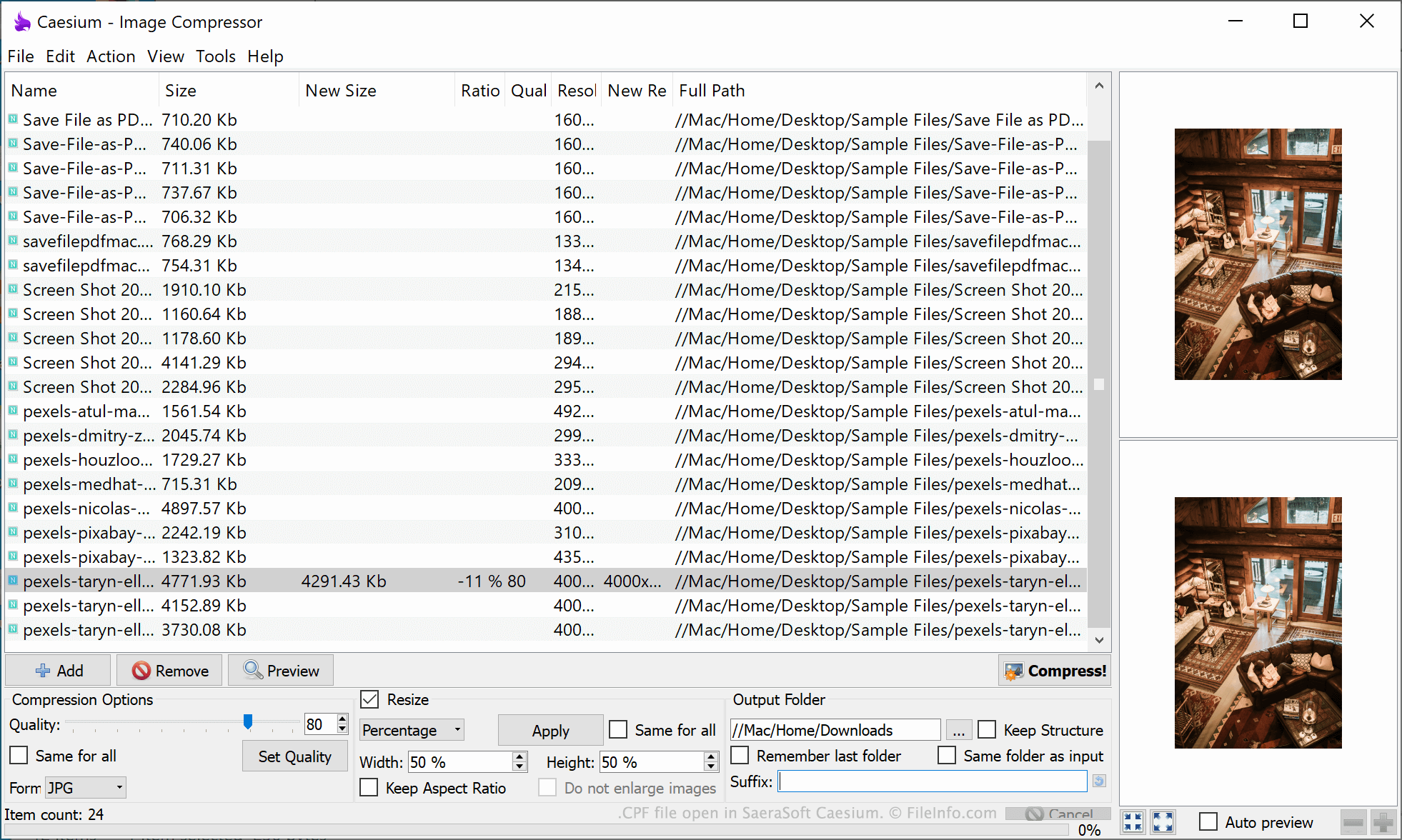
SaeraSoft Caesium에서 열린 .cpf 파일의 스크린샷
SaeraSoft Caesium에서 열린 CPF 파일

Caesium is a free tool that allows users to compress, resize, and convert images. While manipulating images, users can specify a number of compression- and resizing-related settings. For example, users can choose their desired image quality, file format, and size. Users can also specify where Caesium should save compressed images.

If a user wants to save their current Caesium settings, so they can quickly apply the settings in the future, they can do so by selecting File → Save Profile... from Caesium's menu bar. This saves the user's settings in a CPF file.

CPF files are plain text files that, when opened in a text editor such as Microsoft Notepad, show a user's settings as a simple text list. CPF files always start with the header [Profile], before listing a user's quality, format, output, and resizing settings.

CPF 파일을 여는 방법

You can open a CPF file in Caesium (Windows). To do so, select File → Load Profile... from Caesium's menu bar. Then, navigate to and open your CPF file.

If you do not have access to Caesium, or you just want to see the plain text information your CPF file contains, you can also open the file in any text editor, such as Microsoft Notepad (Windows) or Apple TextEdit (Mac).

CPF 파일을 여는 프로그램

Windows
Mac
OS에 포함됨
Linux
무료
카테고리: 설정
업데이트: 2021-10-05

Cab Provisioning Format File

개발사 Microsoft
인기도
2.4  |  7 투표
 

File used to configure, or "provision," a Windows Mobile device; may contain settings for security, applications, and connectivity; saved in the .CAB format and includes data encoded from an XML file using the Makecab.exe program; used by manufacturers when configuring devices for vendors.

추가 정보

The process of provisioning takes place after the operating system is loaded onto the device.

CPF 파일을 열거나 참조하는 프로그램

Windows
OS에 포함됨
카테고리: 설정
업데이트: 2011-10-31

Archicad Teamwork Draft Preferences File

개발사 GRAPHISOFT
인기도
1.0  |  1 투표
 

A CPF file contains preferences for a teamwork draft (.PLC file) created with GRAPHISOFT Archicad architectural designing software. It stores preferences, including working methods applied to the team project (.PLP file) and dimensions, calculation units, and rules for the team project design.

추가 정보

GRAPHISOFT Archicad is a building information modeling (BIM) application often used by professional architects. The software comes with tools to design, visualize, and document the appearance of buildings, including their interiors, exteriors, and landscapes.

Archicad also provides collaboration capabilities for working remotely with a team of other users via the GRAPHISOFT BIMcloud storage space. For example, through BIMcloud, you can create a PLP teamwork project file that team members can edit with access to the project.

If you would like to work on the teamwork project but not immediately apply your edits, you can save a draft of the teamwork project as a PLC file on your local machine, edit the draft, then send it to the teamwork project when ready. Archicad also saves the preferences for the PLC draft file in a CPF file.

CPF 파일을 여는 방법

You can only open CPF files with GRAPHISOFT Archicad in Windows and macOS.

CPF 파일을 여는 프로그램

Windows
무료 체험판
Mac
무료 체험판
카테고리: 설정
업데이트: 2023-03-29

검증자 FileInfo.com

FileInfo.com 팀 이 페이지에 나열된 모든 파일 형식과 소프트웨어 프로그램을 독자적으로 조사했습니다. 저희의 목표는 100% 정확성이며, 검증한 파일 유형에 대한 정보만 게시합니다.

이 페이지에 추가하거나 업데이트할 내용을 제안하고 싶으시면 알려 주세요.