

.BCA 파일 확장자
BCArchive 암호화 아카이브
| 개발사 | Jetico |
| 인기도 |
3.7 | 3 표 |
BCA 파일이란 무엇인가요?
BCA 파일은 Jetico BCArchive에서 만든 암호화된, 압축된 아카이브입니다. 여기에는 사용자가 아카이브에 저장하기로 선택한 문서, 이미지 및/또는 동영상 그룹과 같은 하나 이상의 파일이 포함됩니다. BCA 파일을 만든 데 사용한 비밀번호 또는 공개 키를 알고 있다면 BCArchive에서 BCA 파일을 열고 편집할 수 있습니다.
추가 정보
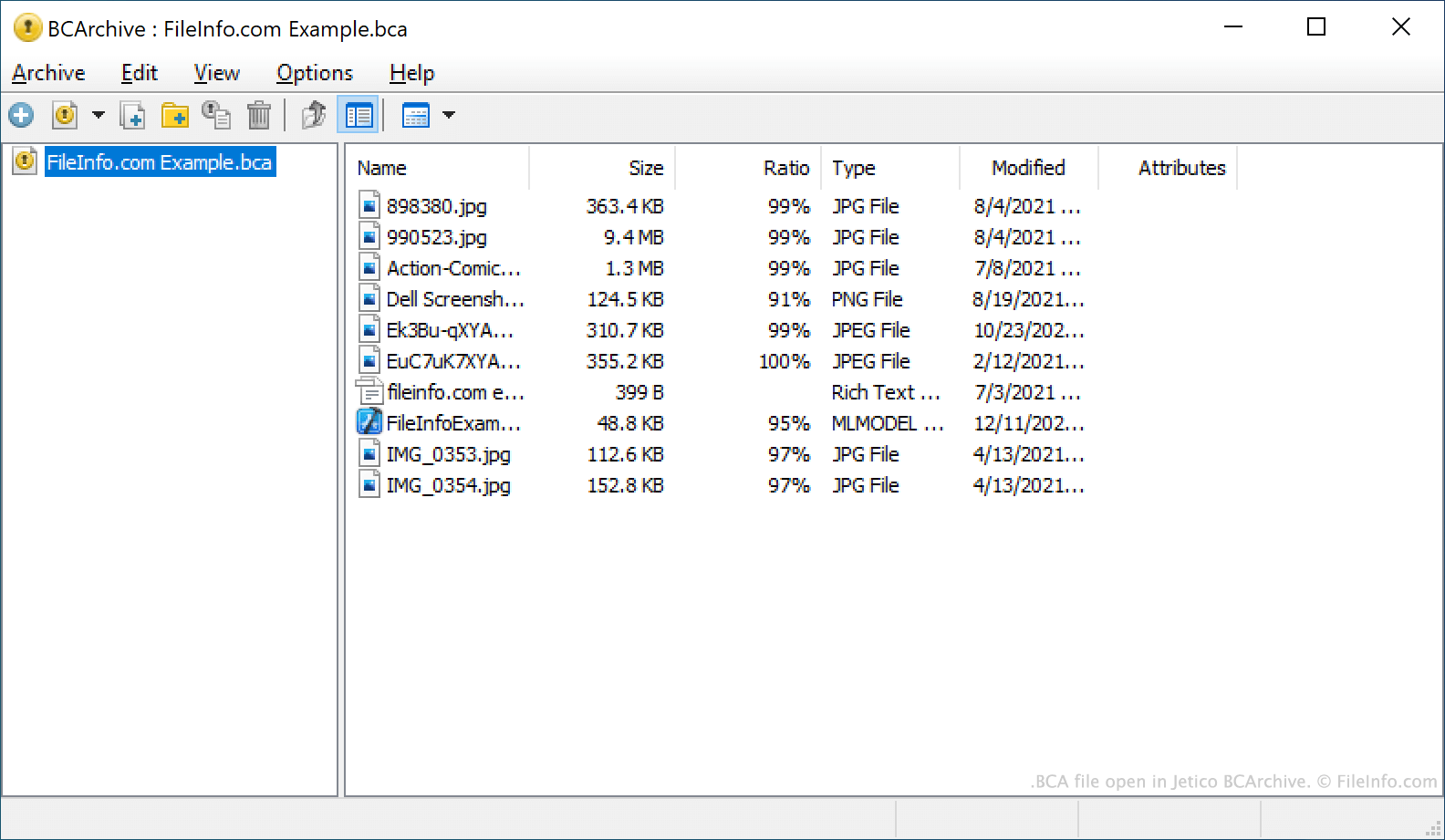
BCArchive는 파일을 압축하고, 패키징하고, 암호화할 수 있는 파일 보관 도구입니다. 이를 통해 사용자는 다른 사람과 파일을 안전하게 공유할 수 있으며, 압축되고 암호화된 아카이브를 파일 백업으로 보관할 수도 있습니다.
BCArchive에서 만든 아카이브는 BCA 파일로 저장됩니다. BCA 파일은 다음을 포함한 여러 암호화 알고리즘 중 하나를 사용하여 암호화할 수 있습니다.
- Rijndael (AES), Blowfish-256 또는 Blowfish-448과 같은 대칭 알고리즘
- SHA-256, SHA-1 또는 MD5와 같은 보안 해시 알고리즘
- RSA 또는 ElGamal과 같은 비대칭 알고리즘
각 BCA 파일은 비밀번호 또는 공개 키를 사용하여 암호화됩니다. BCA 파일의 암호를 해독하고 파일에 포함된 파일을 추출하려면 사용자가 파일을 암호화하는 데 사용한 비밀번호 또는 공개 키를 가지고 있어야 합니다.
BCA 파일을 여는 방법
Windows에서는 Jetico BCArchive에서 BCA 파일을 열 수 있습니다. 그러려면 프로그램의 메뉴 모음에서 을 선택합니다. 그런 다음 BCA 파일로 이동하여 선택합니다. BCA 파일을 만든 데 사용한 비밀번호 또는 공개 키를 알고 있어야 파일을 열 수 있다는 점을 기억하세요.
BCA 파일을 여는 프로그램
Windows
무료 체험판