.BCA ファイル拡張子

BCArchive Encrypted Archive

開発元 Jetico
人気度
3.7  |  3 
 

BCAファイルとは?

A BCA file is an encrypted, compressed archive created by Jetico BCArchive. It contains one or more files, such as a group of documents, images, and/or videos, that a user has chosen to store in the archive. BCA files can be opened and edited in BCArchive, provided you know the password or public key used to create them.

詳細情報

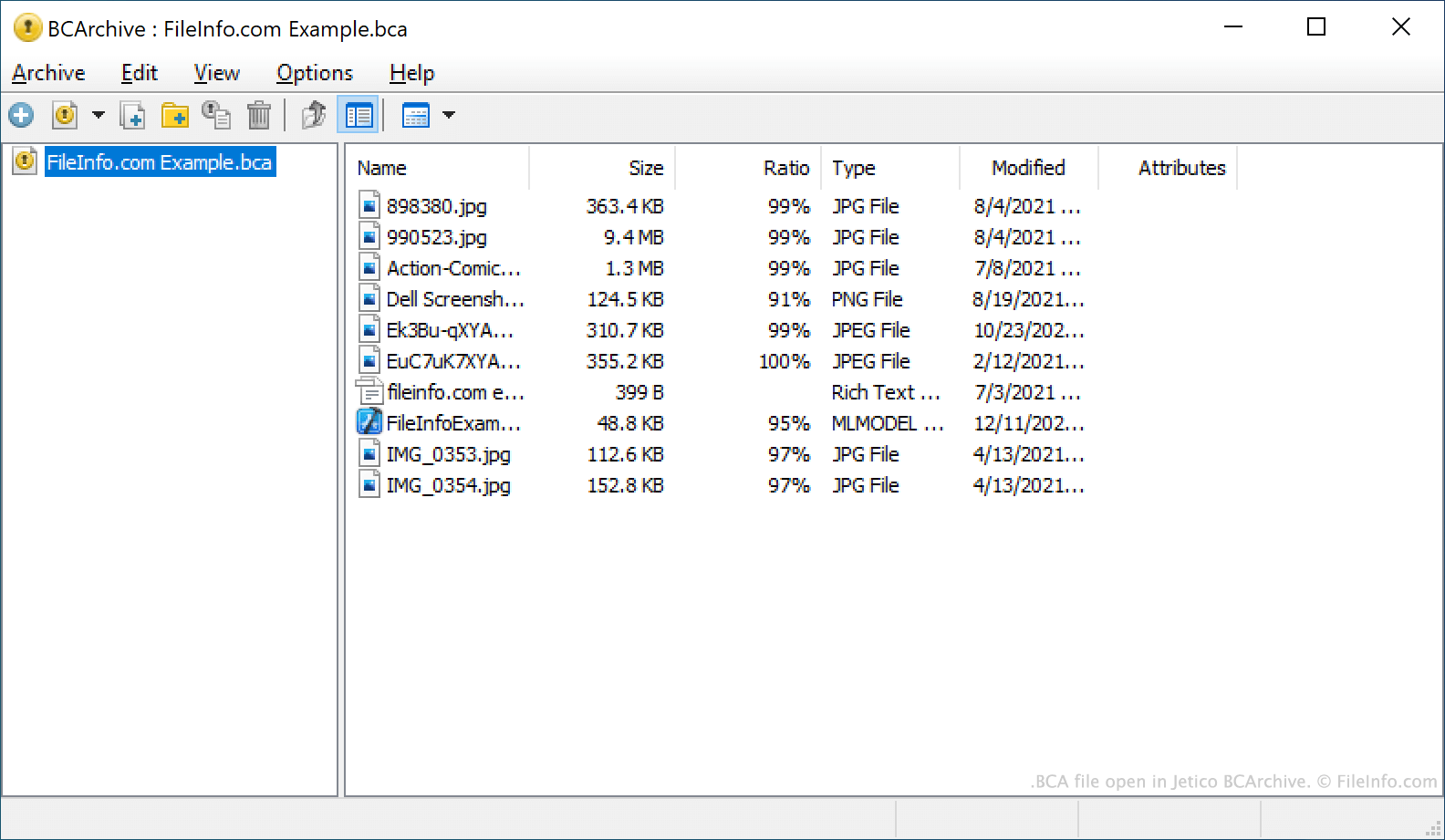
Jetico BCArchiveで開いた.bcaファイルのスクリーンショット
Jetico BCArchiveで開いたBCAファイル

BCArchive is a file archiving tool that can be used to compress, package, and encrypt files. This allows users to securely share their files with others, as well as retain the compressed, encrypted archives as file backups.

The archives BCArchive creates are saved as BCA files. BCA files may be encrypted using one of many encryption algorithms, including:

  • Symmetric algorithms like Rijndael (AES), Blowfish-256, or Blowfish-448
  • Secure hash algorithms like SHA-256, SHA-1, or MD5
  • Asymmetric algorithms like RSA or ElGamal

Each BCA file is encrypted using either a password or a public key. To decrypt a BCA file and extract the files it contains, a user must possess the password or public key used to encrypt the file.

BCAファイルの開き方

You can open a BCA file in Jetico BCArchive (Windows). To do so, select Archive → Open from the program's menu bar. Then, navigate to and select your BCA file. Remember, you must know the password or public key used to create your BCA file in order to open the file.

File Viewer Plusで400種類以上のファイル形式を開けます。無料ダウンロード

BCAファイルを開くプログラム

Windows
無料体験版

検証者 FileInfo.com

FileInfo.comチーム は、このページに掲載されているBCArchive Encrypted Archiveファイル形式とWindowsアプリについて独自に調査しました。 私たちの目標は100%の正確性であり、検証済みのファイルタイプに関する情報のみを公開しています。

このページへの追加や更新をご提案いただける場合は、お知らせください。