.0 파일 확장자

Hacha Split File Segment

개발사 Dr. Software
인기도
3.5  |  288 투표
 

A 0 file is the first segment of a file split by Dr. Software Hacha, a file splitting utility. It is typically paired with accompanying files that use the .1, .2, etc. extensions. Using Hacha, users can recombine these segments into the file from which they were split.

추가 정보

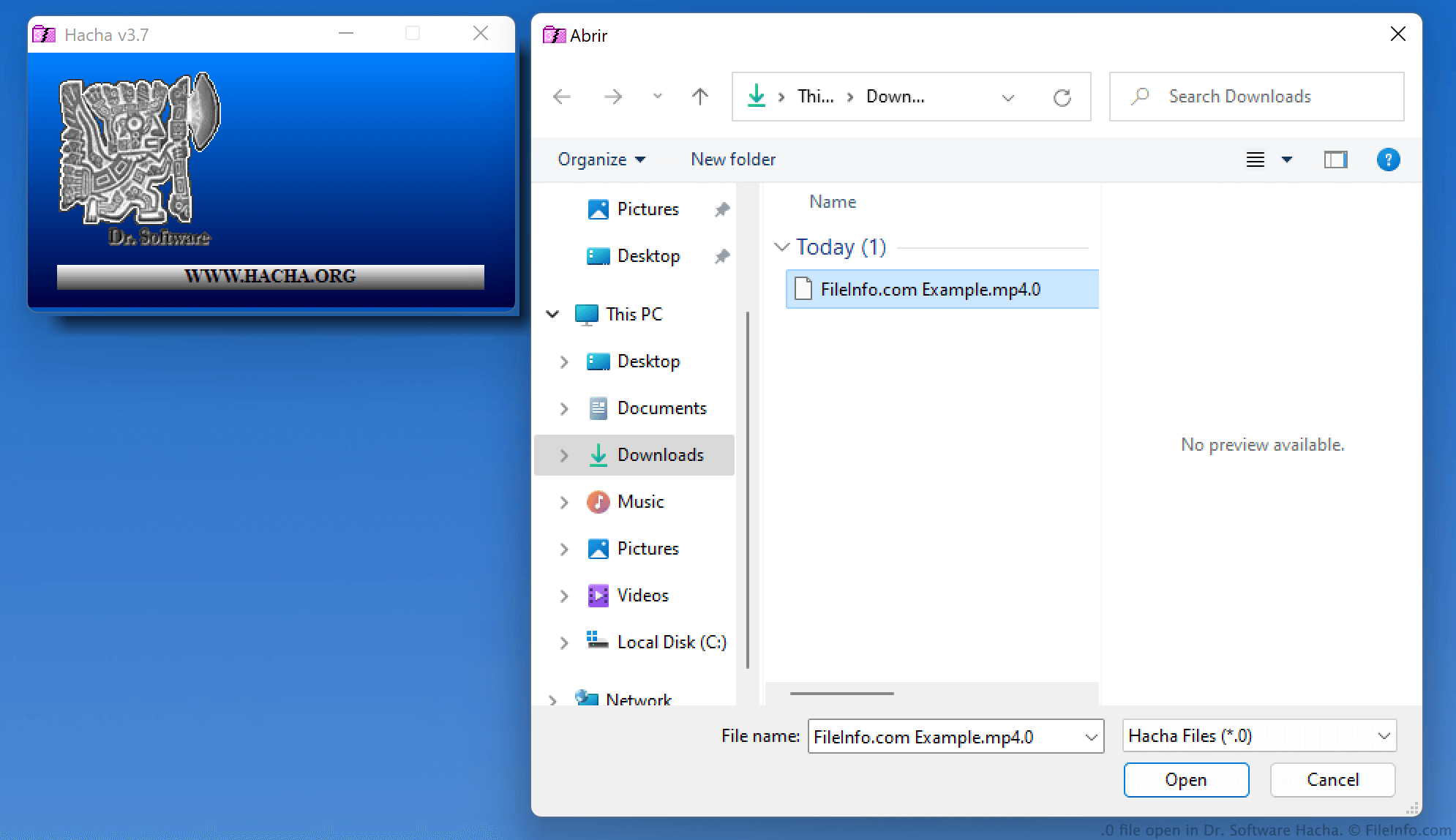
Dr. Software Hacha에서 열린 .0 파일의 스크린샷
Dr. Software Hacha에서 열린 0 파일

Hacha allows users to split files of up to 2 GB into constituent pieces, which will each have a file size of 100 MB or less. Splitting files this way makes them easier to transfer (since users can transfer pieces of the file one at a time, rather than the entire file at once).

When Hacha splits a file, it divides the file's data into segments named filename.0, filename.1, filename.2, and so on. (The larger the file, the more segments Hacha will create.) After a user receives all of a file's segments, they can use Hacha to recombine those segments into the original file.

참고: Hacha Pro (which has been discontinued) assigns segments the .000, etc. extensions. Hacha NET assigns segments the .H00, etc. extensions.

0 파일을 여는 방법

You can use Dr. Software Hacha (Windows) to recombine a .0 file and its accompanying split file segments. To do so:

  1. Open Hacha and click PEGAR.
  2. Navigate to and open your 0 file.
  3. Click Pegar Archivos.

Provided all the segments of your split file are stored with your 0 file, Hacha will recombine those segments into the file from which they were split.

0 파일을 여는 프로그램

Windows
Dr. Software Hacha  —  단종됨
무료
카테고리: 기타
업데이트: 2023-12-06

M3 DS Real Saved Game

개발사 M3 Team
인기도
3.4  |  185 투표
 

A 0 file is a saved game created by the M3 DS Real, a flash cartridge for the Nintendo DS. The M3 DS Real automatically creates a 0 file when a player launches a game stored on the cartridge. When a player saves their progress in the game, the M3 DS Real updates the associated 0 file.

추가 정보

The M3 DS Real is a flash cartridge (or flashcart) that Nintendo DS gamers use primarily to play game ROMs on the DS. To do this, players:

  1. Install the M3 DS Real's associated firmware.
  2. Place one or more game ROMs on the M3 DS Real's microSD card.
  3. Insert the M3 DS Real into their Nintendo DS (as they would a game cartridge).
  4. Load and play games stored on the M3 DS Real.

The first time that a player starts a game stored on their M3 DS Real, the cartridge creates an accompanying 0 file. As the player progresses through the game, they can save their progress to this 0 file. Doing so allows the player to retain a record of their progress, and to transfer their saved game between cartridges.

참고: The G6 DS Real flash cartridge also creates and uses 0 files.

0 파일을 여는 방법

0 files are not meant to be opened on a PC. To use a 0 file with a Nintendo DS, you must place it on an M3 DS Real (by connecting the cartridge's microSD card to your computer, transferring the file to the microSD card, and replacing the microSD card in the M3 DS Real).

0 파일을 변환하는 방법

You can use Shunyweb Savegames Converter to convert 0 files to several other formats, including the .SAV format.

0 파일을 여는 프로그램

All Platforms
Transfer to an M3 DS Real flash cartridge
카테고리: 게임
업데이트: 2023-12-06

Incomplete Mario Kart Wii Course

개발사 Nintendo
인기도
3.1  |  17 투표
 

Course.0 is an incomplete Mario Kart Wii level file that was mistakenly included in the final version of the game. It contains an uncompressed prototype of the Bowser's Castle course included in Mario Kart Wii. Course.0 is not playable within Mario Kart Wii, as it is not saved in the compressed .KMP format Mario Kart Wii uses to load courses.

추가 정보

Intrepid Mario Kart Wii modders found course.0 within the game's koopa_course.szs file. This unusual file was saved in a format not used by any of Mario Kart Wii's other files. The modders soon discovered that the file included an early version of the game's Bowser's Castle racetrack, which had been created in 2007 and not deleted before Mario Kart Wii shipped in 2008.

Modders analyzed course.0 to further their knowledge of how Mario Kart Wii racetracks are developed and created. Some even attempted to convert course.0 into a usable Mario Kart Wii course.

0 파일을 여는 방법

Because course.0 is an incomplete Mario Kart Wii course that is not saved in the KMP file format, it cannot be opened or played in Mario Kart Wii. You can, however, open course.0 in a text editor to view the XML data it contains.

0 파일을 여는 프로그램

Windows
OS에 포함됨
무료
Mac
OS에 포함됨
무료
Linux
무료
카테고리: 게임
업데이트: 2020-11-19

Android CA Digital Certificate

개발사 해당 없음
인기도
2.9  |  10 투표
 

A 0 file is an Android digital certificate. It contains credentials used to verify a website, network, or application's identity and authenticity. You can install 0 files at the user level on any Android device, but you can install 0 files at the system level on only rooted Android devices.

추가 정보

Devices, networks, websites, and applications use digital certificates, issued by certificate authorities (CAs), to identify themselves to each other and confirm you are transmitting information between trusted parties. Sometimes, websites, networks, and applications will require you to download and manually install a digital certificate, so you can securely exchange information.

On Android, some digital certificates are saved as 0 files (others are saved as .CRT, .P12, or .PFX files). 0 files can be installed at the user level or the system level, which determines whether all Android apps trust the certificate by default. However, to install a 0 file at the system level, you must possess a rooted Android device and manually move the 0 file to your device's system/​etc/​security/​cacerts directory. In most cases, you can simply install 0 files at the user level, and the apps that require that certificate will function correctly.

0 파일을 여는 방법

To install a 0 file at the user level on Android:

  1. Place the 0 file on your Android device's SD card.
  2. Open your device's Settings app and select Security → Encryption & Credentials.
  3. Select Install from storage.
  4. Select CA Certificate.
  5. Click through the warning message Android displays.
  6. Navigate to and select your 0 file.

Android's certificate manager will open, allowing you to install your certificate.

After you install a 0 file, Android will automatically delete the file from its current location and place it in the data/​misc/​user/​0/​cacerts-added directory.

0 파일을 열거나 참조하는 프로그램

Android
OS에 포함됨
카테고리: 시스템
업데이트: 2021-07-30

검증자 FileInfo.com

FileInfo.com 팀 이 페이지에 나열된 모든 파일 형식과 소프트웨어 프로그램을 독자적으로 조사했습니다. 저희의 목표는 100% 정확성이며, 검증한 파일 유형에 대한 정보만 게시합니다.

이 페이지에 추가하거나 업데이트할 내용을 제안하고 싶으시면 알려 주세요.