

.RAZOR ファイル拡張子
Razorコンポーネントファイル
| 開発元 | Microsoft |
| 人気度 |
3.5 | 2 票 |
RAZORファイルとは?
RAZORファイルは、Blazorアプリで使用されるRazorコンポーネントです。ソースコードが含まれており、Razorマークアップ、C#、HTMLを使用して記述されています。RAZORファイルは、Blazorアプリの自己完結型のユーザーインターフェース(UI)の一部を定義します。
詳細情報
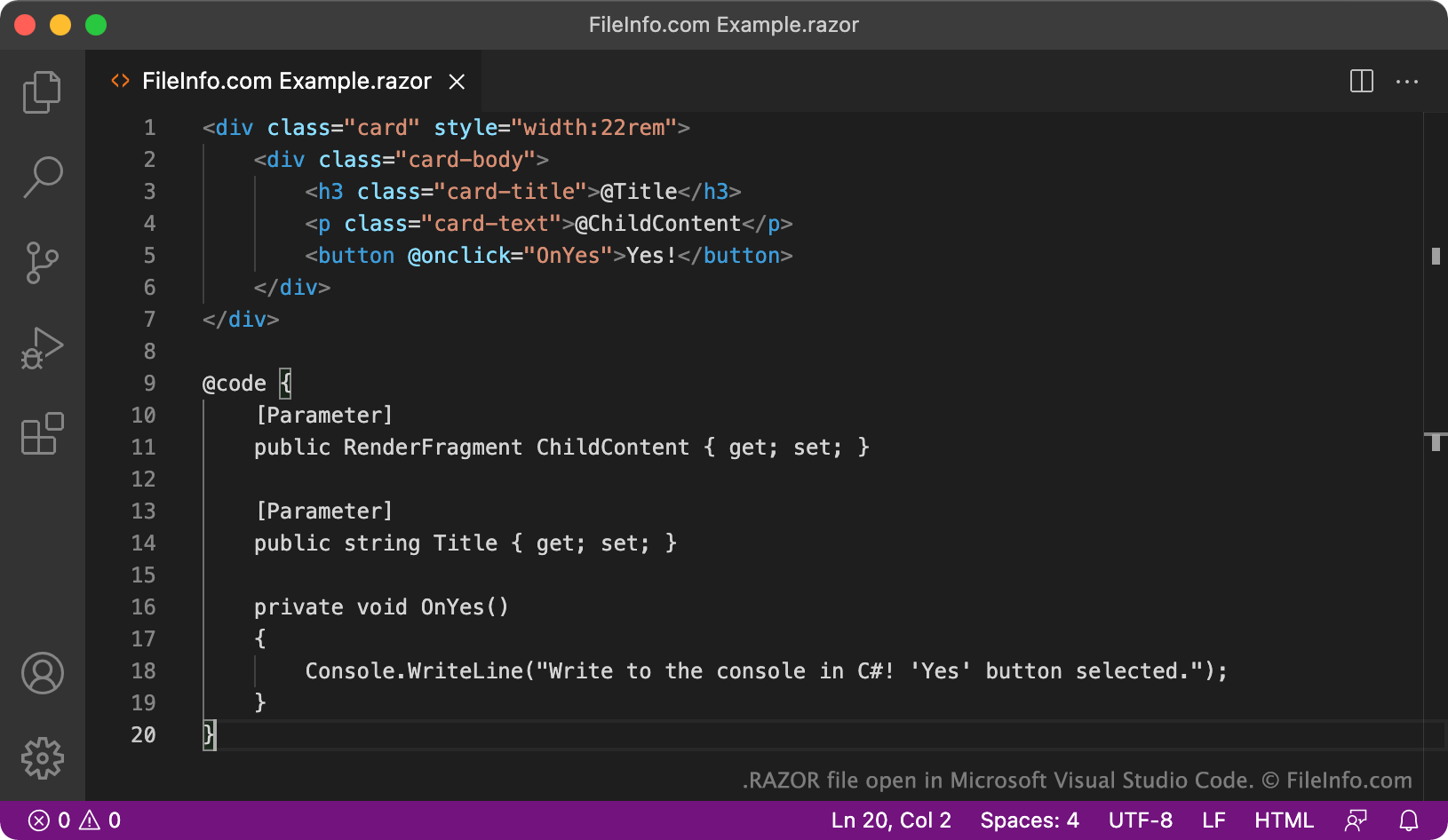
Blazorは、開発者がインタラクティブなクライアント側Web UIを構築するために使用できる.NETフレームワークです。特に、Blazorでは開発者がJavaScriptの代わりにC#を使用してUIコンポーネントを開発したり、.NETで記述したサーバー側とクライアント側のアプリロジックを共有したりできます。
開発者は、Razorコンポーネントを使用してBlazorアプリケーションを構築します。Razorコンポーネントは、Razor構文を使用して記述され、.razor拡張子で保存されるソースコードファイルです。Razor構文を使用すると、開発者は同じソースコードファイル内でHTMLマークアップとC#コードを効率的に組み合わせ、動的なWebコンテンツを作成できます。Razorコンポーネントは、Webページ、ダイアログボックス、データ入力フォームなど、BlazorアプリのUIの一部を定義します。
RAZORファイルを簡単に見分ける方法の1つは、Razorディレクティブやコードブロックの前にある@記号を探すことです。たとえば、Razorでは@pageディレクティブを使用してコンポーネントの相対URLを指定し、@ifディレクティブを使用してコードを実行するタイミングを制御します。RAZORファイルでは、@記号と予約済みディレクティブを使用して、HTMLマークアップからC#コードへ切り替えます。
注: Razor構文を使用するBlazor以外のファイルは.CSHTMLファイルとして保存されます。
RAZORファイルの開き方
RAZORファイルは、テキストエディターまたはソースコードエディターで開いて編集できます。Microsoft Visual Studio Code(クロスプラットフォーム)やGitHub Atom(クロスプラットフォーム)などのソースコードエディターには、RAZORファイルの確認や編集を簡単にする便利な機能が備わっています。