

.RAZOR 파일 확장자
Razor 구성 요소 파일
| 개발사 | Microsoft |
| 인기도 |
3.5 | 2 표 |
RAZOR 파일이란 무엇인가요?
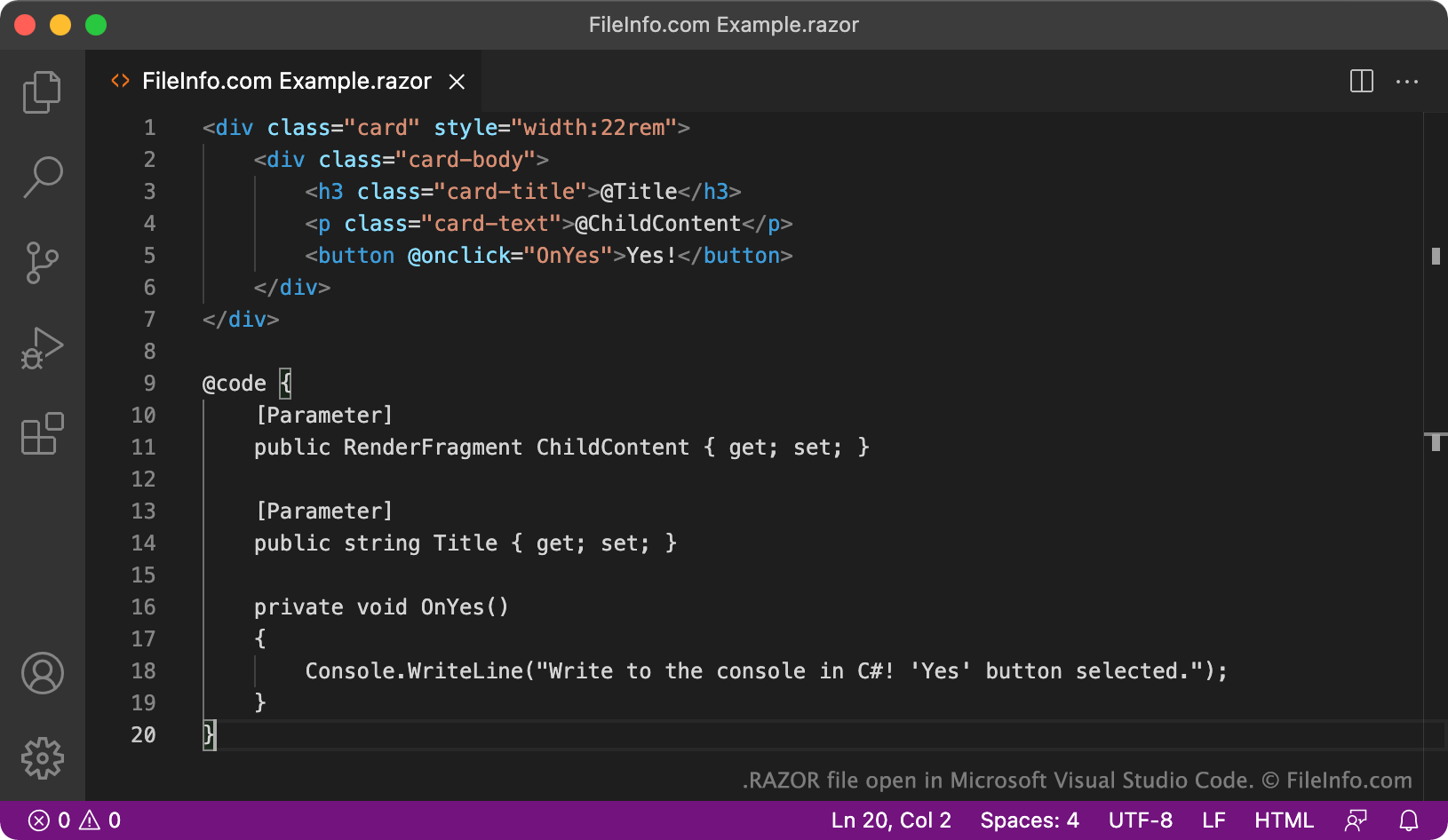
RAZOR 파일은 Blazor 앱에서 사용하는 Razor 구성 요소입니다. 이 파일에는 Razor 마크업, C#, 소스 코드, HTML을 사용해 작성된 소스 코드가 포함되어 있습니다. RAZOR 파일은 Blazor 앱 사용자 인터페이스(UI)의 독립적인 일부를 정의합니다.
추가 정보
Blazor는 개발자가 대화형 클라이언트 측 웹 UI를 구축하는 데 사용할 수 있는 .NET 프레임워크입니다. 특히 Blazor를 사용하면 개발자가 JavaScript 대신 C#으로 UI 구성 요소를 개발하고, .NET으로 작성된 서버 측 및 클라이언트 측 앱 로직을 공유할 수 있습니다.
개발자는 Razor 구성 요소를 사용해 Blazor 애플리케이션을 구축합니다. Razor 구성 요소는 Razor 구문을 사용해 작성하고 .razor 확장자로 저장하는 소스 코드 파일입니다. Razor 구문을 사용하면 개발자가 같은 소스 코드 파일에서 HTML 마크업과 C# 코드를 효율적으로 결합하여 동적 웹 콘텐츠를 만들 수 있습니다. Razor 구성 요소는 웹페이지, 대화 상자 또는 데이터 입력 양식과 같이 Blazor 앱 UI의 일부를 정의합니다.
RAZOR 파일을 쉽게 식별하는 방법 중 하나는 Razor 지시문과 코드 블록 앞에 오는 @ 기호를 찾는 것입니다. 예를 들어 Razor는 @page 지시문을 사용해 구성 요소의 상대 URL을 지정하고, @if 지시문을 사용해 코드가 실행되는 시점을 제어합니다. RAZOR 파일은 @ 기호와 예약된 지시문을 사용해 HTML 마크업에서 C# 코드로 전환합니다.
참고: Razor 구문을 사용하는 Blazor가 아닌 파일은 .CSHTML 파일로 저장됩니다.
RAZOR 파일을 여는 방법
RAZOR 파일은 텍스트 편집기나 소스 코드 편집기에서 열고 편집할 수 있습니다. Microsoft Visual Studio Code(크로스 플랫폼) 및 GitHub Atom(크로스 플랫폼)과 같은 소스 코드 편집기에는 RAZOR 파일을 더 쉽게 검토하고 편집할 수 있도록 도와주는 유용한 기능이 포함되어 있습니다.