.OE6 ファイル拡張子

openCanvas 6 Event File

開発元 Portalgraphics
人気度
2.5  |  2 
 

OE6ファイルとは?

An OE6 file contains drawing strokes, or "events," recorded by Portalgraphics openCanvas 6, a digital drawing application. It saves a drawing that consists of individual stroke events that are automatically redrawn when opened in the software. Recorded events are not limited to brush strokes, they may also be shapes, text, color fills, gradients, and eraser actions.

詳細情報

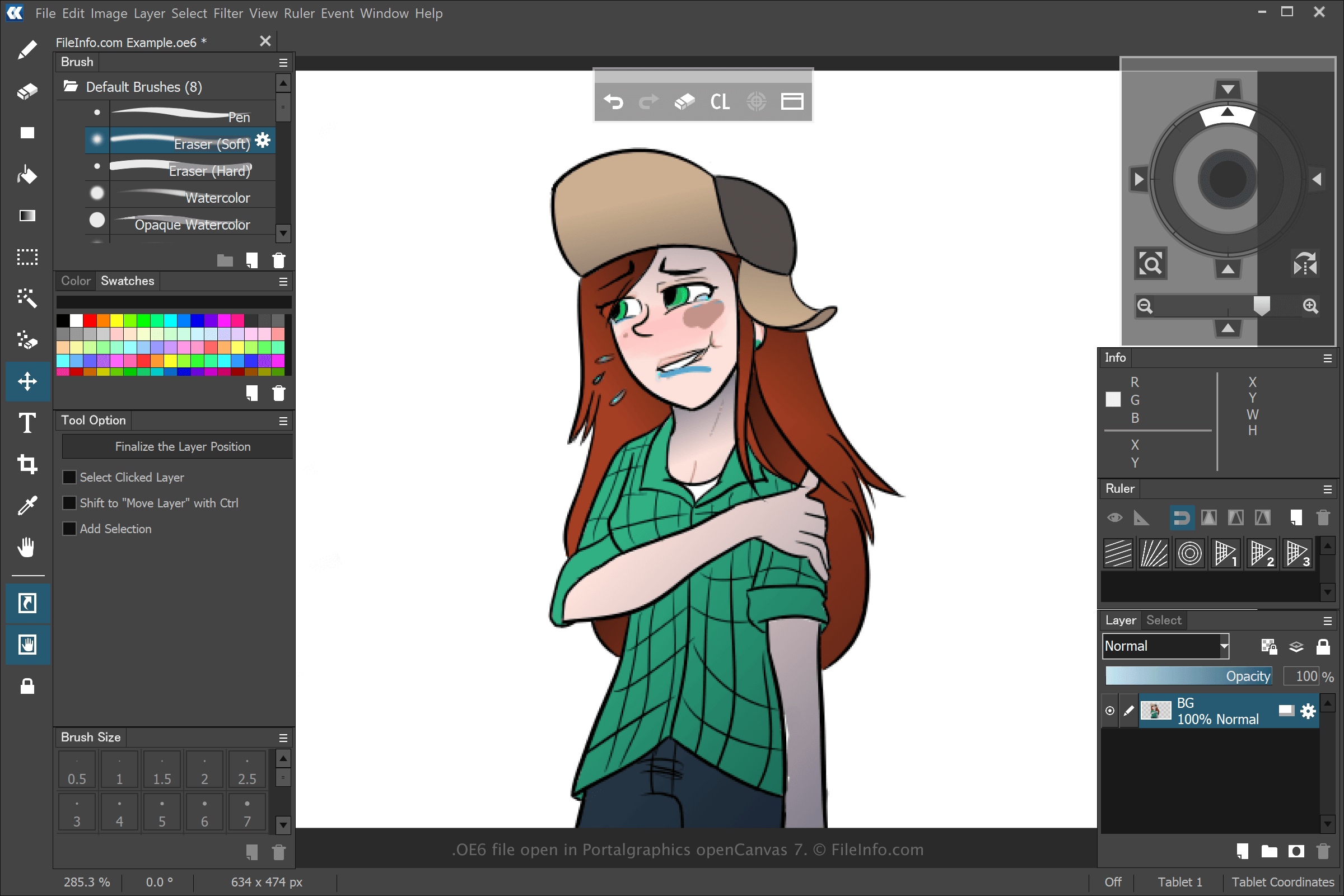
Portalgraphics openCanvas 7で開いた.oe6ファイルのスクリーンショット
Portalgraphics openCanvas 7で開いたOE6ファイル

You can create various types of artwork with openCanvas, but most users create anime with the software. When you create and save a drawing with openCanvas 6 by selecting File → New..., then selecting File → Save or Save As..., the application creates an OE6 file to store the events you performed to create the drawing. After saving the OE6 file, you can close the drawing, re-open it, which replays the recorded events, and then you can continue editing it.

Previous versions of openCanvas saved event files as .WPE, .OC3, .OC4, and .OC5 files. The number represents the version of the software. However, when Portalgraphics released openCanvas 7, it replaced OC6 files with the .OCI file type.

OE6ファイルの開き方

You can open OE6 files with Portalgraphics openCanvas 6 and later versions of the software. To open an OE6 file, select File → Open....

File Viewer Plusで400種類以上のファイル形式を開けます。無料ダウンロード

OE6ファイルを開くプログラム

Windows

検証者 FileInfo.com

FileInfo.comチーム は、このページに掲載されているopenCanvas 6 Eventファイル形式とWindowsアプリについて独自に調査しました。 私たちの目標は100%の正確性であり、検証済みのファイルタイプに関する情報のみを公開しています。

このページへの追加や更新をご提案いただける場合は、お知らせください。