

.CWC ファイル拡張子
Coding with Chrome JavaScriptファイル
| 開発元 | |
| 人気度 |
3.0 | 3 票 |
CWCファイルとは?
CWCファイルは、教育用の統合開発環境(統合開発環境)であるCoding with Chromeで作成されたソースコードファイルです。基本的なプログラムの実行に使用するJavaScriptが含まれています。開発者は、Coding with ChromeのBlocklyおよびJavaScriptコードエディターでCWCファイルを作成します。
詳細情報
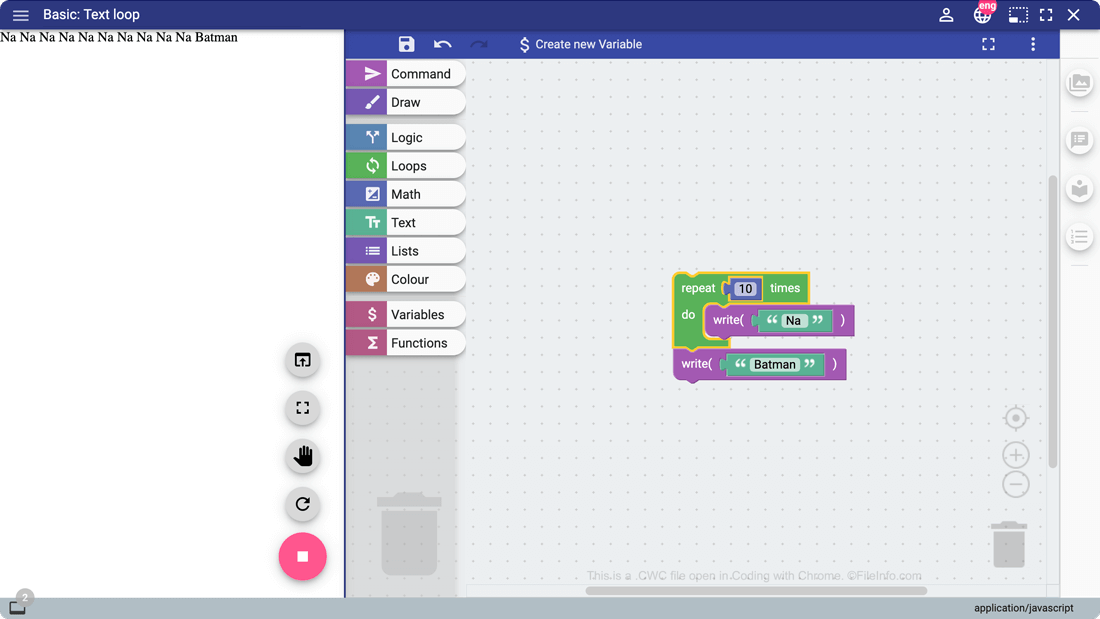
Coding with Chromeは、これから開発者を目指す人がコーディングの基礎を学べるGoogle Chromeアプリケーションです。初心者の開発者は、Coding with Chromeのブロックベースの開発環境であるBlocklyを使って基本的なプログラムを作成できます。一方、テキストベースの開発環境に進んだ開発者は、JavaScript、Python、CoffeeScriptで直接プログラムを記述できます。
Coding with ChromeのユーザーがJavaScriptベースのプログラムを作成すると、Coding with ChromeはそのプログラムをCWCファイルに保存します。開発者がBlocklyで作成するすべてのプログラムはCWCファイルに保存されます。また、開発者がCoding with Chromeのテキストベースの開発環境で作成するJavaScriptベースのプログラムもすべてCWCファイルに保存されます。
CWCファイルの開き方
CWCファイルは任意のテキストエディターで開けますが、CWCファイルはCoding with Chrome(Web版)で開くことを前提としています。Coding with ChromeでCWCファイルを開くには、次の操作を行います。
- Coding with ChromeをGoogle Chromeに追加します。
- Chromeの検索バーにchrome://appsと入力し、Coding with Chromeを開きます。
- Coding with Chromeのサンドイッチバーメニューを開き、を選択します。
- CWCファイルを参照して開きます。
CWCファイルを開くプログラム
Windows
Mac
Linux
Web
Chrome OS