

.BABYLON ファイル拡張子
Babylon.jsシーン
| 開発元 | Babylon.js |
| 人気度 |
3.5 | 2 票 |
BABYLONファイルとは?
BABYLONファイルは、babylon.jsウェブレンダリングエンジンで使用するために作成された3Dシーンです。シーンに表示される3Dオブジェクトと照明、およびシーンを表示するために使用されるカメラを定義するJavaScriptコードが含まれています。BABYLONファイルに含まれるコードは、HTMLとbabylon.jsを使用してレンダリングすることで、ウェブページやウェブアプリケーションの一部として使用することを目的としています。
詳細情報
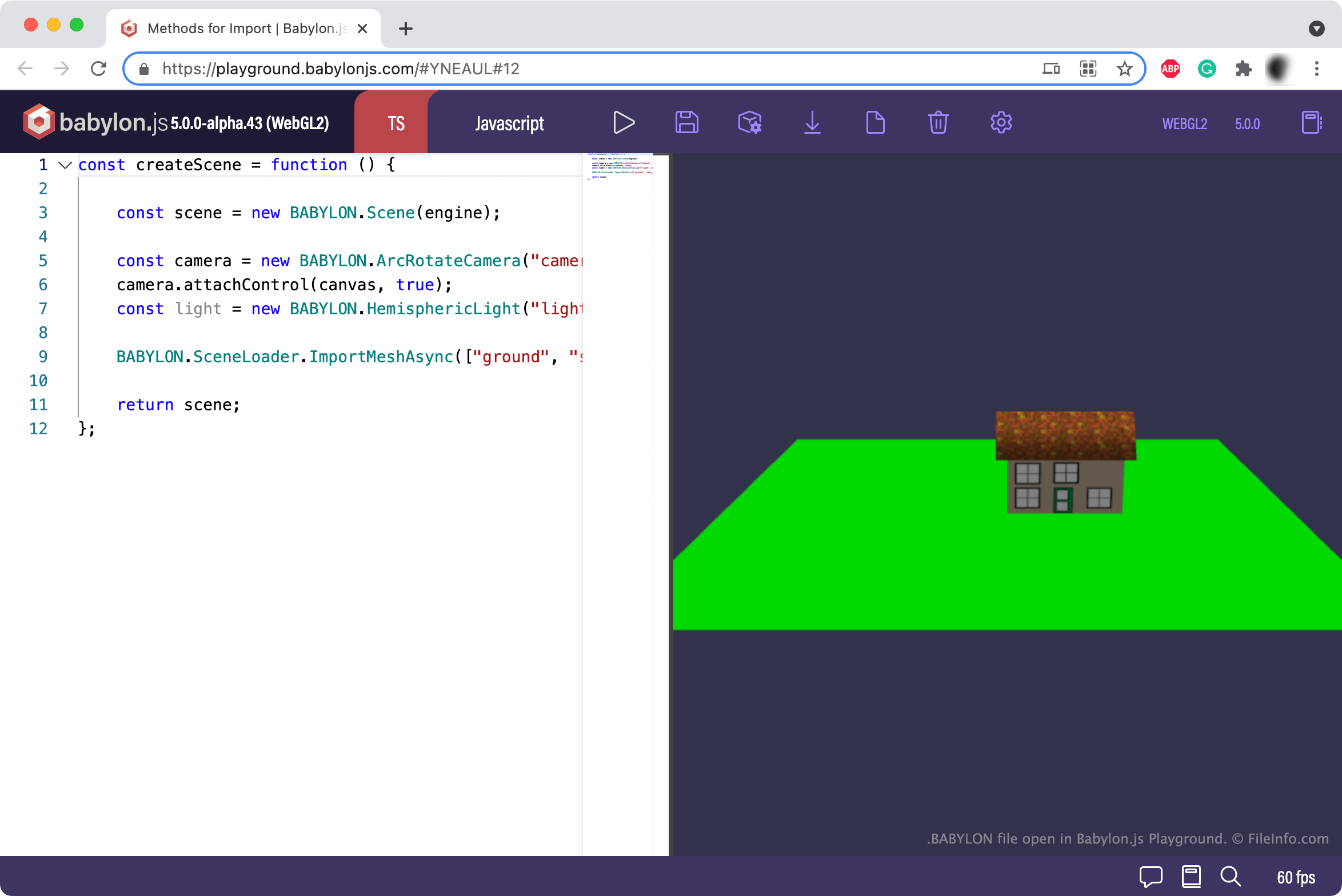
Babylon.jsは、開発者が3Dシーンを作成し、ウェブページやウェブアプリケーションにインポートできるレンダリングエンジンです。そのために、開発者はJavaScriptとインポートしたBabylon.jsアセットを使用して3Dシーンをコード化します。開発者が作成したシーンは、ほとんどの場合BABYLONファイルとして保存されますが、.GLBファイルとして保存されることもあります。
BABYLONファイルは他のBABYLONファイルを参照できるため、開発者は複雑なシーンを作成して表示できます。開発者がシーンを完成させた後は、必要なbabylon.jsスクリプトをウェブページやアプリのHTMLにインポートし、babylon.jsエンジンを生成してから、BABYLONファイルに含まれるコードをページやアプリのHTMLにコピーすることで、ウェブページやアプリにシーンを表示できます。
注: BABYLONファイルの作成と使用方法について詳しくは、doc.babylonjs.comにあるbabylon.jsのドキュメントをご覧ください。
BABYLONファイルの開き方
BABYLONファイルが記述する3Dシーンを見るには、BABYLONファイルに含まれるコードを、以下にリンクされているBabylon.js Playgroundにコピーして貼り付けます。シーンが正しくコード化されていれば、Playgroundの[Run]ボタンを押すとウェブブラウザーに表示されます。
BABYLONファイルに含まれるJavaScriptコードを表示したいだけの場合は、Microsoft Visual Studio Code(クロスプラットフォーム)やGitHub Atom(クロスプラットフォーム)などのソースコードエディターまたはテキストエディターで開くことができます。