.TCX Estensione file

Training Center XML File

Sviluppatore Garmin
Popolarità
2.8  |  21 Voti
 

Che cos'è un file TCX?

A TCX file is an XML file used to transfer workout data between fitness devices. It contains a record of a user's workout, including the user's running or cycling course, heart rate, cadence, lap time, and calories burned. TCX files are typically created by Garmin and Fitbit devices.

Maggiori informazioni

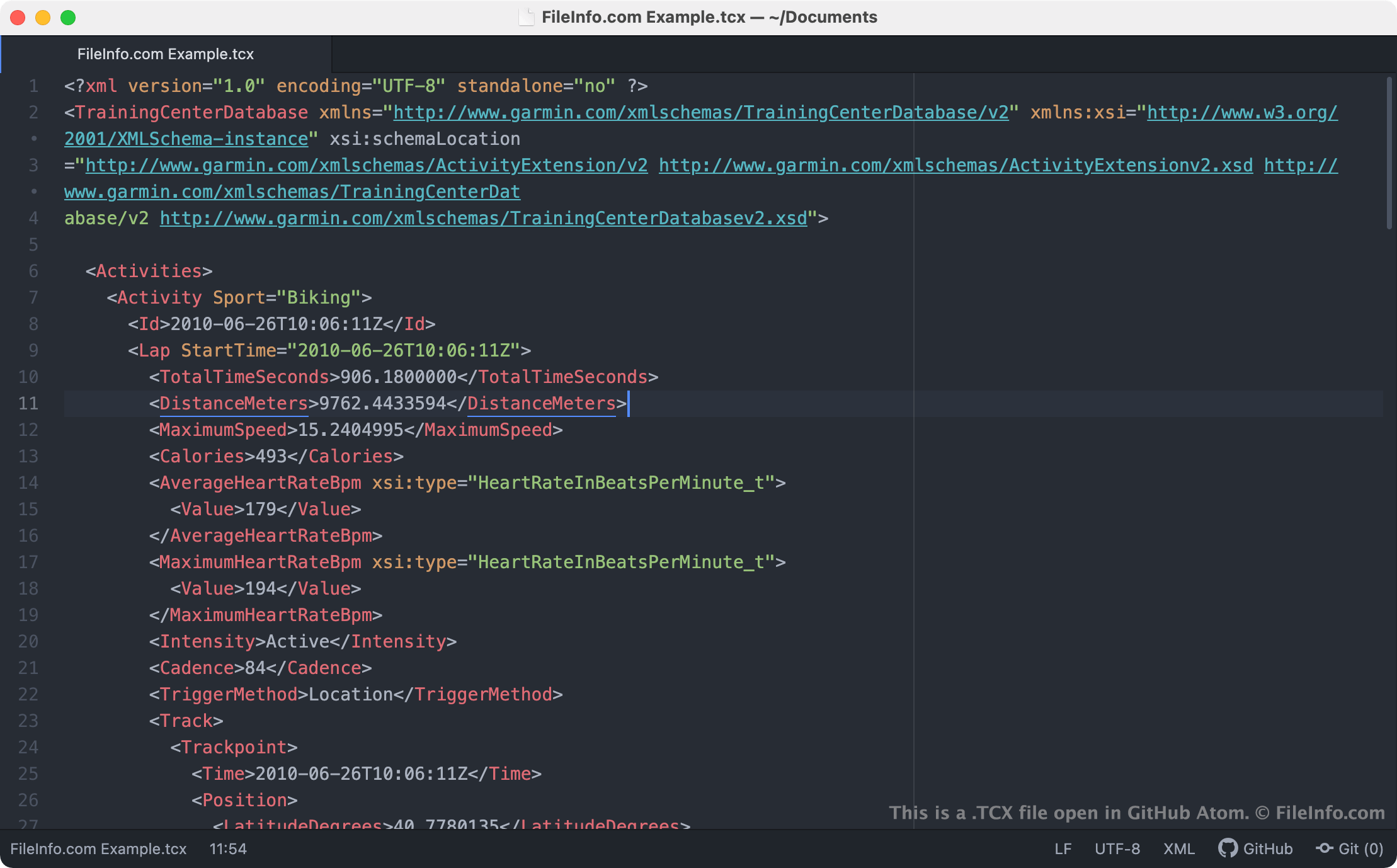
Screenshot di un file .tcx in GitHub Atom
File TCX aperto in GitHub Atom

In 2007, alongside the release of Garmin Training Center, Garmin introduced the Training Center XML (TCX) file format. TCX files are similar to .GPX files, in that both are used to map runners' and cyclists' routes. However, TCX files also store data recorded during a user's workout. For example, TCX files log users' activity type, lap times, maximum speed, calories burned, and exercise intensity.

Garmin and Fitbit device users can export TCX files from their devices and use the files in other programs, such as Garmin Connect, Strava, and the desktop versions of Google Earth. For example, Fitbit users can export their data from Fitbit.com by:

  1. Logging in to their Fitbit.com account.
  2. Selecting Log → Activities from the Fitbit.com dashboard.
  3. Selecting an activity and clicking View Details.
  4. Selecting the ... menu and then selecting Export as a TCX file.

If you encounter a TCX file on your computer, it was likely exported from a workout-tracking device or program.

NOTA: The TCX format is available in both TCX v1 and TCX v2 schemas.

Come aprire un file TCX

You can open a TCX file in a variety of mapping and workout-tracking programs. For example, you can upload a TCX file to Strava (Web) or Garmin Connect (Web) to view the workout data it contains. You can also open a TCX file in the desktop versions of Google Earth (cross-platform), though Google Earth will show you only the running or biking route a TCX file contains.

Apri oltre 400 formati di file con File Viewer Plus.Download gratuito

Programmi che aprono i file TCX

Windows
Garmin Training Center  —  Non più disponibile
Gratuito
Gratuito
Gratuito
Mac
Garmin Training Center  —  Non più disponibile
Gratuito
Gratuito
Linux
Gratuito
Web
Gratuito
Categoria: GIS
Aggiornato: 2021-03-17

TestComplete Script Extension Package

Sviluppatore SmartBear
Popolarità
3.2  |  6 Voti
 

A TCX file is a script extension package used by SmartBear TestComplete, a program used to automate the testing of the UI of an application. It contains files used by a script extension, which include an .XML file, .VBS and/or .JS files, a .CHM file, .PNG, and .BMP files. TCX files are compressed in Zip format and may store files for multiple script extensions.

Maggiori informazioni

Script extensions add customized functionality to TestComplete similarly to plugins but are easier to create in TestComplete. They allow you to customize automated tests that can be performed on your application. The script extensions can be used for creating custom record-time actions, scripting objects, design-time actions, keyword test operations, and operations on test results.

TCX files typically store the following files:

  • A description.xml file that contains metadata about the script extensions included in the TCX package.
  • VBS or JS script files that contain the actions, operations, and objects that make up the extension.
  • AQFRM files that contain form information for forms used by the extension.
  • A CHM help file that is placed in the same folder as the extension when installed in TestComplete.
  • PNG or BMP files that contain icons for the operations and actions.

TCX files are primarily opened in TestComplete when a user imports it into the application. However, you can also manually open TCX files since they are renamed ZIP files.

To manually open a TCX file, rename the ".tcx" file extension to ".zip" then expand the archive with a Zip decompression program, such as Corel WinZip, Apple Archive Utility, or 7-Zip.

To create a TCX file, simply reverse the aforementioned process. Compress your extension files as a ZIP file with a Zip compression program, then rename the ".zip" extension to ".tcx".

Programmi che aprono i file TCX

Windows

TurboCAD 3D Model Text File

Sviluppatore IMSI/Design
Popolarità
2.5  |  2 Voti
 

TurboCAD drawing saved in a text format; may contain either 2D or 3D model data; similar to to a standard TurboCAD drawing (.TCW) file, but saved in a text format that can be viewed in a text editor.

Maggiori informazioni

TurboCAD's TCX format is similar to the AutoCAD .DXF file format.

Programmi che aprono i file TCX

Windows
Prova gratuita
Mac
Prova gratuita
Categoria: CAD
Aggiornato: 2008-05-20

Verificato da FileInfo.com

Il team di FileInfo.com ha analizzato in modo indipendente tutti i formati di file e i programmi software elencati in questa pagina. Il nostro obiettivo è il 100% di accuratezza e pubblichiamo solo informazioni sui tipi di file che abbiamo verificato.

Se desideri suggerire aggiunte o aggiornamenti a questa pagina, faccelo sapere.