

.CTB Estensione file
Modello 3D suddiviso in strati di Chitubox
| Sviluppatore | Chitubox |
| Popolarità |
4,0 | 2 Voti |
Un file CTB è un modello 3D suddiviso in strati creato da Chitubox, un programma usato per preparare modelli 3D per la stampa 3D. Usando un file CTB, varie stampanti 3D possono stampare il modello descritto dal file.
Maggiori informazioni
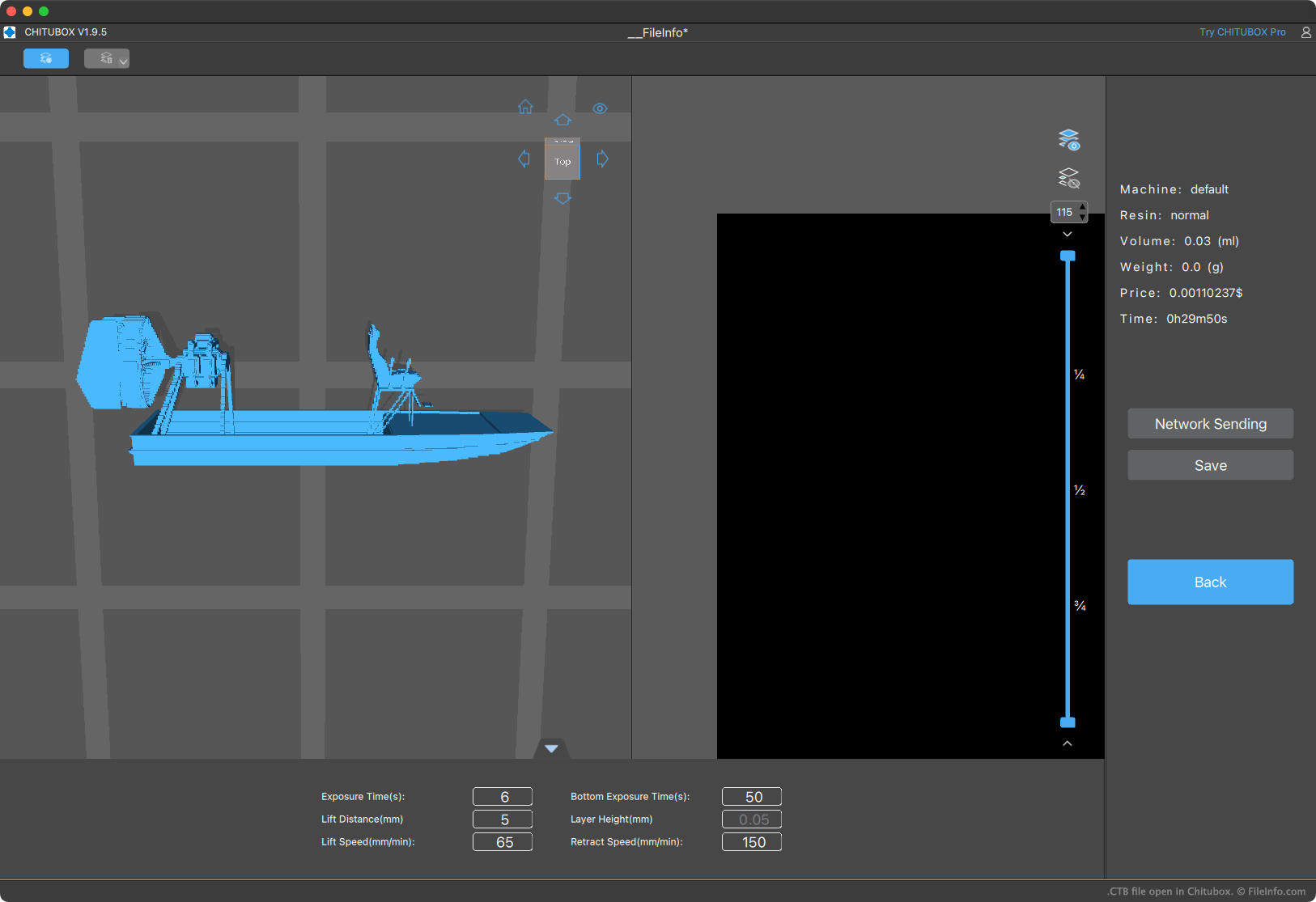
Chitubox permette agli utenti di stampanti 3D di importare, disporre, modificare e suddividere in strati i modelli 3D per la stampa. La suddivisione in strati converte un modello in una serie di istruzioni che una stampante 3D usa per stampare il modello (stampando "strati" del modello uno sopra l'altro o affiancati, finché l'intero modello non viene stampato).
Chitubox può salvare i modelli suddivisi in strati in diversi formati, incluso il formato CTB. Diverse stampanti 3D con cui viene fornito Chitubox (come Elegoo Mars 2 Pro) possono stampare solo modelli salvati nel formato CTB. Altre possono stampare solo modelli salvati nel formato .CBDDLP di Chitubox.
NOTA: I file CTB creati da versioni diverse di Chitubox vengono salvati in formati di file leggermente diversi. Pertanto, una stampante 3D potrebbe essere in grado di stampare alcuni file CTB ma non altri.
Come aprire un file CTB
Puoi aprire un file CTB con Chitubox Basic (disponibile gratuitamente) o Chitubox Pro (disponibile come versione di prova gratuita). Per farlo:
- Apri il menu a forma di panino di Chitubox (situato nell'angolo superiore sinistro del programma).
- Seleziona .
- Individua e apri il file CTB.
Dopo aver aperto il file CTB in Chitubox, puoi trasferirlo a una stampante 3D collegata, modificare il/i modello/i contenuto/i nel file oppure convertire il file in un altro formato di modello 3D suddiviso in strati.
Come convertire un file CTB
Per convertire un file CTB in un altro formato di modello 3D suddiviso in strati:
- Apri il file con Chitubox.
- Fai clic su , quindi su e infine su .
Potrai quindi salvare il file CTB in uno qualsiasi dei formati di suddivisione in strati elencati qui.