

.CTB Extension de fichier
Modèle 3D Chitubox découpé
| Développeur | Chitubox |
| Popularité |
4,0 | 2 Votes |
Un fichier CTB est un modèle 3D découpé créé par Chitubox, un programme utilisé pour préparer des modèles 3D à l’impression 3D. À l’aide d’un fichier CTB, diverses imprimantes 3D peuvent imprimer le modèle décrit par le fichier.
Plus d'informations
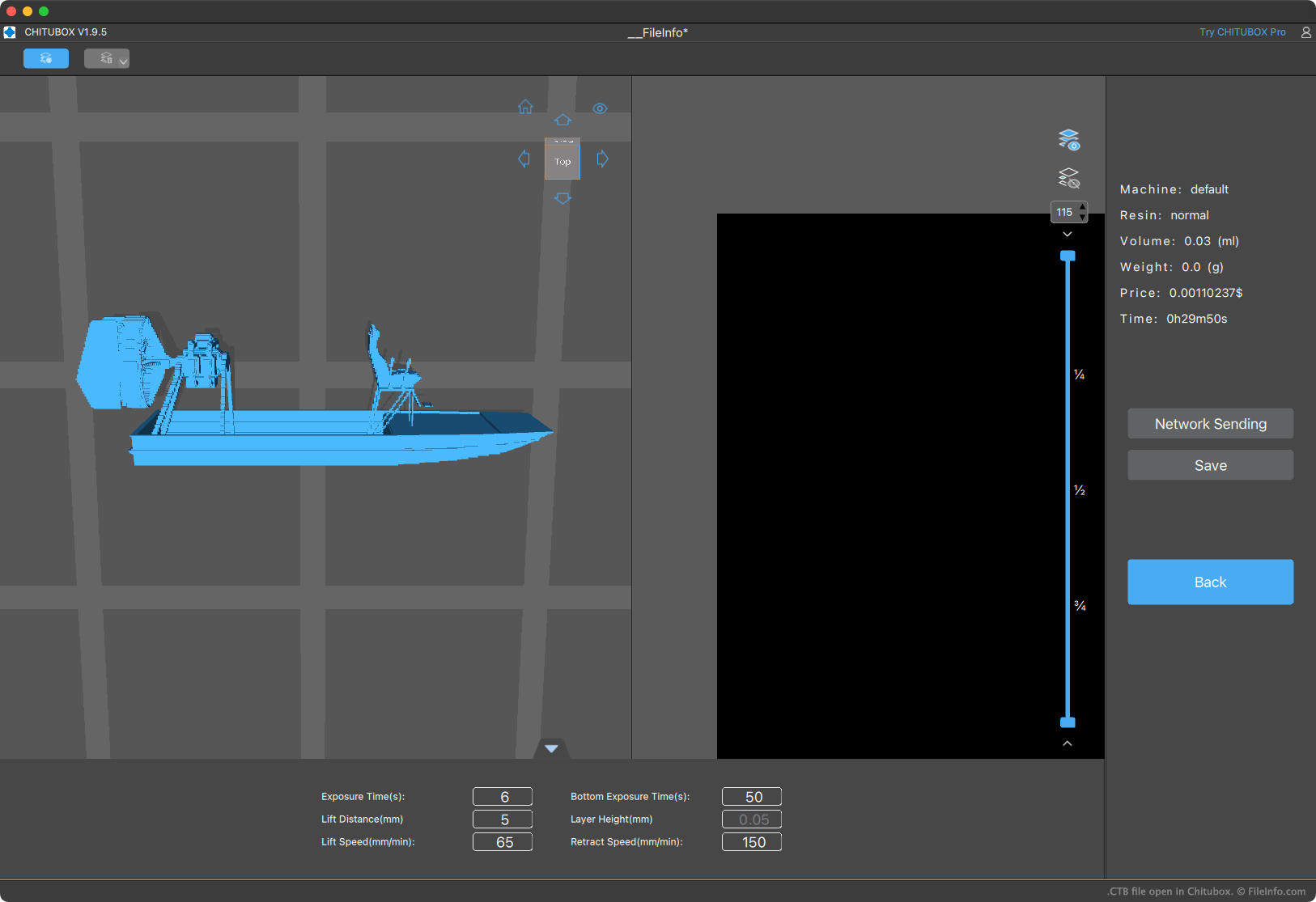
Chitubox permet aux utilisateurs d’imprimantes 3D d’importer, d’organiser, de modifier et de découper des modèles 3D pour les imprimer. Le découpage d’un modèle convertit ce modèle en un ensemble d’instructions qu’une imprimante 3D utilise pour l’imprimer (en imprimant des « tranches » du modèle les unes au-dessus ou à côté des autres, jusqu’à ce que le modèle entier soit imprimé).
Chitubox peut enregistrer les modèles découpés dans plusieurs formats, notamment le format CTB. Plusieurs imprimantes 3D avec lesquelles Chitubox est fourni (comme l’Elegoo Mars 2 Pro) peuvent imprimer uniquement les modèles enregistrés au format CTB. D’autres peuvent imprimer uniquement les modèles enregistrés au format .CBDDLP de Chitubox.
REMARQUE : Les fichiers CTB créés par différentes versions de Chitubox sont enregistrés dans des formats de fichier légèrement différents. Ainsi, une imprimante 3D peut être capable d’imprimer certains fichiers CTB, mais pas d’autres.
Comment ouvrir un fichier CTB
Vous pouvez ouvrir un fichier CTB avec Chitubox Basic (disponible gratuitement) ou Chitubox Pro (disponible en version d’essai gratuite). Pour ce faire :
- Ouvrez le menu hamburger de Chitubox (situé dans le coin supérieur gauche du programme).
- Sélectionnez .
- Accédez à votre fichier CTB et ouvrez-le.
Après avoir ouvert votre fichier CTB dans Chitubox, vous pouvez transférer le fichier vers une imprimante 3D connectée, modifier le ou les modèles que contient le fichier, ou convertir le fichier dans un autre format de modèle 3D découpé.
Comment convertir un fichier CTB
Pour convertir un fichier CTB dans un autre format de modèle 3D découpé :
- Ouvrez le fichier avec Chitubox.
- Cliquez sur , puis sur , puis sur .
Vous pourrez ensuite enregistrer votre fichier CTB dans l’un des formats de découpage répertoriés ici.