

.GSCRIPT Extension de fichier
Raccourci Google Apps Script
| Développeur | |
| Popularité |
3,5 | 2 Votes |
Qu'est-ce qu'un fichier GSCRIPT ?
Un fichier GSCRIPT est un raccourci utilisé pour ouvrir un script créé dans Google Apps Script et stocké dans Google Drive. Le fichier contient une référence au script qu'il ouvre, ainsi que le compte Gmail utilisé pour créer le script. Les fichiers GSCRIPT sont créés par Google Drive for Desktop.
Plus d'informations
Google Drive for Desktop est un programme qui permet aux utilisateurs de Google Drive de sauvegarder et d'ouvrir leurs fichiers Google Drive sur des PC Windows et Mac. Alors que Drive for Desktop stocke de véritables sauvegardes de certains types de fichiers (comme les fichiers .JPG et .DOCX) sur les ordinateurs des utilisateurs, il ne stocke pas de copies des fichiers créés avec Google Apps Script, Docs, Sheets et d'autres applications Google Workspace. À la place, Drive for Desktop stocke des fichiers raccourcis qui, lorsqu'ils sont ouverts par un double-clic, ouvrent le fichier associé dans la version Web de l'application Google Workspace appropriée.
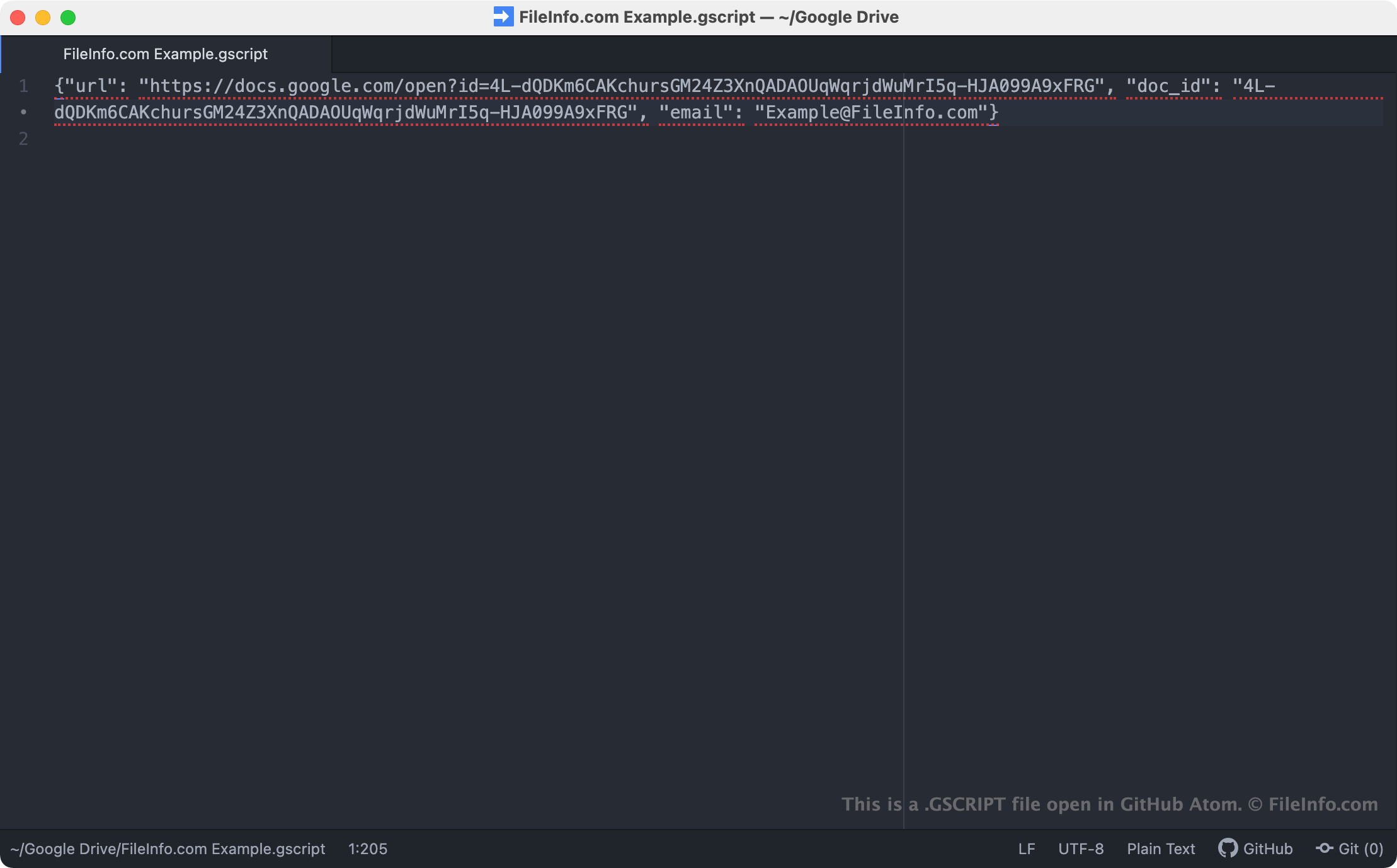
Les fichiers GSCRIPT sont des raccourcis de Drive for Desktop qui ouvrent des scripts créés dans Google Apps Script. Ces scripts sont utilisés comme modules complémentaires pour d'autres applications Google, telles que Docs, Sheets et Gmail. Lorsqu'un utilisateur de Drive for Desktop double-clique sur un fichier GSCRIPT, le script associé s'ouvre dans Google Apps Script, à condition que l'utilisateur soit connecté à un compte Gmail autorisé à accéder au script. Chaque fichier GSCRIPT est un fichier JSON qui contient l'URL et l'ID du document d'un script, ainsi que le nom du compte Gmail utilisé pour créer le script.
REMARQUE : Les fichiers GSCRIPT étaient auparavant créés par Backup and Sync from Google. Google a remplacé Backup and Sync par Drive for Desktop en octobre 2021.
Comment ouvrir un fichier GSCRIPT
Si Google Drive for Desktop est installé sur votre PC, ou si vous utilisez un appareil Chrome OS, vous pouvez double-cliquer sur un fichier GSCRIPT pour ouvrir le script auquel il fait référence dans Google Apps Script. Vous devrez peut-être vous connecter à votre compte Gmail ou demander l'accès au script pour l'ouvrir.
Si nécessaire, vous pouvez également ouvrir un fichier GSCRIPT dans n'importe quel éditeur de texte pour afficher l'URL, l'ID du document et les informations du compte Gmail qu'il contient. Vous pouvez notamment vouloir le faire si vous rencontrez des difficultés pour utiliser votre fichier GSCRIPT afin d'ouvrir un script dans Google Apps Script. Si un double-clic sur votre fichier GSCRIPT n'ouvre pas de script, vous pouvez essayer de copier et coller l'URL de votre fichier dans votre navigateur Web pour accéder à votre script.