

.GSD Extension de fichier
Morceau de fichier fractionné GSplit
| Développeur | G.D.G Software |
| Popularité |
3,0 | 2 Votes |
Un fichier GSD est un morceau d'un fichier fractionné par GSplit, le logiciel de G.D.G Software. Il contient une partie des données du fichier fractionné, que GSplit peut combiner avec d'autres morceaux pour reconstituer le fichier. Les fichiers GSD sont souvent nommés disk#.gsd.
Plus d'informations
Avec GSplit, vous pouvez fractionner de gros fichiers (comme des archives, des images disque et des vidéos) en morceaux plus petits. Cela facilite le transfert et le partage des fichiers fractionnés (puisque vous pouvez transférer les morceaux individuellement, un à la fois, plutôt que le fichier entier en une seule fois).
Lorsque GSplit fractionne un fichier, il répartit ses données dans plusieurs fichiers GSD. Le premier de ces fichiers est généralement nommé disk1.gsd. Selon la taille du fichier fractionné (et les paramètres de GSplit choisis par l'utilisateur), disk1.gsd peut être accompagné d'un nombre quelconque d'autres fichiers disk#.gsd.
Habituellement, les fichiers GSD sont accompagnés d'un fichier .EXE portant un nom similaire (par exemple, disk1.exe). En double-cliquant sur ce fichier, vous pouvez rapidement recombiner les fichiers GSD associés pour reconstituer le fichier à partir duquel ils ont été créés.
REMARQUE : Si vous ne possédez pas tous les fichiers GSD résultant du fractionnement d'un fichier, vous ne pourrez pas reconstituer ce fichier. Par exemple, si vous avez disk1.gsd et disk3.gsd, mais pas disk2.gsd, vous ne pourrez probablement pas recombiner vos fichiers GSD.
Noms de fichiers .GSD courants
disk1.gsd - Nom par défaut que GSplit attribue au premier morceau d'un fichier fractionné.
Comment ouvrir un fichier GSD
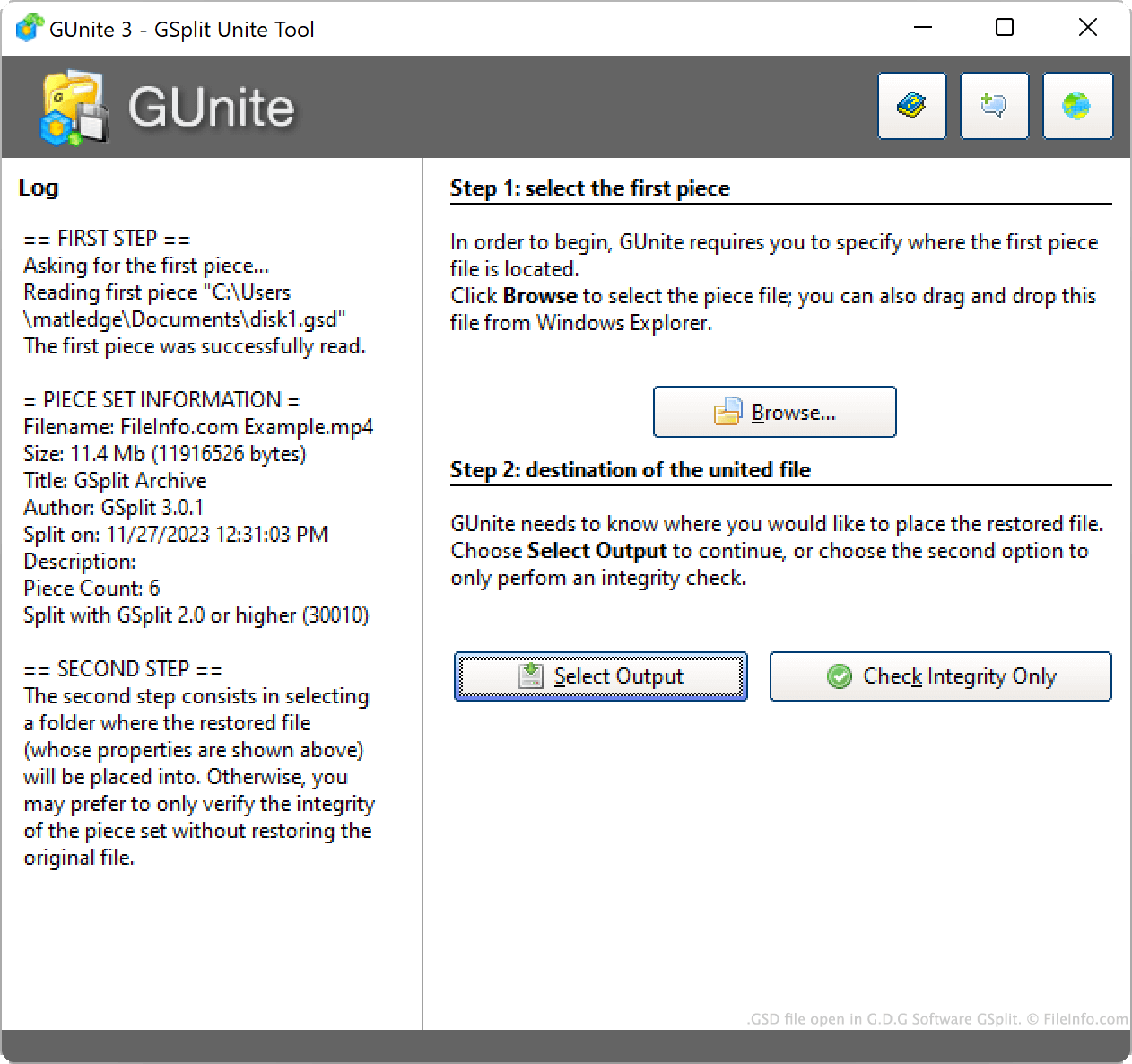
Vous pouvez utiliser GSplit (Windows) pour recombiner un ensemble de fichiers GSD afin de reconstituer le fichier à partir duquel ils ont été créés. Pour ce faire :
- Ouvrez GSplit et cliquez sur .
- Cliquez sur .
- Sélectionnez le premier fichier GSD associé à votre fichier fractionné (souvent nommé disk1.gsd).
- Cliquez sur .
- Sélectionnez une destination de sortie et cliquez sur .
À condition de disposer de tous les fichiers GSD créés à partir du fichier d'origine fractionné, GSplit les utilisera pour créer une copie du fichier fractionné.