.GSD ファイル拡張子

General Station Description File

開発元 PROFIBUS & PROFINET International
人気度
3.6  |  8 
 

GSDファイルとは?

ASCII text configuration file used for PROFIBUS DP (Decentralized Peripherals) or PA (Process Automation) devices; contains keywords and configuration information separated by line breaks; can be created with a text editor, the PROFIBUS GSD Editor, or another tool that supports PROFIBUS.

詳細情報

PROFIBUS (Process Field Bus) is a set of computer network protocols used by networked devices in automated manufacturing. GSD files describe device communication features, which enable control and interoperability of sensors, motors, switches, actuators, and other components on a PROFIBUS network.

General Station Description files also use these language-specific extensions:

  • ".gse" - English
  • ".gsf" - French
  • ".gsg" - German
  • ".gsi" - Italian
  • ".gsp" - Portugese
  • ".gss" - Spanish
注: GSD files are also used for PROFINET IO devices, but they use the ".xml" extension and are based on the GSDML XML format. GSD previously stood for "Generic Station Description."

File Viewer Plusで400種類以上のファイル形式を開けます。無料ダウンロード

GSDファイルを開く、または参照するプログラム

Graphtec Vector Graphics File

開発元 Graphtec
人気度
3.2  |  5 
 

Vector graphics image format developed by Graphtec; used for creating cutting templates for Craft ROBO and Wishblade and craft cutters; can create designs used for crafts, such as adhesives, laminates, t-shirt silk screens, and other printed designs.

詳細情報

GSD files are also supported by Accugraphic Klic-N-Kut scrapbook cutting machines. The Cutting Master ROBO plugin for Adobe Illustrator allows the program to plot directly to the cutter or plotter, but does not enable Illustrator to read GSD files.

GSDファイルを開くプログラム

Windows
Xyron Wishblade Software
Graphtec ROBO Master
Accugraphic Klic-N-Kut Studio

GSplit Split File Piece

開発元 G.D.G Software
人気度
3.0  |  2 
 

A GSD file is a piece of a file split by G.D.G Software GSplit. It contains a portion of the split file's data, which GSplit can combine with other pieces to reconstruct the file. GSD files are often named disk#.gsd.

詳細情報

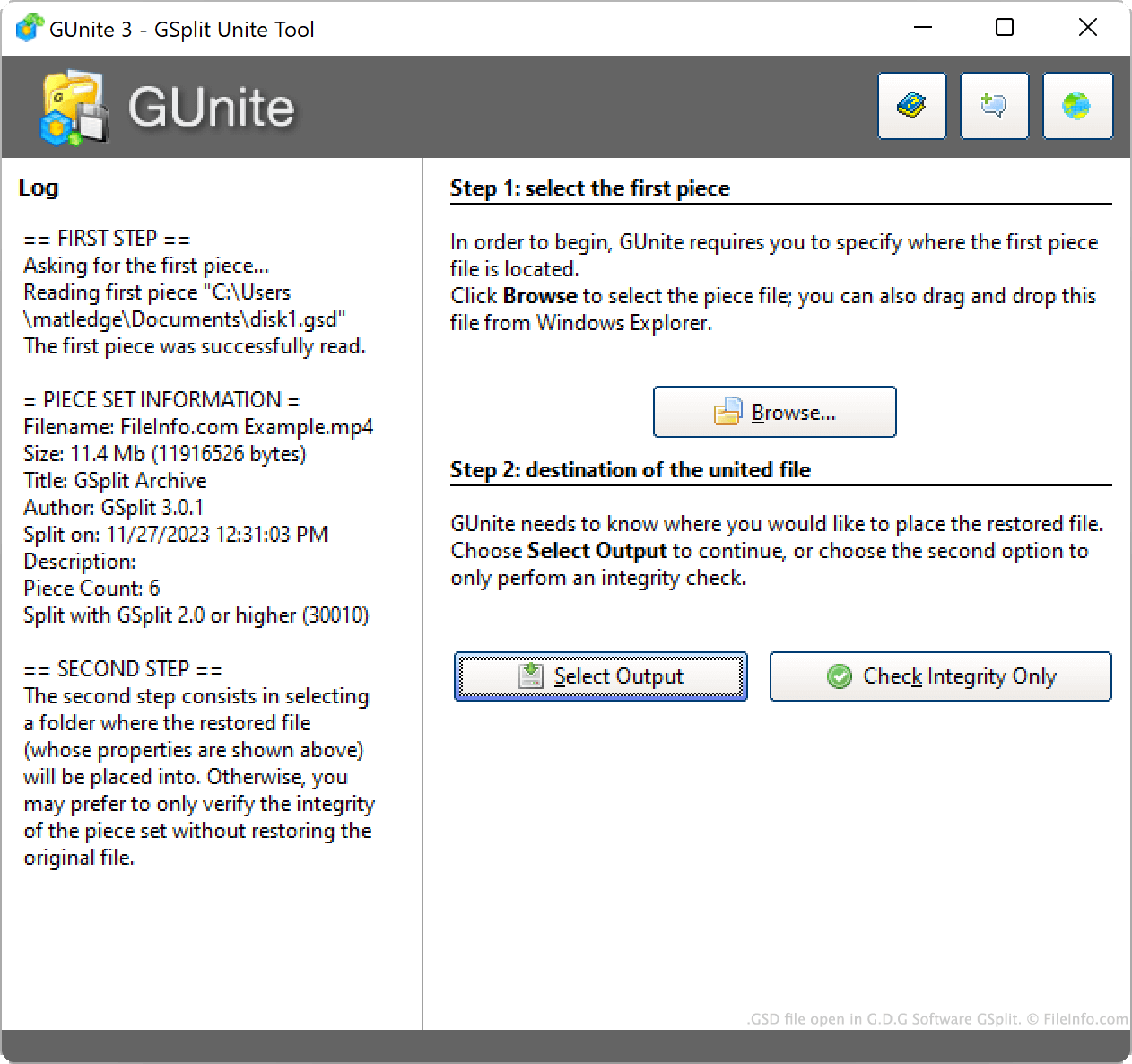
G.D.G Software GSplitで開いた.gsdファイルのスクリーンショット
G.D.G Software GSplitで開いたGSDファイル

Using GSplit, you can split large files (such as archives, disk images, and videos) into smaller pieces. This makes the split files easier to transfer and share (since you can transfer individual pieces one at a time, rather than the whole file at once).

When GSplit splits a file, it portions the file's data into several GSD files. The first of these files is typically named disk1.gsd. Depending on the split file's size (and a user's GSplit settings), disk1.gsd may be accompanied by any number of other disk#.gsd files.

Usually, GSD files are accompanied by a similarly-named .EXE file (e.g., disk1.exe). By double-clicking this file, you can quickly recombine the associated GSD files into the file from which they were split.

注: If you do not possess all of a split file's resulting GSD files, you will not be able to reconstitute that file. For example, if you have disk1.gsd and disk3.gsd, but not disk2.gsd, you likely will not be able to recombine your GSD files.

一般的な.GSDファイル名

disk1.gsd - The default name GSplit assigns to a split file's first piece.

GSDファイルの開き方

You can use GSplit (Windows) to recombine a set of GSD files into the file from which they were split. To do so:

  1. Open GSplit and click Unite.
  2. Click Browse....
  3. Select the first GSD file associated with your split file (often named disk1.gsd).
  4. Click Select Output.
  5. Select an output destination and click Save.

Provided that you have all the GSD files created from the original, split file, GSplit will use those files to create a copy of the split file.

GSDファイルを開くプログラム

Windows
カテゴリ: データ
更新日: 2023-11-27

検証者 FileInfo.com

FileInfo.comチーム は、このページに掲載されているすべてのファイル形式とソフトウェアについて独自に調査しました。 私たちの目標は100%の正確性であり、検証済みのファイルタイプに関する情報のみを公開しています。

このページへの追加や更新をご提案いただける場合は、お知らせください。