

.GSCRIPT Extensão de arquivo
Atalho do Google Apps Script
| Desenvolvedor | |
| Popularidade |
3,5 | 2 Votos |
O que é um arquivo GSCRIPT?
Um arquivo GSCRIPT é um atalho usado para abrir um script criado no Google Apps Script e armazenado no Google Drive. O arquivo contém uma referência ao script que ele abre, além da conta do Gmail usada para criar o script. Os arquivos GSCRIPT são criados pelo Google Drive para computador.
Mais informações
O Google Drive para computador é um programa que permite aos usuários do Google Drive fazer backup e abrir seus arquivos do Google Drive em computadores Windows e Mac. Embora o Drive para computador armazene backups reais de alguns tipos de arquivos (como arquivos .JPG e .DOCX) nos computadores dos usuários, ele não armazena cópias de arquivos criados usando o Google Apps Script, o Docs, o Planilhas e outros aplicativos do Google Workspace. Em vez disso, o Drive para computador armazena arquivos de atalho que, quando clicados duas vezes, abrem o arquivo associado na versão web do aplicativo correto do Google Workspace.
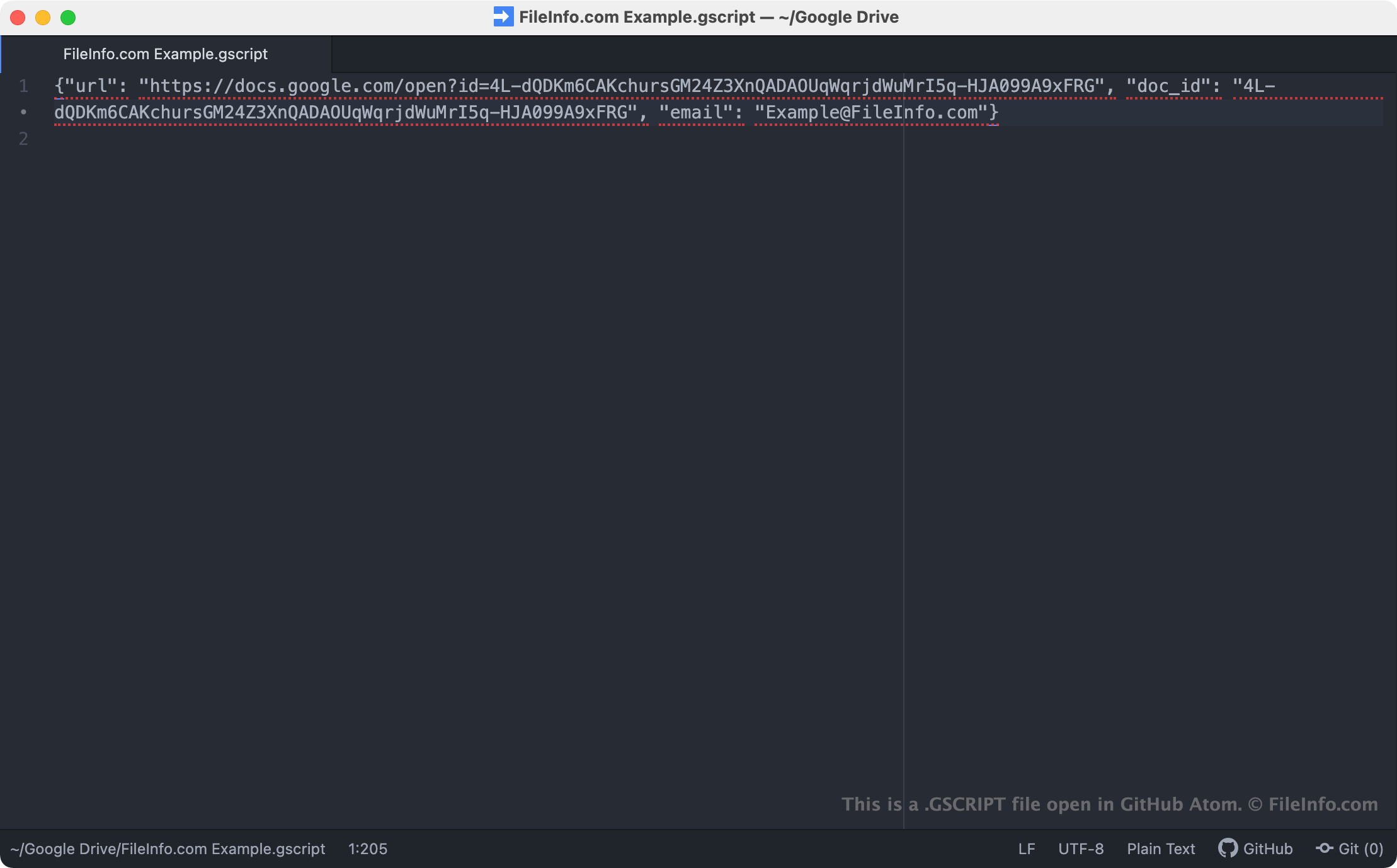
Os arquivos GSCRIPT são atalhos do Drive para computador que abrem scripts criados no Google Apps Script. Esses scripts são usados como complementos para outros aplicativos do Google, como o Docs, o Planilhas e o Gmail. Quando um usuário do Drive para computador clica duas vezes em um arquivo GSCRIPT, o script relacionado é aberto no Google Apps Script, desde que o usuário esteja conectado a uma conta do Gmail autorizada a acessar o script. Cada arquivo GSCRIPT é um arquivo JSON que contém a URL e o ID do documento de um script, além do nome da conta do Gmail usada para criar o script.
NOTA: Os arquivos GSCRIPT eram anteriormente criados pelo Backup and Sync from Google. O Google substituiu o Backup and Sync pelo Drive para computador em outubro de 2021.
Como abrir um arquivo GSCRIPT
Se você tiver o Google Drive para computador instalado no PC ou estiver usando um dispositivo com Chrome OS, poderá clicar duas vezes em um arquivo GSCRIPT para abrir o script ao qual ele faz referência no Google Apps Script. Talvez seja necessário fazer login na sua conta do Gmail ou solicitar acesso ao script para abri-lo.
Se necessário, você também pode abrir um arquivo GSCRIPT em qualquer editor de texto para visualizar a URL, o ID do documento e as informações da conta do Gmail que ele contém. Talvez você queira fazer isso, por exemplo, se estiver tendo problemas para usar seu arquivo GSCRIPT para abrir um script no Google Apps Script. Se clicar duas vezes no arquivo GSCRIPT não abrir um script, tente copiar e colar a URL do arquivo no navegador para acessar seu script.