

.GSCRIPT Estensione file
Collegamento a Google Apps Script
| Sviluppatore | |
| Popolarità |
3,5 | 2 Voti |
Che cos'è un file GSCRIPT?
Un file GSCRIPT è un collegamento usato per aprire uno script creato in Google Apps Script e archiviato in Google Drive. Il file contiene un riferimento allo script che apre, oltre all'account Gmail usato per creare lo script. I file GSCRIPT vengono creati da Google Drive for Desktop.
Maggiori informazioni
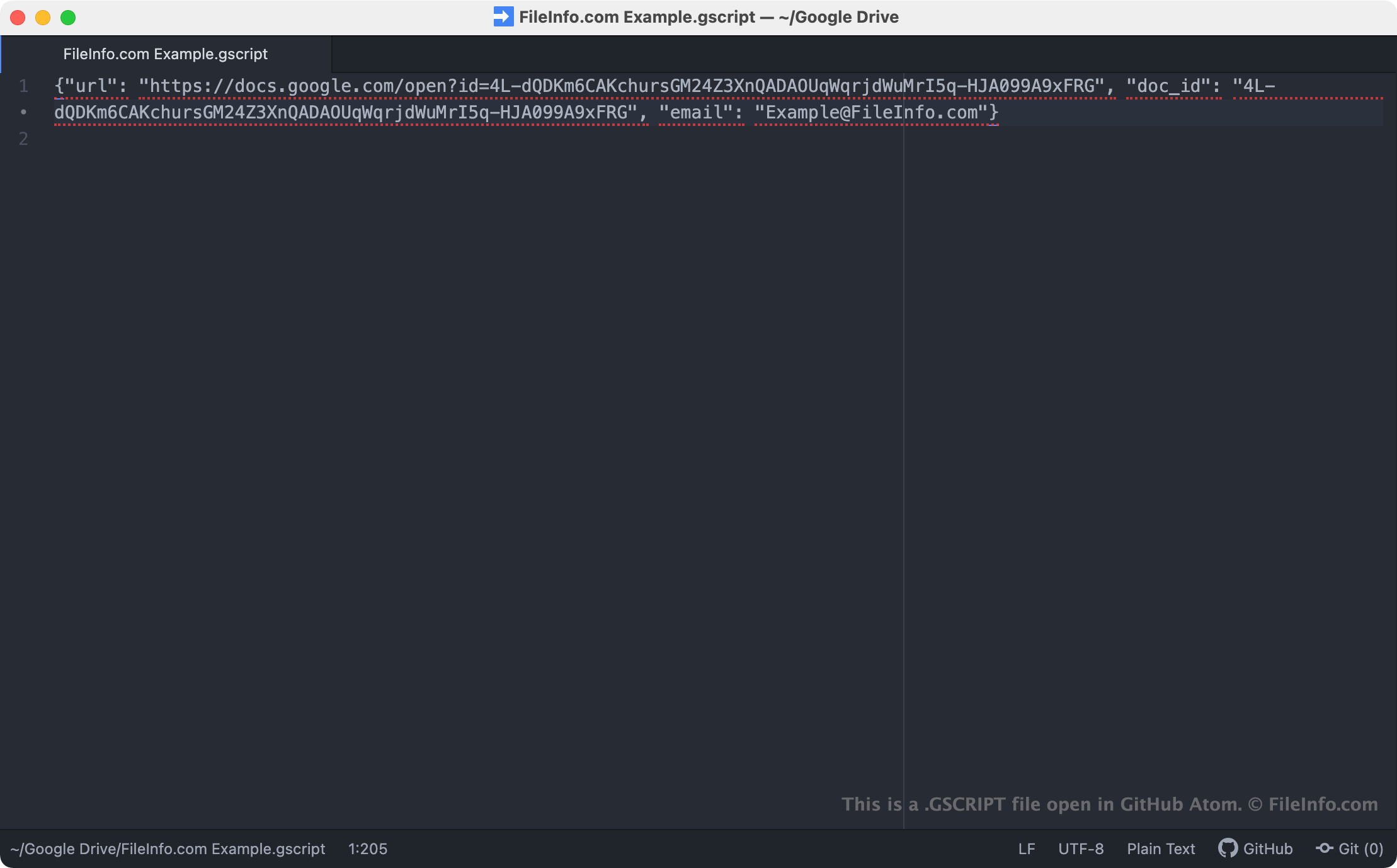
Google Drive for Desktop è un programma che consente agli utenti di Google Drive di eseguire il backup e aprire i propri file di Google Drive su PC Windows e Mac. Sebbene Drive for Desktop archivi backup effettivi di alcuni tipi di file (come i file .JPG e .DOCX) sui computer degli utenti, non archivia copie dei file creati con Google Apps Script, Docs, Sheets e altre applicazioni Google Workspace. Al contrario, Drive for Desktop archivia file di collegamento che, quando vengono aperti con un doppio clic, aprono il file associato nella versione web dell'applicazione Google Workspace corretta.
I file GSCRIPT sono collegamenti di Drive for Desktop che aprono script creati in Google Apps Script. Questi script vengono usati come componenti aggiuntivi per altre app Google, come Docs, Sheets e Gmail. Quando un utente di Drive for Desktop fa doppio clic su un file GSCRIPT, lo script correlato si apre in Google Apps Script, a condizione che l'utente abbia effettuato l'accesso a un account Gmail autorizzato ad accedere allo script. Ogni file GSCRIPT è un file JSON che contiene l'URL e l'ID documento di uno script, oltre al nome dell'account Gmail usato per creare lo script.
NOTA: I file GSCRIPT venivano creati in precedenza da Backup and Sync from Google. Google ha sostituito Backup and Sync con Drive for Desktop nell'ottobre 2021.
Come aprire un file GSCRIPT
Se hai installato Google Drive for Desktop sul tuo PC o stai usando un dispositivo Chrome OS, puoi fare doppio clic su un file GSCRIPT per aprire lo script a cui fa riferimento in Google Apps Script. Potresti dover accedere al tuo account Gmail o richiedere l'accesso allo script per poterlo aprire.
Se necessario, puoi anche aprire un file GSCRIPT in un qualsiasi editor di testo per visualizzare l'URL, l'ID documento e le informazioni sull'account Gmail che contiene. Potresti volerlo fare, ad esempio, se hai problemi a usare il file GSCRIPT per aprire uno script in Google Apps Script. Se facendo doppio clic sul file GSCRIPT non si apre uno script, puoi provare a copiare e incollare l'URL del file nel browser web per accedere allo script.