

.CPTX Dateiendung
Adobe Captivate-Projekt
| Entwickler | Adobe Systems |
| Beliebtheit |
3,5 | 17 Stimmen |
Was ist eine CPTX-Datei?
Eine CPTX-Datei ist ein von Adobe Captivate erstelltes Projekt. Adobe Captivate ist eine Anwendung zur Bildschirmaufzeichnung, mit der sich multimediale E-Learning-Produkte gestalten lassen. Sie enthält eine oder mehrere Folien, die Bildschirmaufzeichnungen, Bilder, Text, Objekte, Audio oder andere interaktive Inhalte enthalten können. CPTX-Dateien werden gespeichert, um verschiedene Arten von Projekten für Lernmanagementsysteme (LMS) zu speichern, beispielsweise Softwaredemonstrationen, Simulationen und Quizze.
Weitere Informationen
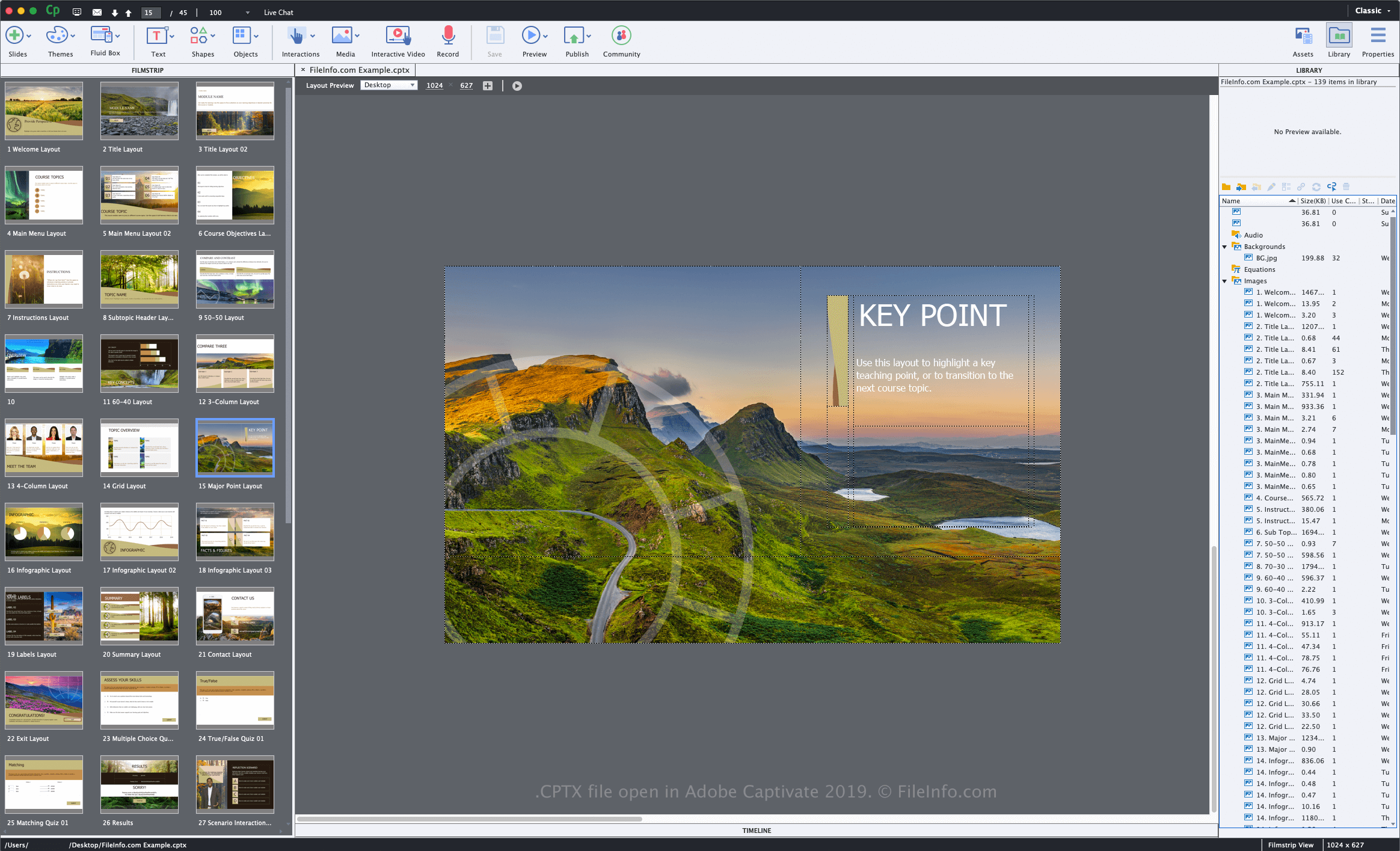
Adobe führte das CPTX-Format und die Dateierweiterung .cptx mit der Veröffentlichung von Captivate Version 5 ein. Frühere Versionen der Software speichern Arbeitsprojekte als .CP-Dateien.
So erstellen Sie mit Adobe Captivate eine CPTX-Datei
Wenn Sie ein Projekt mit Captivate speichern, erstellt die Anwendung eine CPTX-Datei, um die Projektinhalte zu speichern. Um mit Captivate eine CPTX-Datei zu erstellen, wählen Sie , wählen Sie den Projekttyp aus, bearbeiten Sie das Projekt und wählen Sie anschließend oder . Nachdem Sie die CPTX-Datei gespeichert haben, können Sie das Projekt schließen, erneut öffnen und anschließend weiter bearbeiten.
Wenn Sie die Bearbeitung Ihres Projekts abgeschlossen haben, können Sie es für verschiedene Geräteplattformen oder für die Dienste Adobe Connect und Adobe Captivate Prime veröffentlichen. Wählen Sie dazu .
So öffnen Sie eine CPTX-Datei
Sie können CPTX-Dateien nur mit Adobe Captivate unter Windows und macOS öffnen und bearbeiten. Um eine CPTX-Datei zu öffnen, wählen Sie .
So konvertieren Sie eine CPTX-Datei
Adobe Captivate kann CPTX-Dateien in verschiedene Dateitypen konvertieren, darunter die folgenden Formate: