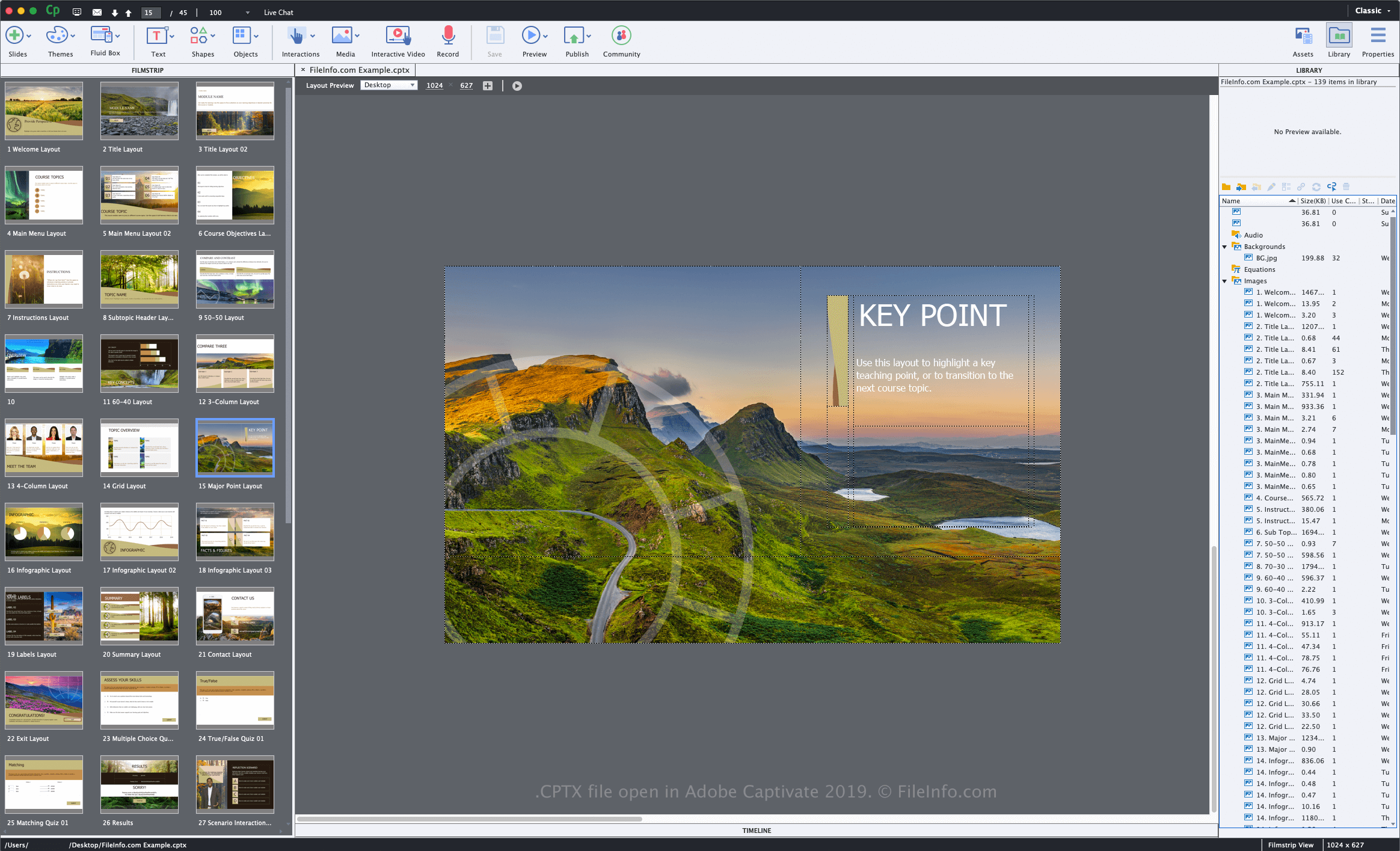
.CPTX 文件扩展名
Adobe Captivate Project
| 开发者 | Adobe Systems |
| 受欢迎程度 |
3.5 | 17 票 |
什么是 CPTX 文件?
A CPTX file is a project created by Adobe Captivate, a screen capture application used to design multimedia eLearning products. It contains one or more slides, which may include screen recordings, images, text, objects, audio, or other interactive content. CPTX files are created to store various types of learning management system (LMS) product projects, such as software demonstrations, simulations, and quizzes.
更多信息
Adobe introduced the CPTX format (and the .cptx file extension) when it released version 5 of Captivate. Previous versions of the software save working projects as .CP files.
How to create a CPTX file with Adobe Captivate
When you save a project with Captivate, the application creates a CPTX file to store the project contents. To create a CPTX file with Captivate, select File → New Project, choose the project type, modify the project, then select File → Save or Save As.... After saving the CPTX file, you can close the drawing, re-open it, and then continue to modify the project.
When you are finished editing your project, you can publish it to various device platforms or to the Adobe Connect and Adobe Captivate Prime services. To do this, select File → Publish....
如何打开 CPTX 文件
You can only open and edit CPTX files with Adobe Captivate in Windows and macOS. To open a CPTX file, select File → Open....
如何转换 CPTX 文件
Adobe Captivate can convert CPTX files to various file types, including the following formats: