

.CPTX 파일 확장자
Adobe Captivate 프로젝트
| 개발사 | Adobe Systems |
| 인기도 |
3.5 | 17 표 |
CPTX 파일이란 무엇인가요?
CPTX 파일은 멀티미디어 e러닝 제품을 설계하는 데 사용되는 화면 캡처 애플리케이션인 Adobe Captivate로 만든 프로젝트입니다. 하나 이상의 슬라이드가 포함되어 있으며, 슬라이드에는 화면 녹화, 이미지, 텍스트, 개체, 오디오 또는 기타 인터랙티브 콘텐츠가 포함될 수 있습니다. CPTX 파일은 소프트웨어 데모, 시뮬레이션, 퀴즈 등 다양한 유형의 학습 관리 시스템(LMS) 제품 프로젝트를 저장하기 위해 만들어집니다.
추가 정보
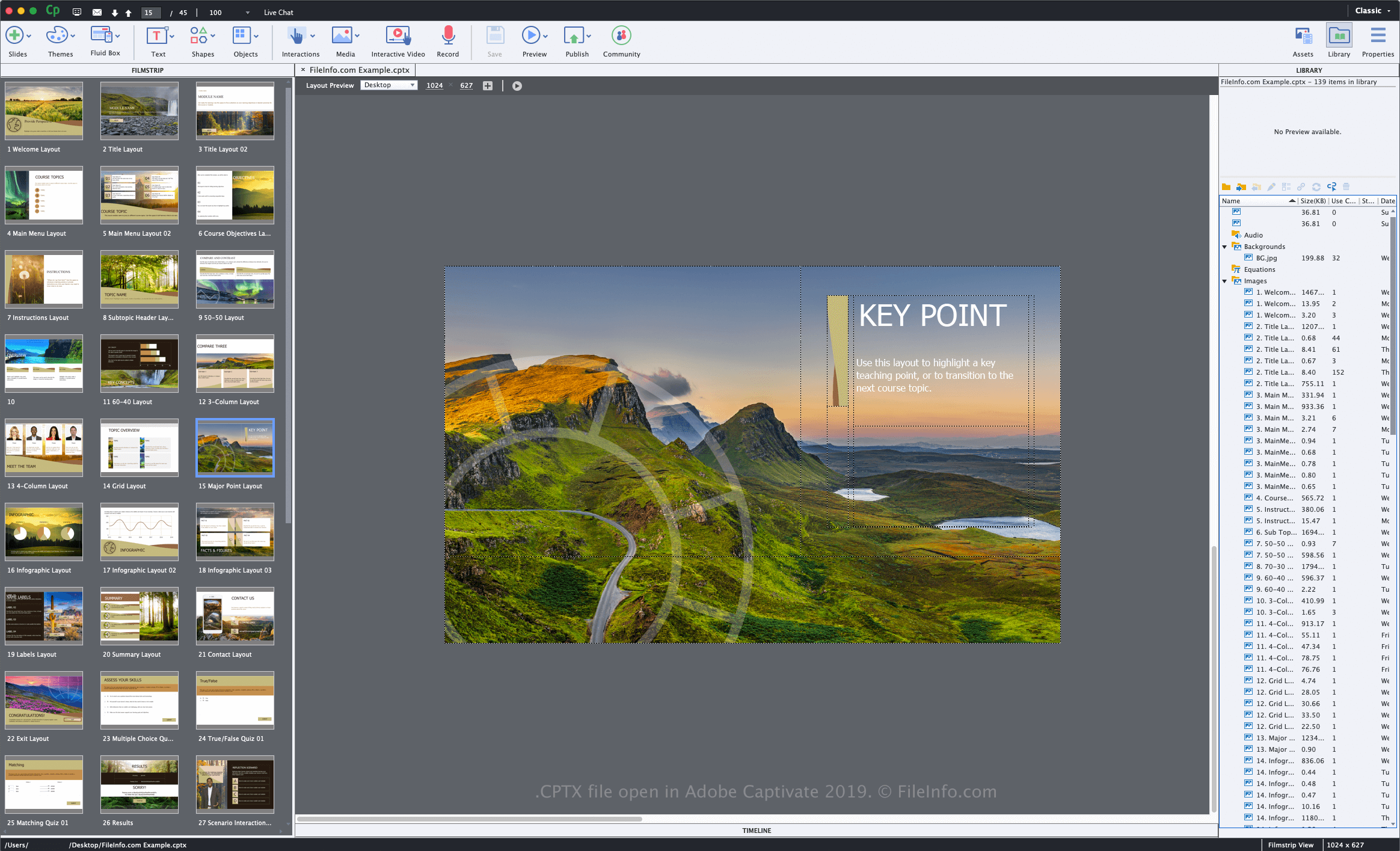
Adobe는 Captivate 버전 5를 출시하면서 CPTX 형식(및 .cptx 파일 확장자)을 도입했습니다. 이전 버전의 소프트웨어에서는 작업 중인 프로젝트를 .CP 파일로 저장합니다.
Adobe Captivate로 CPTX 파일을 만드는 방법
Captivate로 프로젝트를 저장하면 애플리케이션이 프로젝트 내용을 저장할 CPTX 파일을 만듭니다. Captivate로 CPTX 파일을 만들려면 를 선택하고, 프로젝트 유형을 선택한 다음, 프로젝트를 수정하고 또는 를 선택합니다. CPTX 파일을 저장한 후 드로잉을 닫고 다시 연 다음 프로젝트를 계속 수정할 수 있습니다.
프로젝트 편집을 마치면 다양한 장치 플랫폼 또는 Adobe Connect 및 Adobe Captivate Prime 서비스에 게시할 수 있습니다. 이렇게 하려면 를 선택합니다.
CPTX 파일을 여는 방법
Windows 및 macOS에서는 Adobe Captivate로만 CPTX 파일을 열고 편집할 수 있습니다. CPTX 파일을 열려면 을 선택합니다.
CPTX 파일을 변환하는 방법
CPTX 파일을 여는 프로그램
Windows
무료 체험판
Mac
무료 체험판