

.CMPROJ Dateiendung
Camtasia-macOS-Projekt
| Entwickler | TechSmith |
| Beliebtheit |
3,0 | 5 Stimmen |
Was ist eine CMPROJ-Datei?
Eine CMPROJ-Datei ist ein Projekt, das von der macOS-Version von TechSmith Camtasia erstellt wurde, einer Anwendung für Bildschirmaufnahmen und Videobearbeitung. Sie enthält alle importierten Mediendateien, Videobearbeitungen, Zeitleisteneigenschaften und Projekteinstellungen. Camtasia-Benutzer speichern Projekte als CMPROJ-Dateien, wenn sie ihre Videos erstellen und bearbeiten, und exportieren sie anschließend in andere Formate, um sie zu teilen.
Weitere Informationen
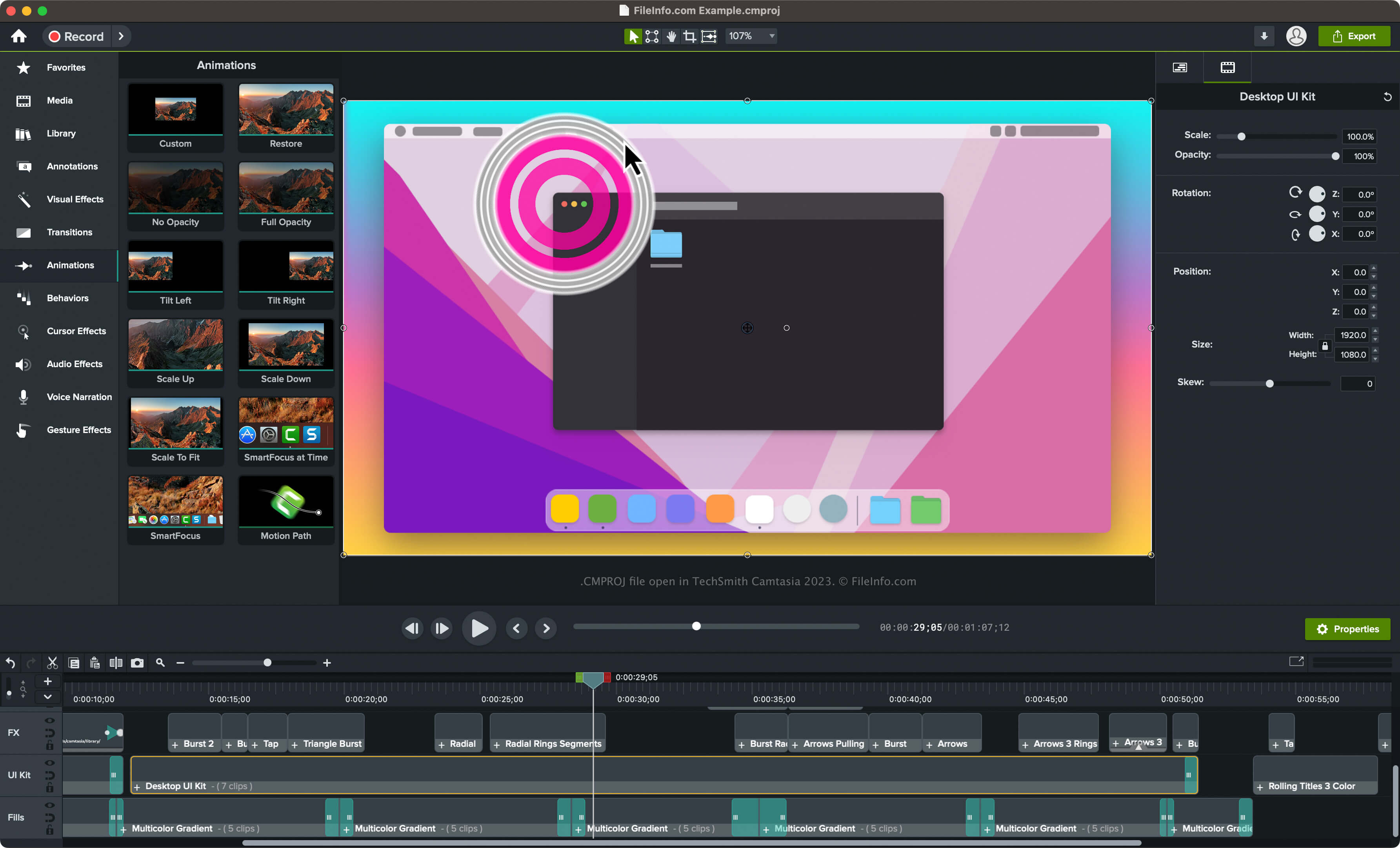
Mit Camtasia können verschiedene Arten von Videos erstellt werden, z. B. Aufnahmen von Videospielen, Tutorials, Schulungsvideos und Webinaraufzeichnungen. Camtasia ist zwar für macOS und Windows verfügbar, aber nur die macOS-Version von Camtasia speichert Projekte als CMPROJ-Dateien.
Die Windows-Version speichert Projekte als .TSCPROJ-Dateien (sie ersetzte den .CAMPROJ-Dateityp mit Version 9 von TechSmith Camtasia). Wenn Sie die macOS-Version von Camtasia verwenden, können Sie auch TSCPROJ-Dateien erstellen, indem Sie auswählen.
So erstellen Sie eine CMPROJ-Datei in der macOS-Version von Camtasia
Gehen Sie folgendermaßen vor, um mit der macOS-Version von Camtasia eine CMPROJ-Datei zu erstellen:
- Wählen Sie oder (wenn Sie noch kein Projekt begonnen haben).
- Wählen Sie oder .
- Geben Sie dem Projekt einen Namen, wählen Sie den Speicherort aus und klicken Sie anschließend auf .
So öffnen Sie eine CMPROJ-Datei
Sie können eine CMPROJ-Datei mit der macOS-Version von TechSmith Camtasia öffnen. Um eine CMPROJ-Datei mit Camtasia zu öffnen, wählen Sie aus.
Eine CMPROJ-Datei als macOS-Paket öffnen
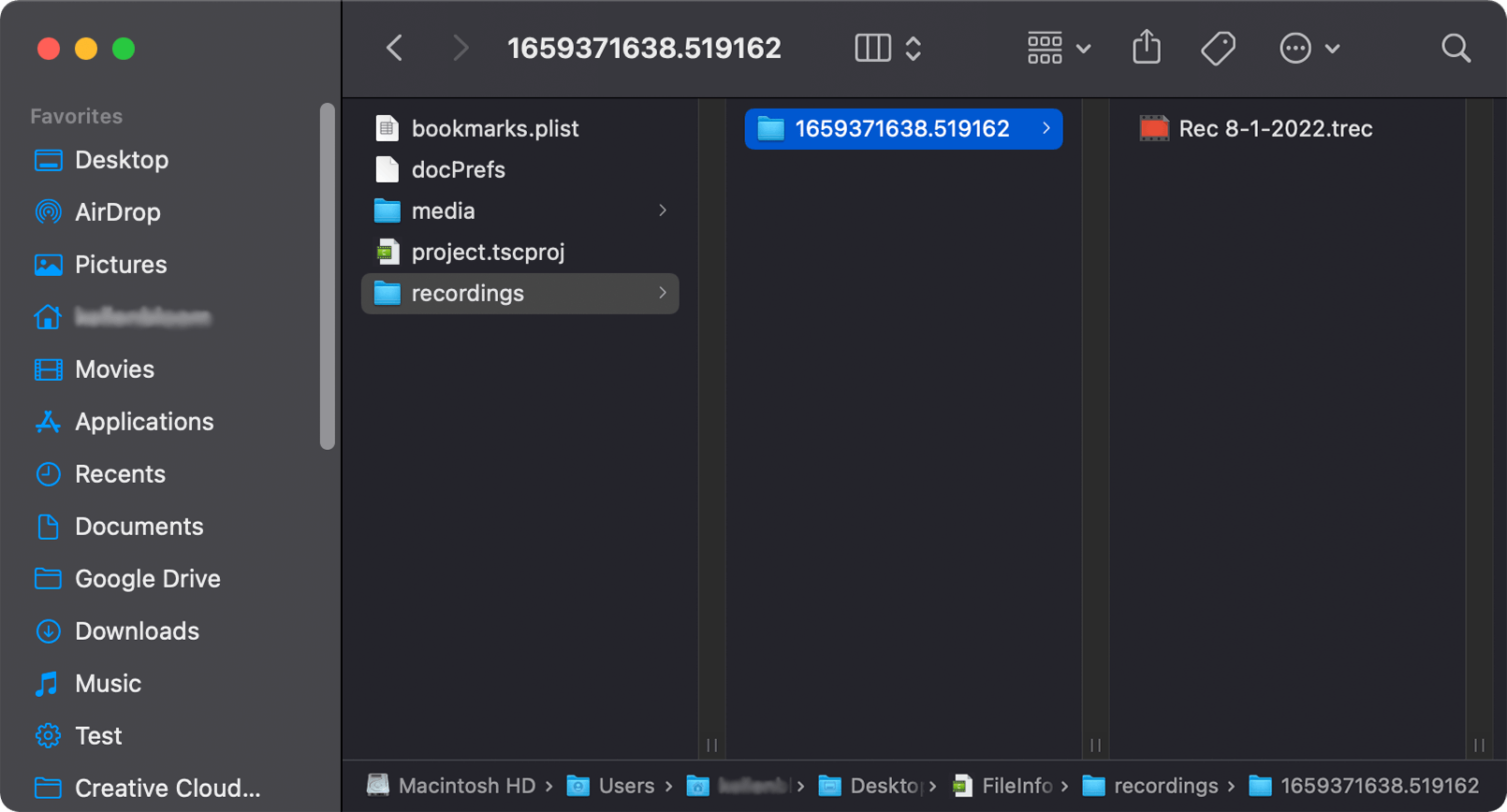
Da CMPROJ-Dateien macOS-Pakete sind, können Sie den Inhalt einer CMPROJ-Datei unter macOS manuell anzeigen, indem Sie mit der rechten Maustaste auf die Datei klicken und auswählen.
Unter Windows können Sie eine CMPROJ-Datei als Ordner öffnen, indem Sie darauf doppelklicken. Anschließend können Sie durch ihren Inhalt navigieren. Dieser kann eine TSCPROJ-Datei, einen Ordner „media“ (in dem die Mediendateien des Projekts gespeichert sind), einen Ordner „recordings“ (in dem .TREC-Videoaufnahmen gespeichert sind) und andere Dateien enthalten.
So konvertieren Sie eine CMPROJ-Datei
Die macOS-Version von Camtasia kann eine CMPROJ-Datei in verschiedene Dateitypen konvertieren, darunter die folgenden Formate:
- .MP4 – MPEG-4-Video
- .GIF – Graphical Interchange Format
- .MOV – Apple QuickTime-Film
- .CAMTEMPLATE – Camtasia-Vorlage
- .TSCPROJ – TechSmith Camtasia-Projekt
Sie können eine CMPROJ-Datei auch als .CAMPACKAGE exportieren, um das Projekt und andere Ressourcen zu sichern oder mit anderen Camtasia-Benutzern zu teilen. Wählen Sie dazu aus.