

.SNAGTHEME Přípona souboru
Motiv Snagit
| Vývojář | TechSmith |
| Popularita |
3,0 | 1 hlas |
Co je soubor SNAGTHEME?
Soubor SNAGTHEME je motiv používaný programem TechSmith Snagit, který slouží k snímání obrazovky a přidávání poznámek k obrázkům. Obsahuje data ve formátu JSON, která určují barvy, písmo a styl obsažené v motivu. Soubory SNAGTHEME zajišťují jednotný vzhled textu a tvarů umístěných do snímků obrazovky.
Další informace
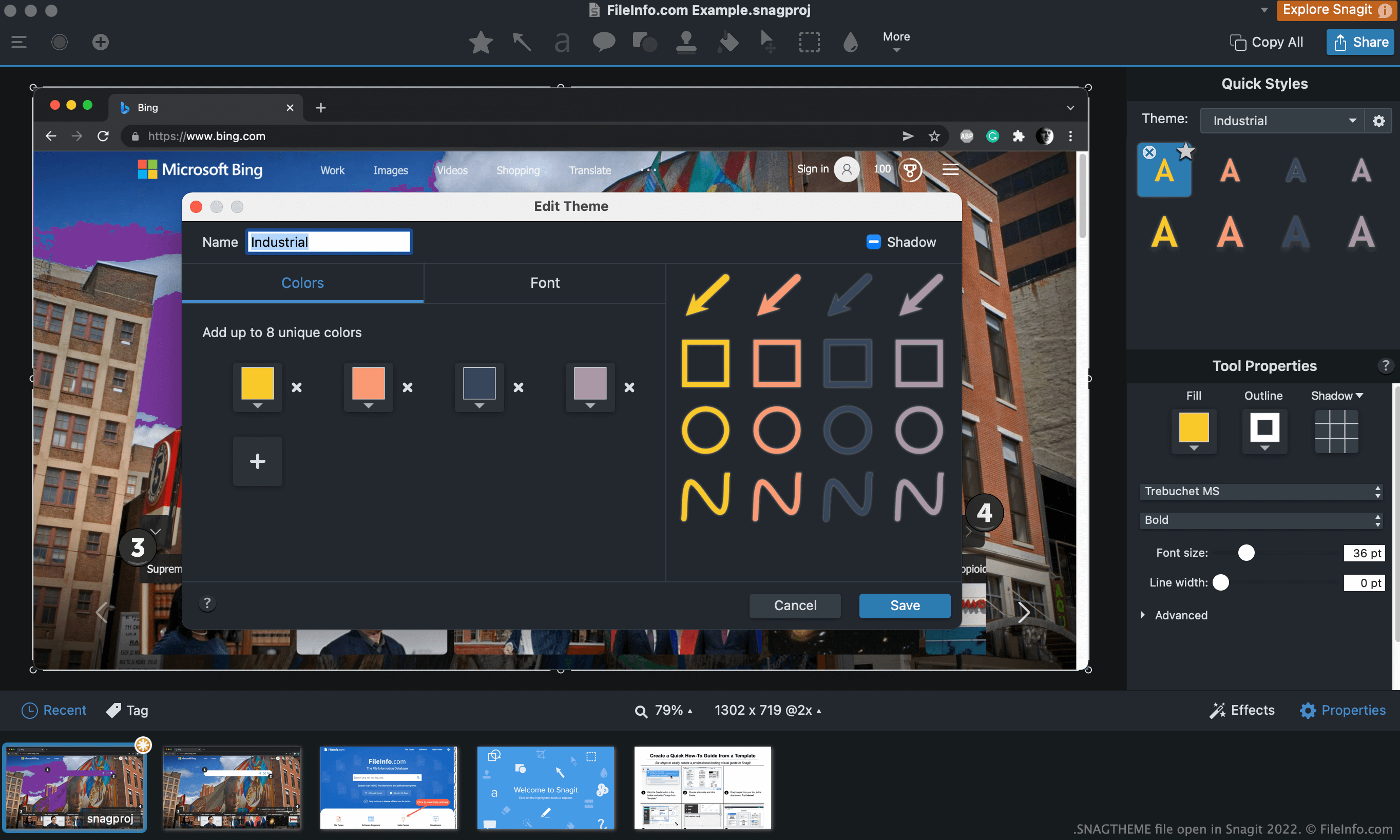
Po pořízení snímku obrazovky pomocí nástrojů pro snímání v programu Snagit můžete do snímku přidat text, šipky, popisky a další anotace. U mnoha těchto anotací lze nastavit motiv, aby se zobrazovaly s jednotným barevným schématem a stylem.
Pokud například plánujete do snímku obrazovky přidat text i šipku, můžete vybrat motiv Industrial a pomocí jeho předvoleb zajistit, aby oba prvky používaly stejnou barvu a styl. Motivy můžete také používat napříč více obrázky a zajistit tak, aby se prvky ve všech těchto obrázcích zobrazovaly jednotně.
Jak vytvořím soubor SNAGTHEME?
Vlastní soubor SNAGTHEME vytvoříte takto:
- Otevřete nástroj, ve kterém můžete vybírat motivy (například nástroj Text).
- Klikněte na rozevírací nabídku motivů (Windows) nebo ikonu ozubeného kola (Mac) a vyberte .
Jak otevřít soubor SNAGTHEME
Soubor SNAGTHEME importujete do programu Snagit takto:
- Otevřete Snagit a vyberte nástroj, který používá motivy (například nástroj Text).
- Klikněte na rozevírací nabídku motivů (Windows) nebo ikonu ozubeného kola (Mac) a vyberte .
- Vyhledejte a otevřete soubor SNAGTHEME.
Chcete-li zobrazit data JSON obsažená v souboru SNAGTHEME, můžete jej otevřít v programu Microsoft Notepad, Apple TextEdit nebo v jiném textovém editoru.
Jak upravím soubor SNAGTHEME?
Motiv importovaný do programu Snagit upravíte takto:
- Otevřete nástroj, ve kterém můžete vybrat motiv.
- Vyberte motiv.
- Klikněte na rozevírací nabídku motivů (Windows) nebo ikonu ozubeného kola (Mac) a vyberte .
Jak exportuji motiv jako soubor SNAGTHEME?
Motiv exportujete jako soubor SNAGTHEME takto:
- Otevřete nástroj, ve kterém můžete vybrat motiv.
- Vyberte motiv.
- Klikněte na rozevírací nabídku motivů (Windows) nebo ikonu ozubeného kola (Mac) a vyberte .