.MMV Přípona souboru

MicroMV Video File

Vývojář Sony
Popularita
3.4  |  14 Hlasů
 

Co je soubor MMV?

An MMV file is a video file created by various Sony MicroMV digital camcorders, such as the DCR-IP5 camcorder. It contains video saved in the proprietary MicroMV (MMV) format, which utilizes 12 Mbit/s MPEG-2 compression to compress video data. Sony no longer develops the format.

Další informace

MMV was only utilized by MicroMV camcorder models, which were discontinued in 2006. While MMV files are obscure, you may still encounter them when searching through old recordings stored on your computer or when transferring recordings from your MicroMV camcorder to your computer.

Jak otevřít soubor MMV

You can open MMV files with software packaged with the Sony camcorder. If you do not have access to this software, you can play MMV files with Media Player Classic in Windows and import MMV video in older versions of Apple iMovie ('07 for standard definition and '08 for high definition) on a Mac.

You can also convert MMV video to the .MP4 format with Squared 5 MPEG Streamclip (Windows), but you must also have the Apple MPEG-2 Playback Component or KL Quicktime Alternative installed for MPEG-2 support. The Apple MPEG-2 Playback Component is available for purchase and the KL Quicktime Alternative is available for free.

Otevírejte a prohlížejte soubory .mmv pomocí File Viewer Plus.Stáhnout zdarma

Programy, které otevírají soubory MMV

Mac
Součást operačního systému
Kategorie: Video
Aktualizováno: 2021-02-11

MMSSTV Audio File

Vývojář Makoto Mori
Popularita
3.5  |  2 Hlasů
 
🔍Otevírejte soubory .MMV přímo ve webovém prohlížeči pomocí File Helper.Zobrazit online

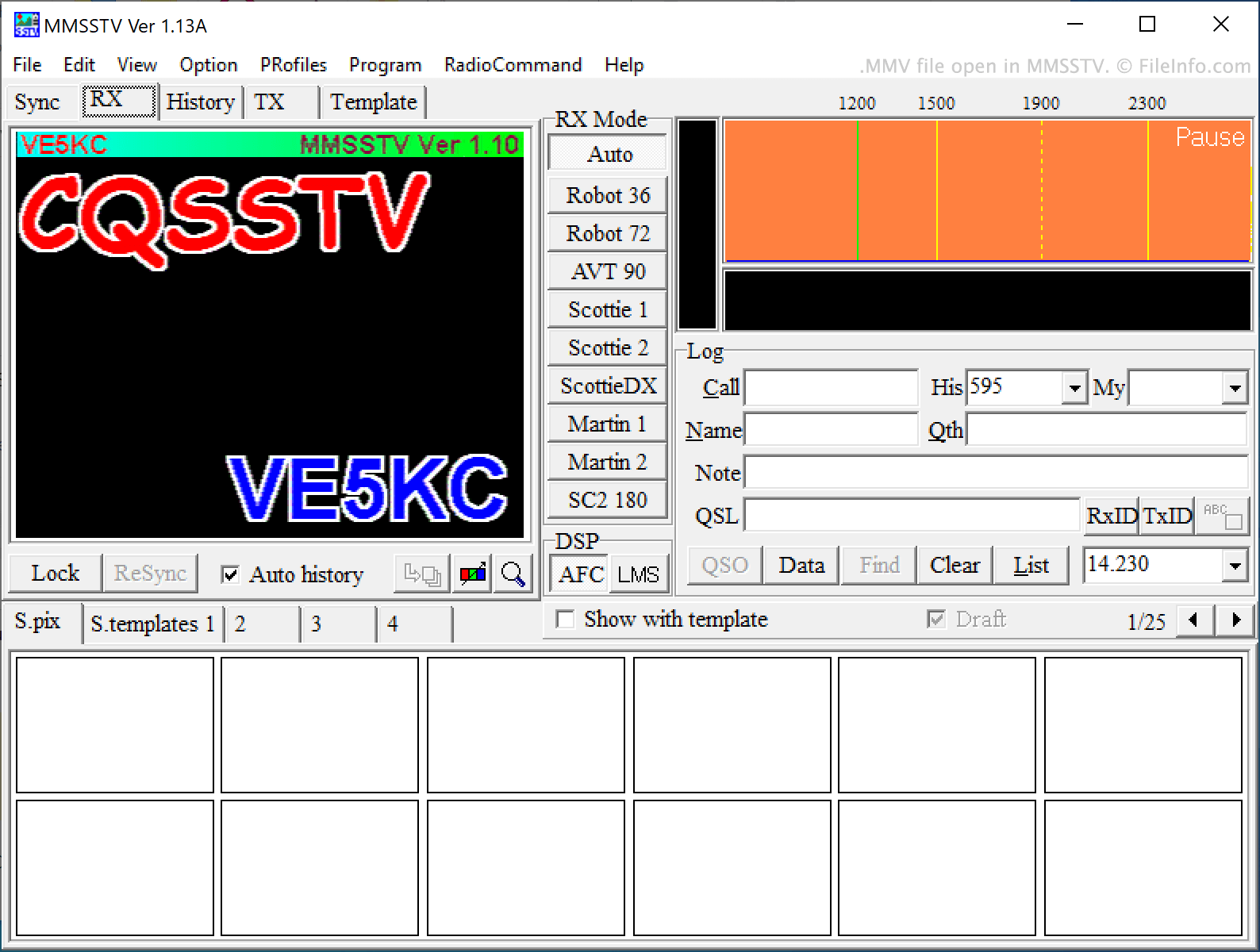
An MMV file is an audio file used to show a slow-scan television (SSTV) frame in MMSTV and other SSTV programs. It contains audio data that SSTV programs transform into an image. MMV files can be converted into .WAV files, if you want to play them in other audio programs.

Další informace

Snímek obrazovky souboru .mmv v MMSSTV
Soubor MMV otevřený v MMSSTV

SSTV is a technology that allows ham radio operators to send images to each other using audio signals. SSTV audio signals are transmitted over high frequency (HF) bands using single-sideband modulation (SSB). The audio data they contain describes a bitmap image. Those who receive SSTV signals can copy them and import the copy into an SSTV decoding program, to transform the audio data into an image.

MMSSTV is an SSTV encoding and decoding program that allows users to play SSTV audio and view the image the audio describes. The program accepts SSTV audio saved in the MMV file format. Other SSTV programs, such as SSTV Tools and Black Cat Systems SSTV, also allow users to create and load SSTV audio saved in the MMV format.

Jak otevřít soubor MMV

You can open an MMV file and view the image it describes in MMSSTV (Windows). To do so, select File → Play sound from the file... from MMSSTV's menu bar. Then, navigate to and open your MMV file. You can also open an MMV file in SSTV Tools' Signal Viewer (Windows) and Black Cat SSTV (Windows, Mac).

Programy, které otevírají soubory MMV

Windows
Zdarma
Zkušební verze zdarma
Mac
Zkušební verze zdarma
Web
Kategorie: Zvuk
Aktualizováno: 2021-07-12

Magnex Firmware File

Vývojář Magnex
Popularita
3.0  |  2 Hlasů
 

An MMV file is a firmware file used to update Magnex products, such as the DJ-Book 900 data storage device. It contains a firmware update for a Magnex device in order to make it work more efficiently, whether it be compatibility with a new operating system or new media.

Další informace

MMV files are not meant to be opened on a computer. They should be installed on a Magnex device. In order to install an MMV firmware file onto your Magnex device, you need to first download the file from the Magnex website. Then, connect your device to your computer using a USB connection and transfer the MMV file onto your device.

POZNÁMKA: Magnex produces various electronic devices, including video recorders, portable audio players, and DVD players.

Programy, které otevírají soubory MMV

Windows
Not meant to be opened.
Mac
Not meant to be opened.
Linux
Not meant to be opened.
Kategorie: Systém
Aktualizováno: 2017-06-21

Ověřil FileInfo.com

Tým FileInfo.com nezávisle prozkoumal všechny formáty souborů a programy uvedené na této stránce. Naším cílem je 100% přesnost a zveřejňujeme pouze informace o typech souborů, které jsme ověřili.

Pokud chcete navrhnout doplnění nebo aktualizaci této stránky, dejte nám vědět.