.MMV Estensione file

MicroMV Video File

Sviluppatore Sony
Popolarità
3.4  |  14 Voti
 

Che cos'è un file MMV?

An MMV file is a video file created by various Sony MicroMV digital camcorders, such as the DCR-IP5 camcorder. It contains video saved in the proprietary MicroMV (MMV) format, which utilizes 12 Mbit/s MPEG-2 compression to compress video data. Sony no longer develops the format.

Maggiori informazioni

MMV was only utilized by MicroMV camcorder models, which were discontinued in 2006. While MMV files are obscure, you may still encounter them when searching through old recordings stored on your computer or when transferring recordings from your MicroMV camcorder to your computer.

Come aprire un file MMV

You can open MMV files with software packaged with the Sony camcorder. If you do not have access to this software, you can play MMV files with Media Player Classic in Windows and import MMV video in older versions of Apple iMovie ('07 for standard definition and '08 for high definition) on a Mac.

You can also convert MMV video to the .MP4 format with Squared 5 MPEG Streamclip (Windows), but you must also have the Apple MPEG-2 Playback Component or KL Quicktime Alternative installed for MPEG-2 support. The Apple MPEG-2 Playback Component is available for purchase and the KL Quicktime Alternative is available for free.

Apri e visualizza i file .mmv con File Viewer Plus.Download gratuito

Programmi che aprono i file MMV

Mac
Incluso nel sistema operativo
Categoria: Video
Aggiornato: 2021-02-11

MMSSTV Audio File

Sviluppatore Makoto Mori
Popolarità
3.5  |  2 Voti
 
🔍Apri i file .MMV direttamente nel tuo browser con File Helper.Visualizza online

An MMV file is an audio file used to show a slow-scan television (SSTV) frame in MMSTV and other SSTV programs. It contains audio data that SSTV programs transform into an image. MMV files can be converted into .WAV files, if you want to play them in other audio programs.

Maggiori informazioni

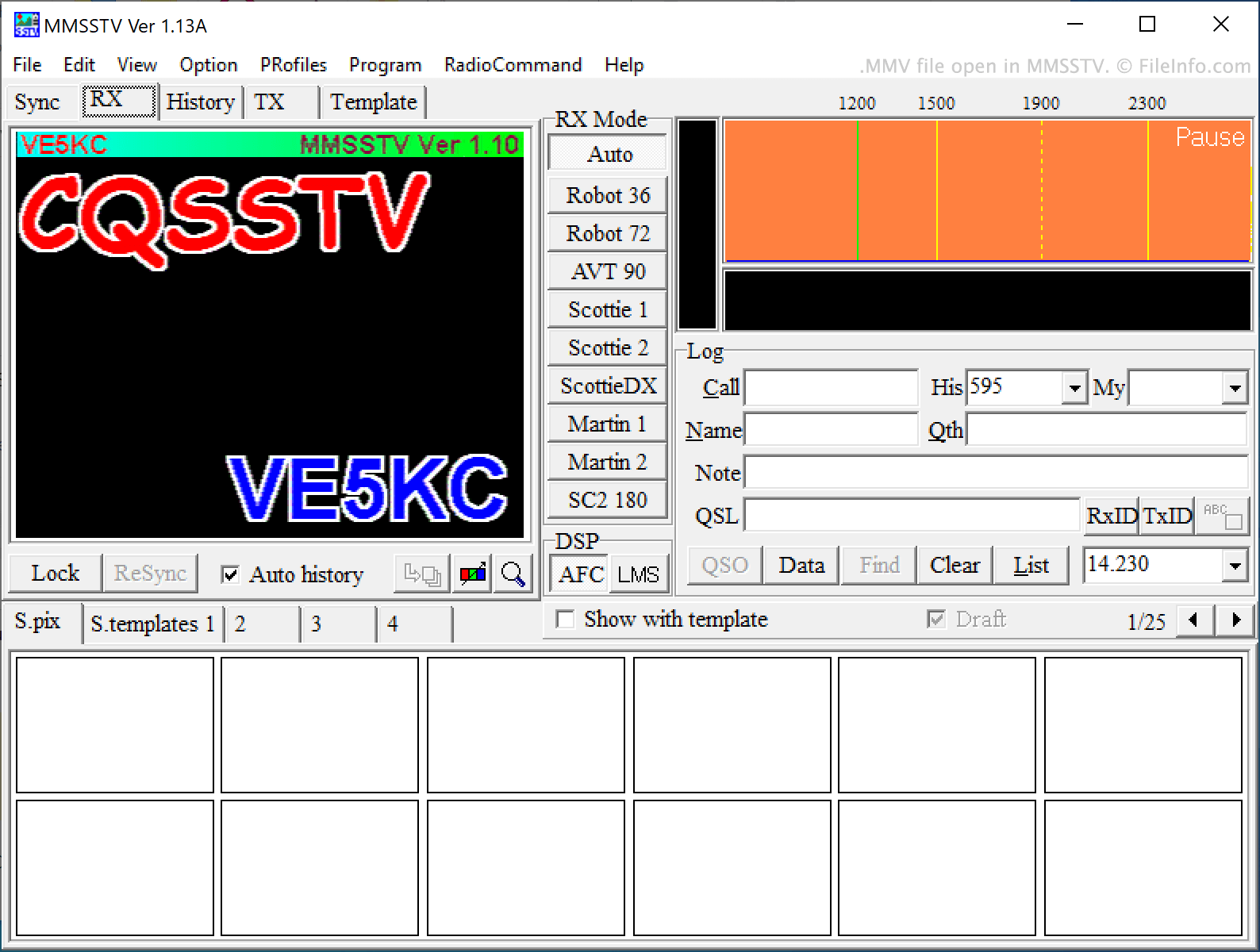
Screenshot di un file .mmv in MMSSTV
File MMV aperto in MMSSTV

SSTV is a technology that allows ham radio operators to send images to each other using audio signals. SSTV audio signals are transmitted over high frequency (HF) bands using single-sideband modulation (SSB). The audio data they contain describes a bitmap image. Those who receive SSTV signals can copy them and import the copy into an SSTV decoding program, to transform the audio data into an image.

MMSSTV is an SSTV encoding and decoding program that allows users to play SSTV audio and view the image the audio describes. The program accepts SSTV audio saved in the MMV file format. Other SSTV programs, such as SSTV Tools and Black Cat Systems SSTV, also allow users to create and load SSTV audio saved in the MMV format.

Come aprire un file MMV

You can open an MMV file and view the image it describes in MMSSTV (Windows). To do so, select File → Play sound from the file... from MMSSTV's menu bar. Then, navigate to and open your MMV file. You can also open an MMV file in SSTV Tools' Signal Viewer (Windows) and Black Cat SSTV (Windows, Mac).

Programmi che aprono i file MMV

Windows
Gratuito
Gratuito
Prova gratuita
Mac
Prova gratuita
Web
Categoria: Audio
Aggiornato: 2021-07-12

Magnex Firmware File

Sviluppatore Magnex
Popolarità
3.0  |  2 Voti
 

An MMV file is a firmware file used to update Magnex products, such as the DJ-Book 900 data storage device. It contains a firmware update for a Magnex device in order to make it work more efficiently, whether it be compatibility with a new operating system or new media.

Maggiori informazioni

MMV files are not meant to be opened on a computer. They should be installed on a Magnex device. In order to install an MMV firmware file onto your Magnex device, you need to first download the file from the Magnex website. Then, connect your device to your computer using a USB connection and transfer the MMV file onto your device.

NOTA: Magnex produces various electronic devices, including video recorders, portable audio players, and DVD players.

Programmi che aprono i file MMV

Windows
Not meant to be opened.
Mac
Not meant to be opened.
Linux
Not meant to be opened.
Categoria: Sistema
Aggiornato: 2017-06-21

Verificato da FileInfo.com

Il team di FileInfo.com ha analizzato in modo indipendente tutti i formati di file e i programmi software elencati in questa pagina. Il nostro obiettivo è il 100% di accuratezza e pubblichiamo solo informazioni sui tipi di file che abbiamo verificato.

Se desideri suggerire aggiunte o aggiornamenti a questa pagina, faccelo sapere.