

.APK Přípona souboru
Soubor balíčku Android
| Vývojář | |
| Popularita |
4,3 | 109733 hlasů |
Co je soubor APK?
Soubor APK je aplikace vytvořená pro Android, mobilní operační systém společnosti Google. Některé aplikace jsou v zařízeních s Androidem předinstalované, zatímco jiné aplikace lze stáhnout z Google Play. Aplikace stažené z Google Play se do zařízení nainstalují automaticky, zatímco aplikace stažené z jiných zdrojů je nutné nainstalovat ručně.
Další informace
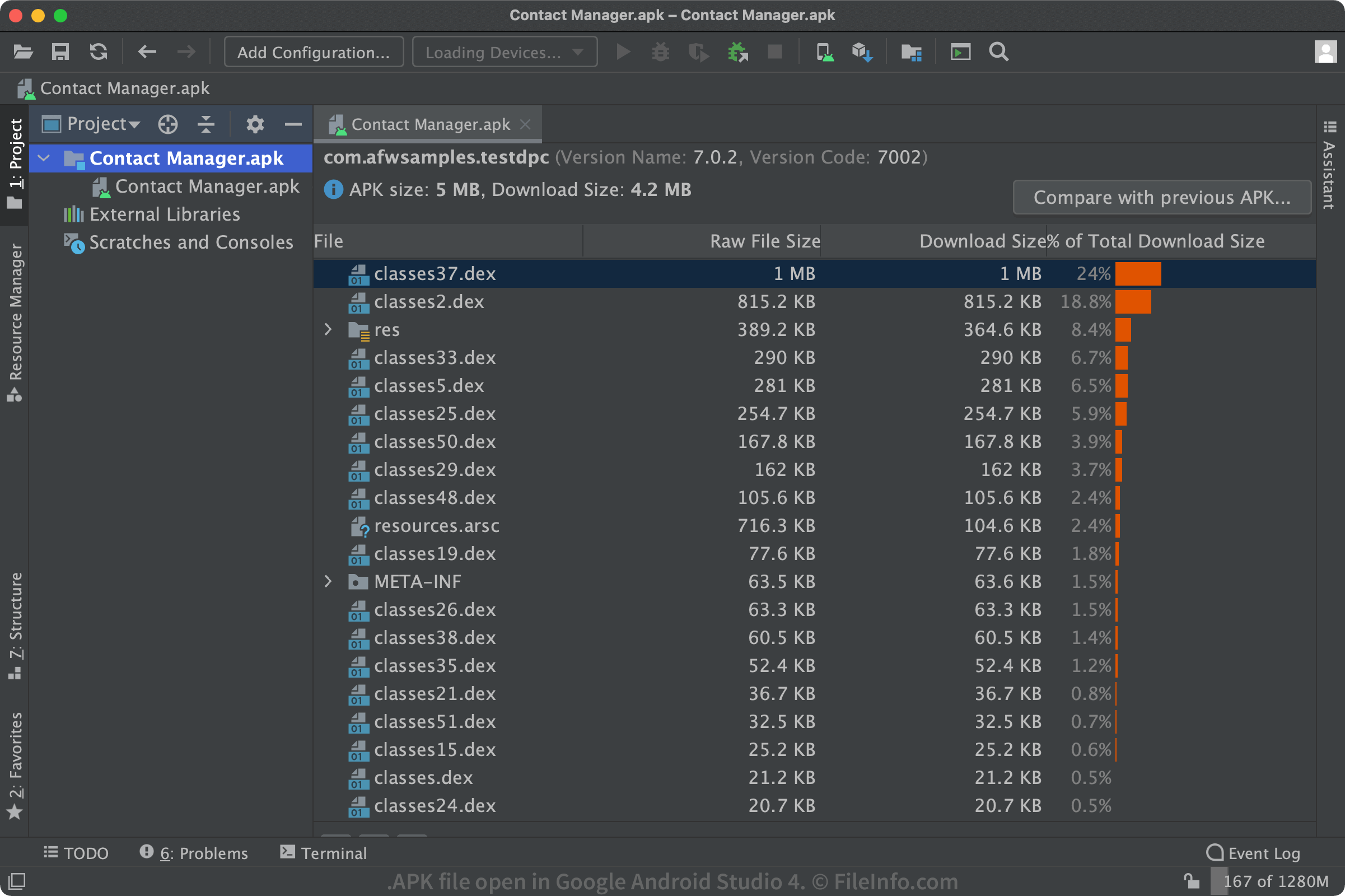
Uživatelé se se soubory APK obvykle nikdy nesetkají, protože Android zpracovává instalaci aplikací na pozadí prostřednictvím Google Play nebo jiné platformy pro distribuci aplikací. Mnoho webových stránek však nabízí přímé stažení souborů APK uživatelům Androidu, kteří chtějí aplikace instalovat ručně. V takovém případě byste měli ověřit, že zdroji souboru APK důvěřujete, protože škodlivý software může být distribuován v souborech APK, stejně jako v případě souborů Windows a .EXE.
Jak nainstaluji soubor APK do svého zařízení s Androidem?
Soubory APK můžete nainstalovat ručně podle těchto pokynů. Ujistěte se, že zdroji souboru APK důvěřujete.
Jak nainstaluji soubor APK ve Windows 11?
Windows 11 je první verze Windows, která oficiálně podporuje možnost instalovat soubory APK. Uživatelé Windows 11 mohou soubory APK instalovat ručně pomocí podsystému Windows pro Android v kombinaci s nástrojem Android Debug Bridge. Na začátku roku 2022 je tato funkce dostupná pouze členům programu Windows Insider. Vyžaduje také, aby uživatelé v nastavení Windows povolili funkce Hyper-V a Platforma virtuálního počítače.
Co soubor APK obsahuje?
Balíčky Androidu obsahují všechny soubory potřebné pro jeden program pro Android. Níže je seznam nejdůležitějších souborů a složek:
- META-INF/: Obsahuje soubor manifestu, podpis a seznam zdrojů v archivu
- lib/: Nativní knihovny, které běží na konkrétních architekturách zařízení (armeabi-v7a, x86 atd.)
- res/: Zdroje, například obrázky, které nebyly zkompilovány do souboru resources.arsc
- assets/: Nezpracované soubory zdrojů, které vývojáři přibalují k aplikaci
- AndroidManifest.xml: Popisuje název, verzi a obsah souboru APK
- classes.dex: Zkompilované třídy Java, které se mají spustit v zařízení (soubor .DEX)
- resources.arsc: Zkompilované zdroje, například řetězce, které aplikace používá (soubor .ARSC)
Jak zobrazím obsah souboru APK?
Soubory APK se ukládají v komprimovaném formátu .ZIP a lze je otevřít libovolným nástrojem pro dekompresi souborů ZIP. Pokud tedy chcete prozkoumat obsah souboru APK, můžete změnit příponu souboru na „.zip“ a soubor otevřít, nebo jej můžete otevřít přímo pomocí dialogového okna pro otevření v aplikaci Zip.
Jak vytvořím soubory APK?
Aplikace pro Android se vyvíjejí pomocí Android Studio, oficiálního IDE pro vývojáře softwaru pro Android. Je k dispozici pro Windows, Mac a Linux a umožňuje uživatelům vyvíjet aplikace a připravovat je k nahrání do distribuční služby, například Google Play. Jakmile jsou aplikace připravené, mohou je vývojáři sestavit do souborů APK a podepsat je pro vydání.
POZNÁMKA: Podrobnosti o novém formátu publikování společnosti Google pro vývojáře najdete v popisu souboru .AAB.