.USTX 文件扩展名

OpenUTAU Sequence Text File

开发者 StAkira
受欢迎程度
4.0  |  7 
 

什么是 USTX 文件?

A USTX file is a musical sequence created by OpenUTAU, an open-source successor to the UTAU vocal synthesizer. It contains musical notes, dynamics, vibrato, pitch, and lyrics in the OpenUTAU Sequence Text (USTX) format, which is based on YAML. OpenUTAU users save "vocaloid" (Japanese vocal android) sequence projects as USTX files when producing songs.

更多信息

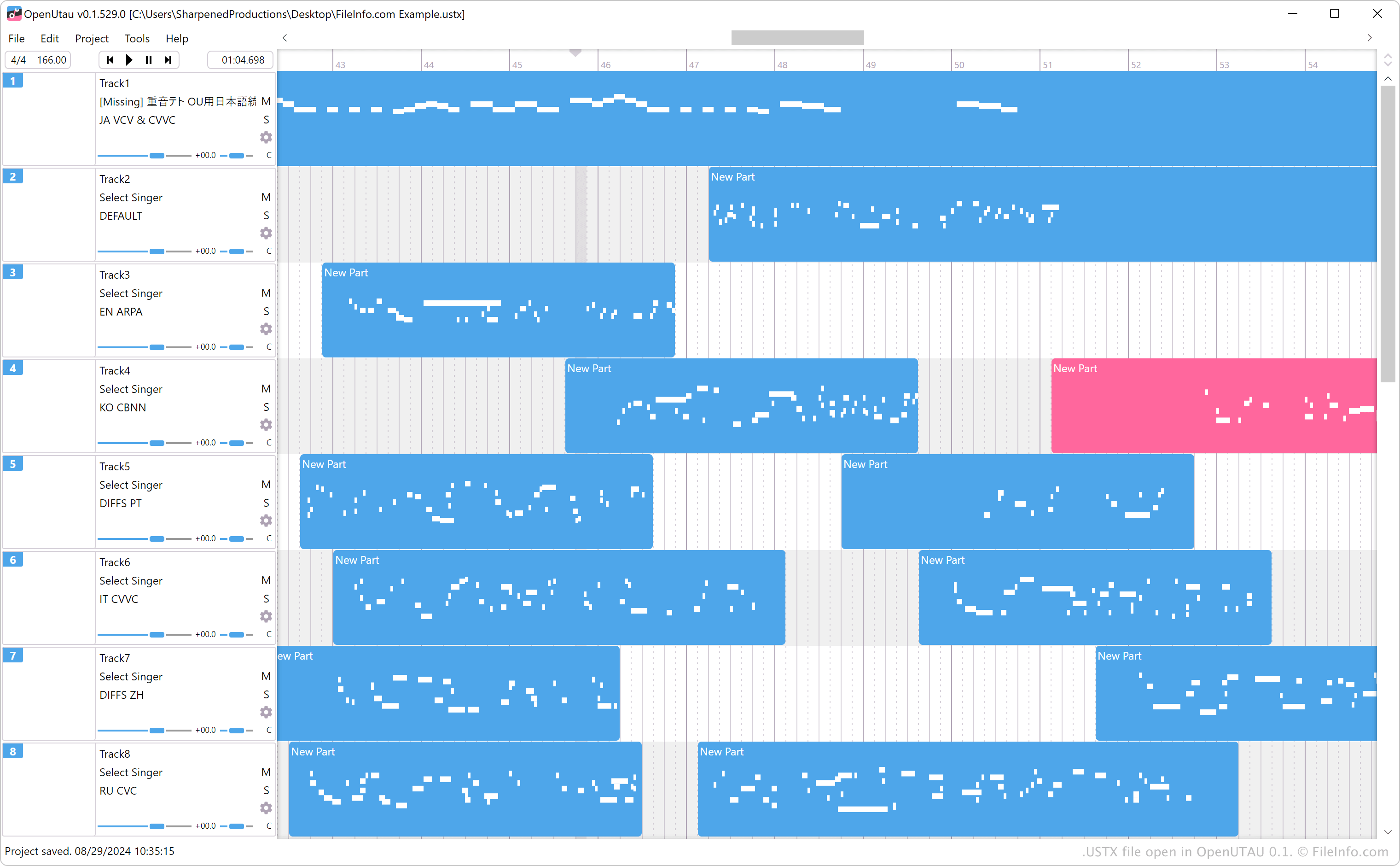
在 OpenUTAU 0.1 中打开的 .ustx 文件截图
在 OpenUTAU 0.1 中打开的 USTX 文件

StAkira created OpenUTAU to be an open-source successor to UTAU, a vocal synthesizer similar to YAMAHA's VOCALOID and VOCALOID2 software. UTAU saves vocaloid sequences as .UST files whereas OpenUTAU saves sequences as USTX files. While UTAU does not support USTX files, OpenUTAU supports UST and USTX files.

You can save a sequence as a USTX file with OpenUTAU by selecting File → Save As. Additionally, you can save a sequence as a UST file by selecting File → Export Project → Export Ust Files.

注: USTX files are saved in the YAML format, and can be processed as valid .YAML files.

如何打开 USTX 文件

You can open USTX files with OpenUTAU in Windows, macOS, and Linux. To open a USTX file, select File → Open.

Opening a USTX file with a text editor

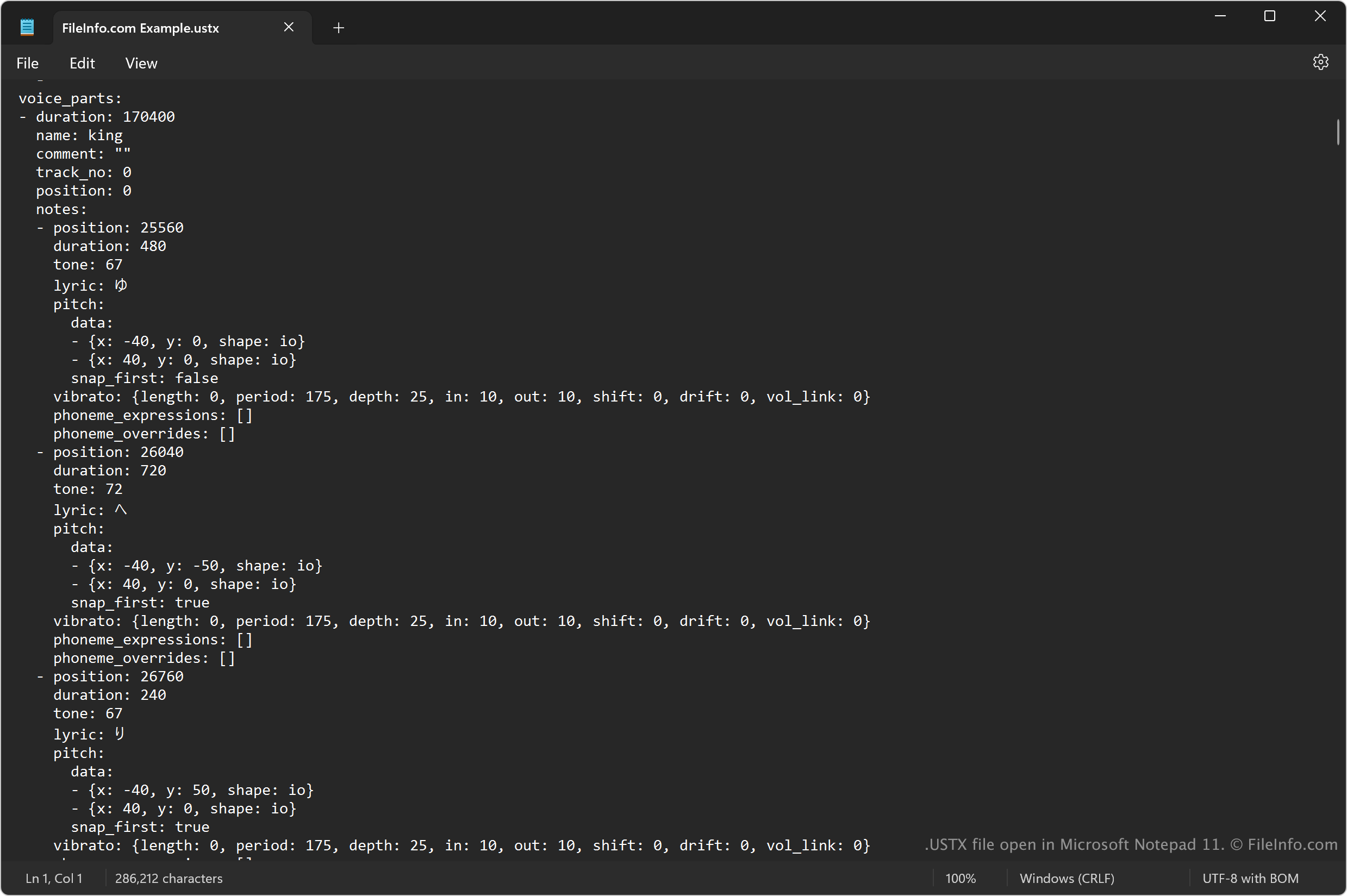
USTX file open in Microsoft Notepad

Since USTX files store information in plain text, you can also open them with a text editor. Both Microsoft Notepad (Windows) and Apple TextEdit (macOS) are bundled with their respective operating systems.

However, opening a USTX file with a text editor will not appear the same as opening it with OpenUTAU. Additionally, you may need to rename the .ustx file extension to .txt for the text editor to open it.

如何转换 USTX 文件

OpenUTAU can convert USTX files to the .WAV format. To do so, select File → Export Audio.

使用File Viewer Plus打开 400 多种文件格式。免费下载

可打开 USTX 文件的程序

Windows
免费
Mac
免费
Linux
免费
Web
分类: 音频
更新时间: 2025-07-26

验证者 FileInfo.com

FileInfo.com 团队 独立研究了本页面列出的 OpenUTAU Sequence Text 文件格式和 Mac, Windows, and Linux 应用。 我们的目标是达到 100% 的准确率,并且仅发布我们已验证过的文件类型信息。

如果您想为此页面提出新增或更新建议,请告诉我们