

.USTX 파일 확장자
OpenUTAU 시퀀스 텍스트 파일
| 개발사 | StAkira |
| 인기도 |
4.0 | 7 표 |
USTX 파일이란 무엇인가요?
USTX 파일은 UTAU 보컬 신시사이저의 오픈 소스 후속 프로그램인 OpenUTAU로 만든 음악 시퀀스입니다. USTX 파일에는 YAML을 기반으로 하는 OpenUTAU 시퀀스 텍스트(USTX) 형식으로 음악 음표, 다이내믹, 비브라토, 피치, 가사가 포함되어 있습니다. OpenUTAU 사용자는 곡을 제작할 때 "보컬로이드"(일본의 보컬 안드로이드) 시퀀스 프로젝트를 USTX 파일로 저장합니다.
추가 정보
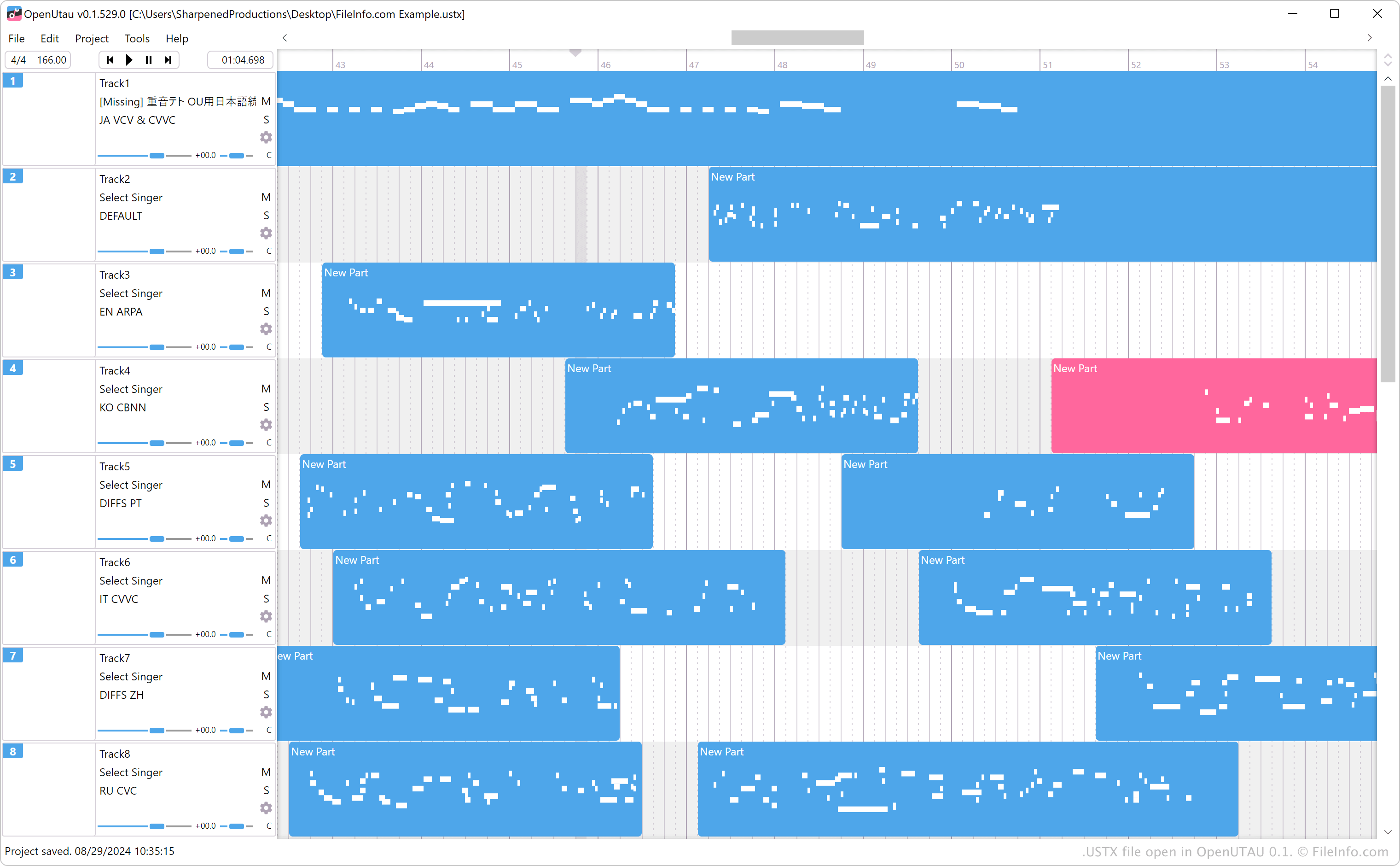
StAkira는 YAMAHA의 VOCALOID 및 VOCALOID2 소프트웨어와 비슷한 보컬 신시사이저인 UTAU의 오픈 소스 후속 프로그램으로 OpenUTAU를 만들었습니다. UTAU는 보컬로이드 시퀀스를 .UST 파일로 저장하는 반면, OpenUTAU는 시퀀스를 USTX 파일로 저장합니다. UTAU는 USTX 파일을 지원하지 않지만 OpenUTAU는 UST 및 USTX 파일을 지원합니다.
OpenUTAU에서 를 선택하면 시퀀스를 USTX 파일로 저장할 수 있습니다. 또한 를 선택하면 시퀀스를 UST 파일로 저장할 수 있습니다.
참고: USTX 파일은 YAML 형식으로 저장되므로 유효한 .YAML 파일로 처리할 수 있습니다.
USTX 파일을 여는 방법
Windows, macOS, Linux에서 OpenUTAU로 USTX 파일을 열 수 있습니다. USTX 파일을 열려면 을 선택합니다.
텍스트 편집기로 USTX 파일 열기
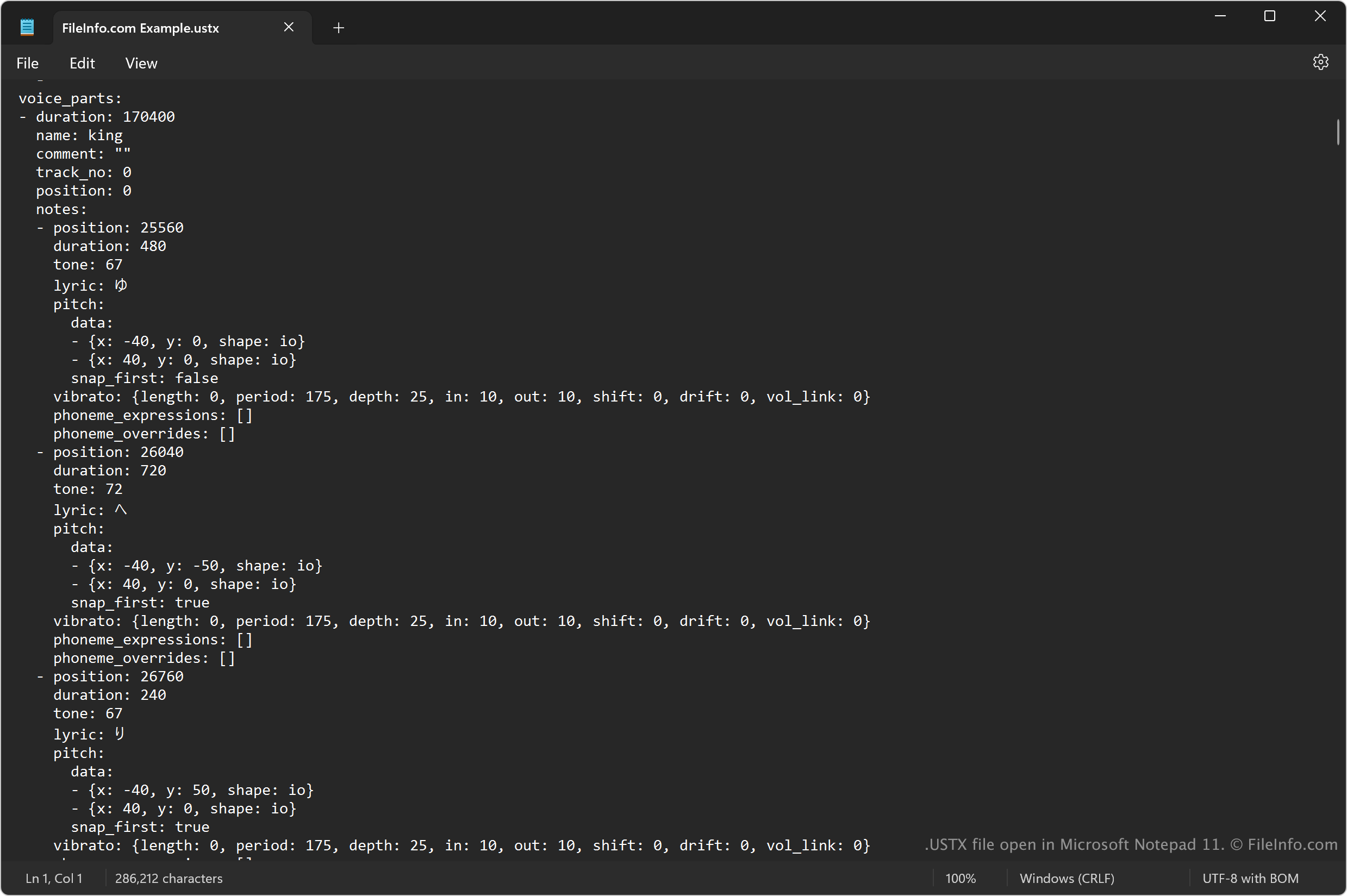
USTX 파일은 정보를 일반 텍스트로 저장하므로 텍스트 편집기로도 열 수 있습니다. Microsoft Notepad(Windows)와 Apple TextEdit(macOS)는 각각의 운영 체제에 기본으로 포함되어 있습니다.
하지만 텍스트 편집기로 USTX 파일을 열면 OpenUTAU로 열었을 때와 같은 모습으로 표시되지 않습니다. 또한 텍스트 편집기에서 파일을 열려면 .ustx 파일 확장자를 .txt로 변경해야 할 수 있습니다.
USTX 파일을 변환하는 방법
OpenUTAU는 USTX 파일을 .WAV 형식으로 변환할 수 있습니다. 변환하려면 를 선택합니다.