.TMX 文件扩展名
Translation Memory Exchange File
| 开发者 | Localization Industry Standards Association |
| 受欢迎程度 |
3.7 | 21 票 |
什么是 TMX 文件?
File created in the Translation Memory Exchange (TMX) format, an open XML standard used for exchanging translation memory (TM) data created by Computer Aided Translation (CAT) and localization applications; may save words or phrases that have been translated from one language to another; used for transferring the translation memory between different tools and vendors.
更多信息
注: The TMX format was developed by the Localization Industry Standards Association (LISA), who then released the standard under the Creative Commons license.
可打开或引用 TMX 文件的程序
Tiled 2D Tile Map
| 开发者 | Thorbjørn Lindeijer |
| 受欢迎程度 |
3.7 | 3 票 |
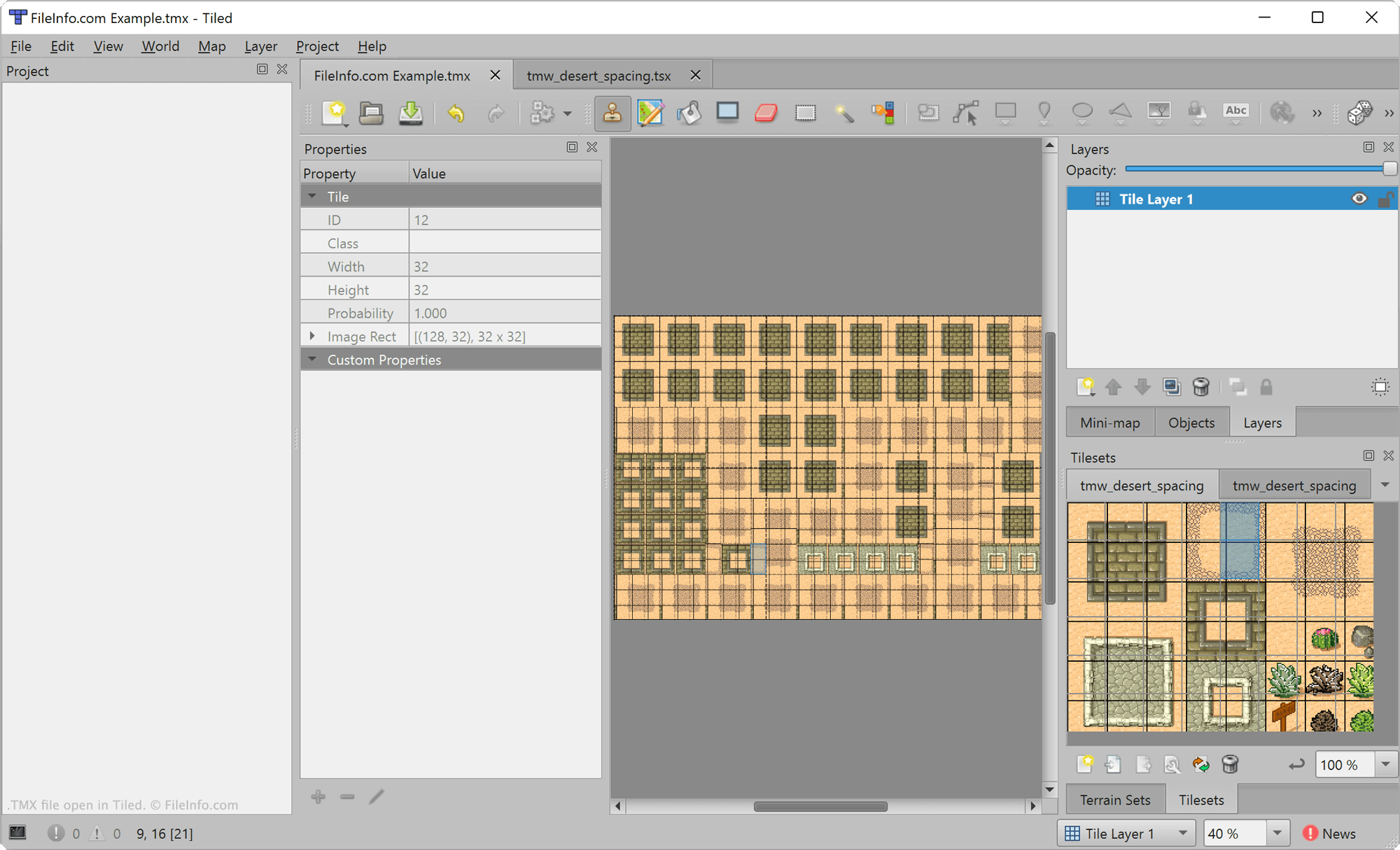
A TMX file is a video game level map created by Tiled, a 2D level editor. It contains XML-formatted text that describes a map. Developers can use Tiled to export the map a TMX file contains in various formats, for use in video game development projects.
更多信息
Tiled is a free, open-source level editor used to create maps for 2D video games. It allows game developers to place tiles and layers upon a map and add custom properties to those elements. Developers can then export and include the map they've created in a video game.
Maps created in Tiled are saved as TMX files. These files are XML files that include several elements that define a map, including the map's tiles, layers, and custom properties. For example, the <map> element is used to define a map's metadata, the <tileset> element is used to define a tileset included in the map, and the <layer> element is used to define a layer included in the map.
如何打开 TMX 文件
You can open TMX files with Tiled (multiplatform) or NotTiled (Android). To open a TMX file in Tiled, select File → Open File or Project.... Then, navigate to and open your TMX file.
If you want to view the XML text a TMX file contains outside Tiled, you can do so by opening the file in any text or source code editor.
如何转换 TMX 文件
After you finish editing a Tiled map, you can export the map for use in a 2D video game. Tiled allows developers to export maps in a variety of formats, including .JSON, .LUA, .CSV, and Defold's TILEMAP and COLLECTION formats, among others.
To export a map, open the map's TMX file in Tiled and then select File → Export from the program's menu.