.TMX 파일 확장자
Translation Memory Exchange File
| 개발사 | Localization Industry Standards Association |
| 인기도 |
3.7 | 21 투표 |
TMX 파일이란 무엇인가요?
File created in the Translation Memory Exchange (TMX) format, an open XML standard used for exchanging translation memory (TM) data created by Computer Aided Translation (CAT) and localization applications; may save words or phrases that have been translated from one language to another; used for transferring the translation memory between different tools and vendors.
추가 정보
참고: The TMX format was developed by the Localization Industry Standards Association (LISA), who then released the standard under the Creative Commons license.
TMX 파일을 열거나 참조하는 프로그램
Tiled 2D Tile Map
| 개발사 | Thorbjørn Lindeijer |
| 인기도 |
3.7 | 3 투표 |
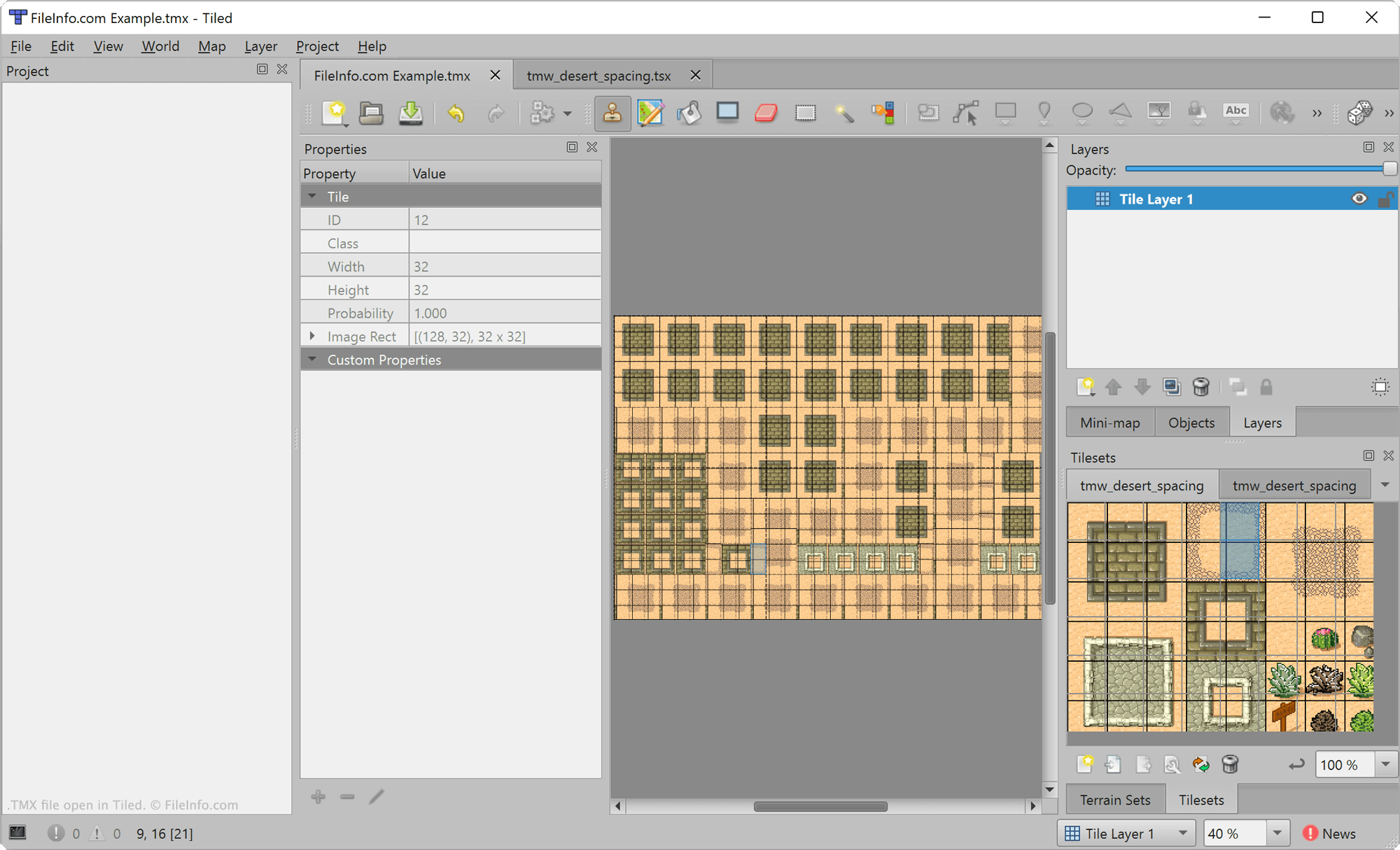
A TMX file is a video game level map created by Tiled, a 2D level editor. It contains XML-formatted text that describes a map. Developers can use Tiled to export the map a TMX file contains in various formats, for use in video game development projects.
추가 정보
Tiled is a free, open-source level editor used to create maps for 2D video games. It allows game developers to place tiles and layers upon a map and add custom properties to those elements. Developers can then export and include the map they've created in a video game.
Maps created in Tiled are saved as TMX files. These files are XML files that include several elements that define a map, including the map's tiles, layers, and custom properties. For example, the <map> element is used to define a map's metadata, the <tileset> element is used to define a tileset included in the map, and the <layer> element is used to define a layer included in the map.
TMX 파일을 여는 방법
You can open TMX files with Tiled (multiplatform) or NotTiled (Android). To open a TMX file in Tiled, select File → Open File or Project.... Then, navigate to and open your TMX file.
If you want to view the XML text a TMX file contains outside Tiled, you can do so by opening the file in any text or source code editor.
TMX 파일을 변환하는 방법
After you finish editing a Tiled map, you can export the map for use in a 2D video game. Tiled allows developers to export maps in a variety of formats, including .JSON, .LUA, .CSV, and Defold's TILEMAP and COLLECTION formats, among others.
To export a map, open the map's TMX file in Tiled and then select File → Export from the program's menu.