.KKSRC 文件扩展名

KDE Plasma Keyboard Shortcut Settings

开发者 KDE
受欢迎程度
4.0  |  3 
 

什么是 KKSRC 文件?

A KKSRC file is a settings file used by KDE Plasma, a graphical workspace environment often used with Linux. It contains a plain text list of keyboard shortcuts, which associate keyboard key(s) with certain functions. Users can export and import KKSRC files from KDE Plasma System Settings.

更多信息

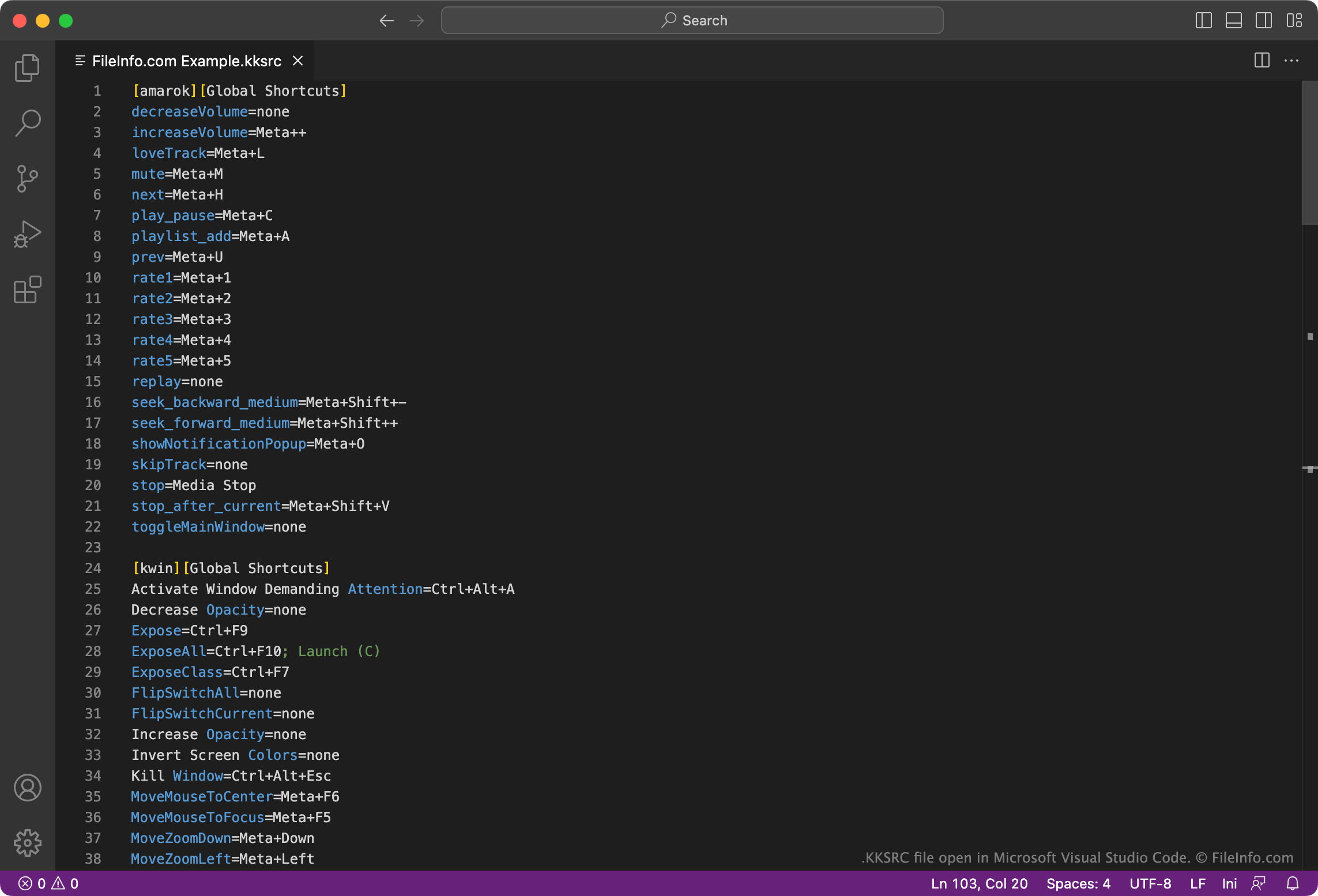
在 Microsoft Visual Studio Code 中打开的 .kksrc 文件截图
在 Microsoft Visual Studio Code 中打开的 KKSRC 文件

KDE Plasma is a graphical workspace environment available for various platforms. Most often, KDE Plasma is used as a desktop GUI for Linux systems.

Plasma stores Global and Custom Keyboard Shortcut settings in KKSRC files. These files specify key combinations you can press to perform various functions. For example, a KKSRC file might contain the setting Walk Through Windows=Alt+Tab. This means that, if that KKSRC file is a user's currently applied shortcut file, they can press Alt + Tab to switch between application windows.

By default, Plasma stores Global Shortcuts in the following directory:

~/​.config/​kglobalshortcutsrc

And it stores Custom Shortcuts in the following directory:

~/​.config/​khotkeysrc

如何打开 KKSRC 文件

You can open and edit a KKSRC file with Kate Editor (multiplatform), Microsoft Visual Studio Code (multiplatform), or any other text editor. Doing so allows you to customize the keyboard shortcuts the file contains.

To use a KKSRC file with KDE Plasma, either import the file in the Global Shortcuts section of System Settings or use the following command to change your current keyboard shortcut scheme:

kcmshell keys

使用File Viewer Plus打开 400 多种文件格式。免费下载

可打开或引用 KKSRC 文件的程序

分类: 设置
更新时间: 2023-04-21

验证者 FileInfo.com

FileInfo.com 团队 独立研究了本页面列出的 KDE Plasma Keyboard Shortcut Settings 文件格式和 Mac, Windows, and Linux 应用。 我们的目标是达到 100% 的准确率,并且仅发布我们已验证过的文件类型信息。

如果您想为此页面提出新增或更新建议,请告诉我们