.ICML 文件扩展名

InCopy Document

开发者 Adobe
受欢迎程度
3.0  |  11 
 

什么是 ICML 文件?

An ICML file is a document created by InCopy, a professional writing and editing program. It is saved in the InCopy Markup Language (ICML) format based on the XML standard. ICML files contain document text, graphics, and page layout settings.

更多信息

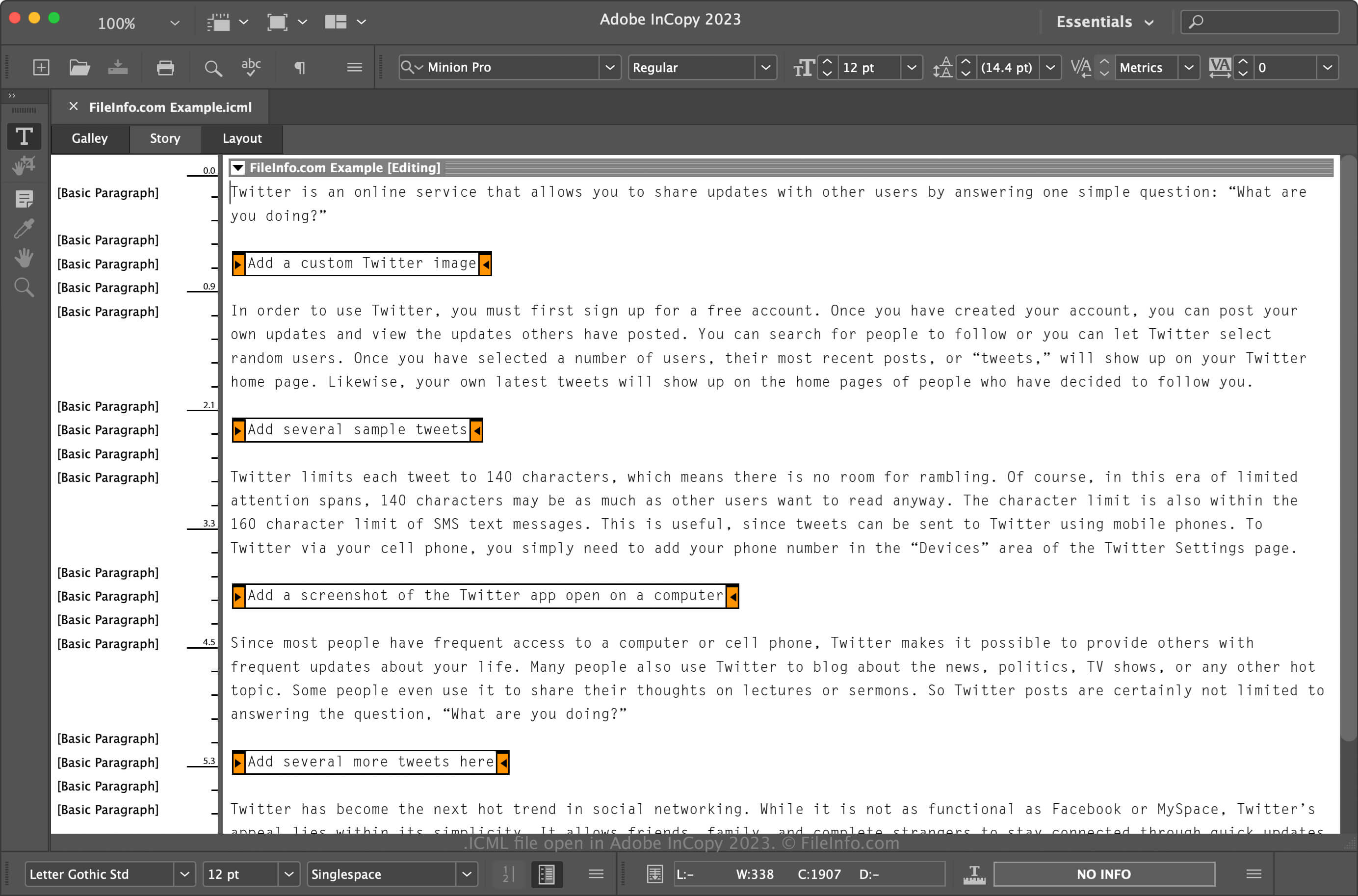
在 Adobe InCopy 2023 中打开的 .icml 文件截图
在 Adobe InCopy 2023 中打开的 ICML 文件

Adobe developed the ICML format for Creative Suite 4 (CS4) and released it in 2003. Previous versions of InCopy (CS3 and earlier) saved documents as .INCX files. ICML is the primary file type associated with InCopy and is a working document, which means you can save the file, close it, then re-open it to continue editing it.

You may also utilize ICML files to link portions of an Adobe InDesign document (.INDD file) via a network fileserver. For example, you can link a subset with InDesign, such as a text or graphics frame, of an INDD file to one or more ICML files and grant them editing permissions using an .ICMA assignment file. Once you edit the ICML files, InDesign automatically updates the content in the document.

Typically, you will not directly open ICML files linked to an ICMA assignment file. Instead, when you "edit" an ICMA assignment file, you are modifying ICML files behind the scenes using InCopy.

如何打开 ICML 文件

You can open ICML files with Adobe InCopy in Windows and macOS. To open it with InCopy, select File → Open... or double-click the file if it is associated with InCopy. You can also open ICML files with Adobe InDesign.

如何转换 ICML 文件

Adobe InCopy and InDesign can convert ICML files to other formats.

For example, Adobe InCopy converts ICML files to the following formats:

  • .ICMT - Adobe InCopy Template
  • .PDF - Portable Document Format
  • .RTF - Rich Text Format File
  • .TXT - Plain Text File
使用File Viewer Plus打开 400 多种文件格式。免费下载

可打开 ICML 文件的程序

Windows
免费试用
Mac
免费试用

验证者 FileInfo.com

FileInfo.com 团队 独立研究了本页面列出的 InCopy Document 文件格式和 Mac and Windows 应用。 我们的目标是达到 100% 的准确率,并且仅发布我们已验证过的文件类型信息。

如果您想为此页面提出新增或更新建议,请告诉我们