.GOO 文件扩展名

Goo Slice File

开发者 ELEGOO
受欢迎程度
4.0  |  2 
 

什么是 GOO 文件?

A GOO file is a 3D model sliced into layers for resin-based 3D printing. It is saved in the proprietary ELEGOO (GOO) format primarily used in ELEGOO 3D printing workflows from software to printers. GOO files store detailed instructions for a 3D printer, including exposure settings and layer thickness, and metadata, such as model dimensions and print time.

更多信息

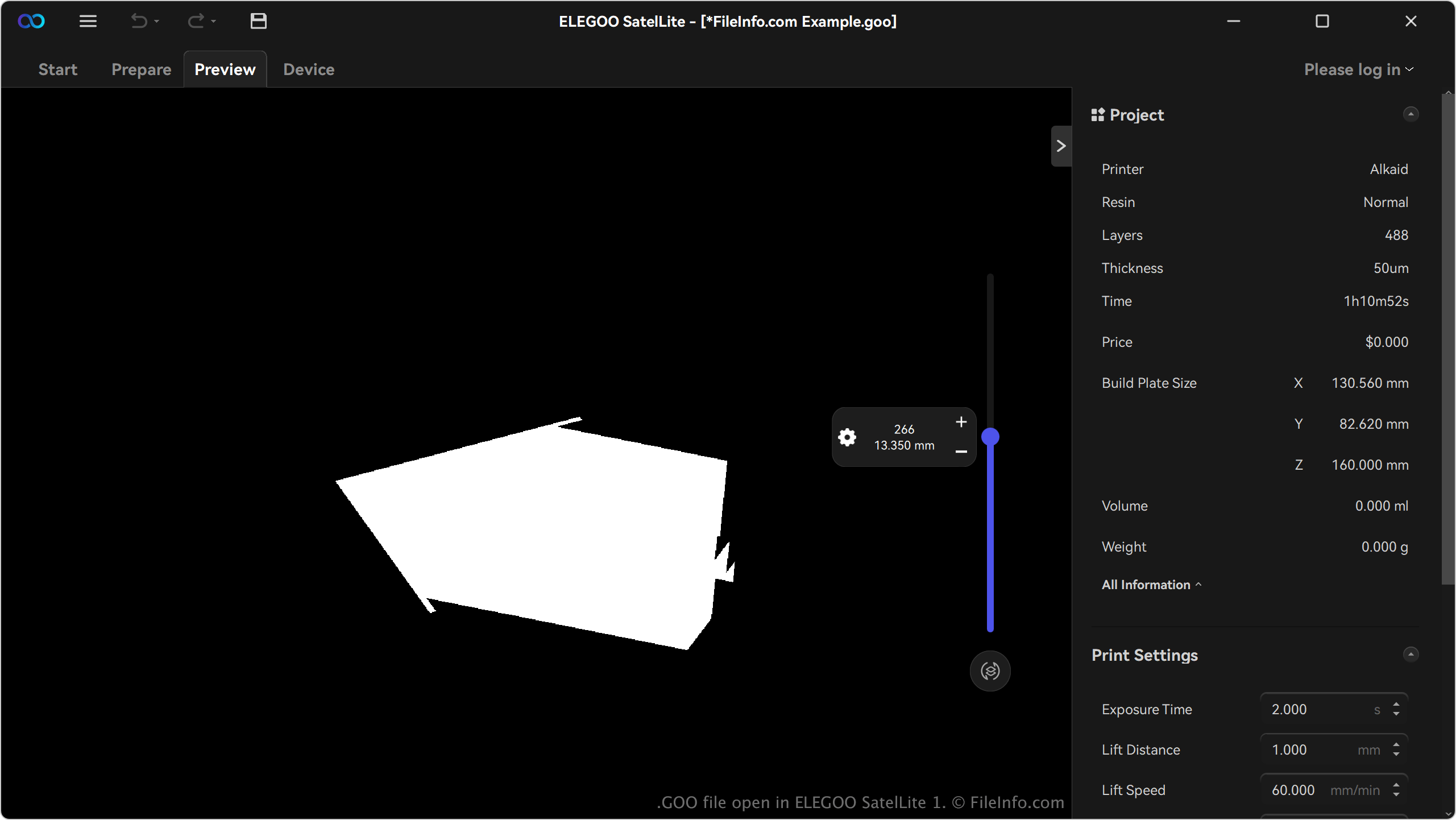
在 ELEGOO SatelLite 1 中打开的 .goo 文件截图
在 ELEGOO SatelLite 1 中打开的 GOO 文件

Hobbyists, designers, and professionals who work with ELEGOO's range of resin 3D printers are the primary users of the GOO format. These users typically craft high-resolution models for applications such as miniatures, prototypes, or functional parts. The format is prevalent among users of ELEGOO resin printers like the Saturn 3 Ultra and Jupiter SE.

Users generate GOO files with slicer software compatible with ELEGOO printers, most notably SatelLite. For example, the software imports a 3D model file (e.g., .STL or .OBJ) and slices it into layers, converting it into the GOO format with all necessary printing parameters. Users can then customize settings before exporting the file in GOO format.

如何打开 GOO 文件

You can open GOO files with ELEGOO SatelLite in WIndows. To open a GOO file, click the menu icon (three horizontal lines) in the upper-left corner of the app and select Open.

如何转换 GOO 文件

ELEGOO SatelLite can convert GOO files to various file types, including the following formats:

  • .PLY - Polygon Model
  • .STL - Stereolithography File
  • .OBJ - Wavefront 3D Object File
  • .3MF - 3D Manufacturing File
使用File Viewer Plus打开 400 多种文件格式。免费下载

可打开 GOO 文件的程序

Windows
分类: 3D 图像
更新时间: 2025-01-27

验证者 FileInfo.com

FileInfo.com 团队 独立研究了本页面列出的 Goo Slice 文件格式和 Windows 应用。 我们的目标是达到 100% 的准确率,并且仅发布我们已验证过的文件类型信息。

如果您想为此页面提出新增或更新建议,请告诉我们