

.GOO Extensão de arquivo
Arquivo de fatias GOO
| Desenvolvedor | ELEGOO |
| Popularidade |
4,0 | 2 Votos |
O que é um arquivo GOO?
Um arquivo GOO é um modelo 3D dividido em camadas para impressão 3D à base de resina. Ele é salvo no formato proprietário ELEGOO (GOO), usado principalmente nos fluxos de trabalho de impressão 3D da ELEGOO, do software às impressoras. Os arquivos GOO armazenam instruções detalhadas para uma impressora 3D, incluindo configurações de exposição e espessura das camadas, além de metadados, como as dimensões do modelo e o tempo de impressão.
Mais informações
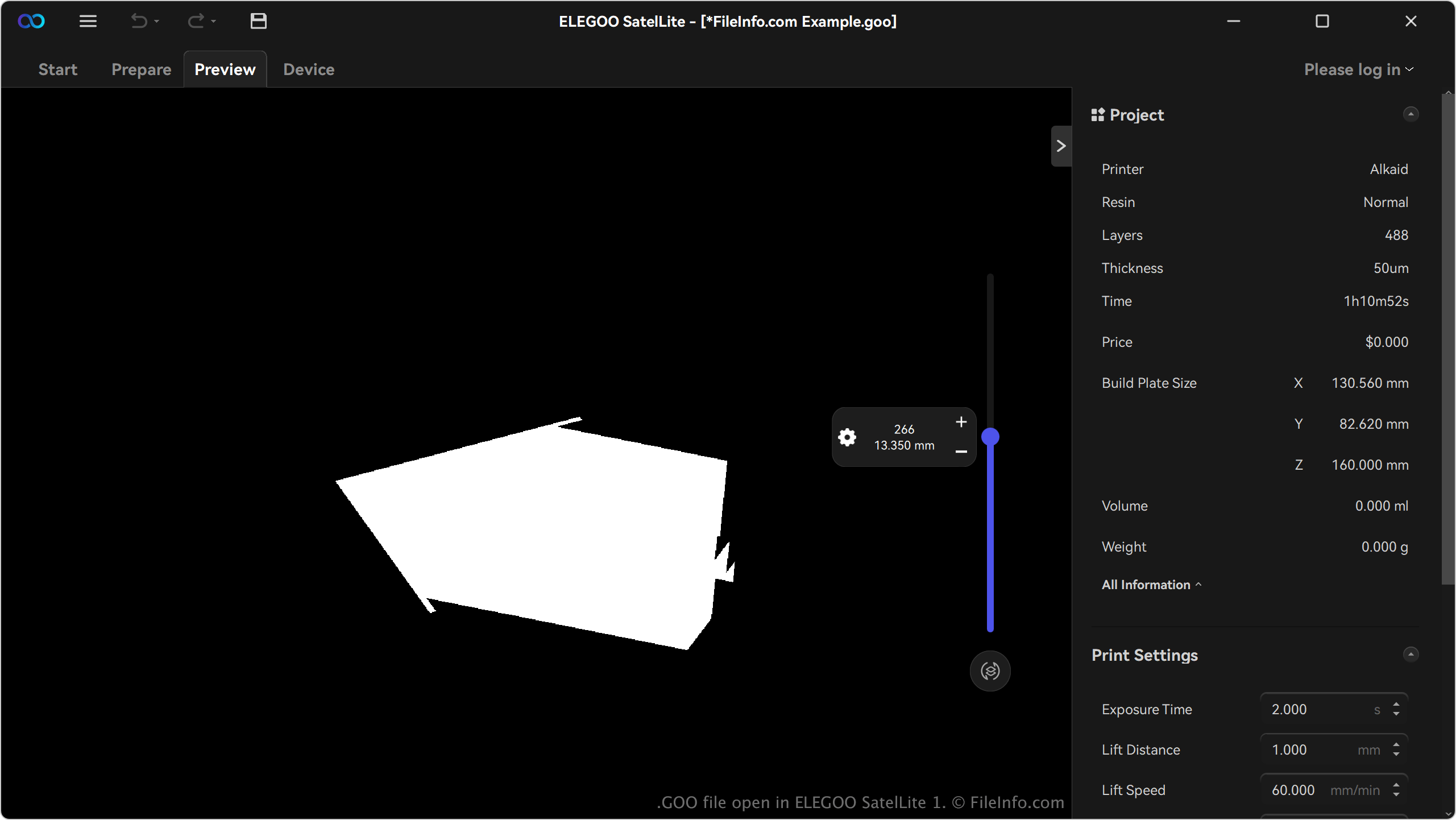
Hobbyistas, designers e profissionais que trabalham com a linha de impressoras 3D de resina da ELEGOO são os principais usuários do formato GOO. Esses usuários normalmente criam modelos de alta resolução para aplicações como miniaturas, protótipos ou peças funcionais. O formato é comum entre usuários de impressoras de resina da ELEGOO, como a Saturn 3 Ultra e a Jupiter SE.
Os usuários geram arquivos GOO com softwares de fatiamento compatíveis com impressoras ELEGOO, principalmente o SatelLite. Por exemplo, o software importa um arquivo de modelo 3D (por exemplo, .STL ou .OBJ) e o divide em camadas, convertendo-o para o formato GOO com todos os parâmetros de impressão necessários. Em seguida, os usuários podem personalizar as configurações antes de exportar o arquivo no formato GOO.
Como abrir um arquivo GOO
Você pode abrir arquivos GOO com o ELEGOO SatelLite no Windows. Para abrir um arquivo GOO, clique no ícone de menu (três linhas horizontais) no canto superior esquerdo do aplicativo e selecione .