.BACKUP 文件扩展名

Android Backup

开发者 Google
受欢迎程度
3.6  |  162 
 

什么是 BACKUP 文件?

A BACKUP file contains a backup created by various Android phones and tablets. It stores user information, such as contacts and user files, and is useful for archiving save points from your mobile device so the data can be restored if a problem occurs with the device. The BACKUP format has been replaced by the .AB format.

更多信息

In the past, Android users could create BACKUP files by accessing their device's System Recovery Mode and selecting the option to back up their data. When the backup process finished, the BACKUP file(s) were saved to the Android device's SD card.

You will most likely encounter an Android BACKUP file only on the SD card of an Android device. Therefore, if you discover a BACKUP file on your computer, it was most likely created by a program on your computer, and is not an Android BACKUP file.

注: Some Android devices split users' data across multiple BACKUP files, with extensions such as .BACKUP1, .backup2, and so on.

常见 .BACKUP 文件名

userdata_yyyymmdd_HHMMSS.backup - A BACKUP file, saved with a filename that includes the date and time at which the file was created.

如何打开 BACKUP 文件

To restore a BACKUP file, first hold the power button and volume button on your Android device to start the device in System Recovery Mode. Then, select the option to restore user information from the System Recovery menu.

使用File Viewer Plus打开 400 多种文件格式。免费下载

可打开或引用 BACKUP 文件的程序

Android
操作系统自带
分类: 备份
更新时间: 2022-03-01

Garmin BaseCamp Backup

开发者 Garmin
受欢迎程度
2.0  |  1 
 

A BACKUP file is a backup file that contains a project created by Garmin BaseCamp. It is a Zip-compressed archive that stores all of the project data, including a .GDB GPS database and .GPI Garmin Point of Interest file. Garmin BaseCamp users create backups to preserve projects they can restore later in the software.

更多信息

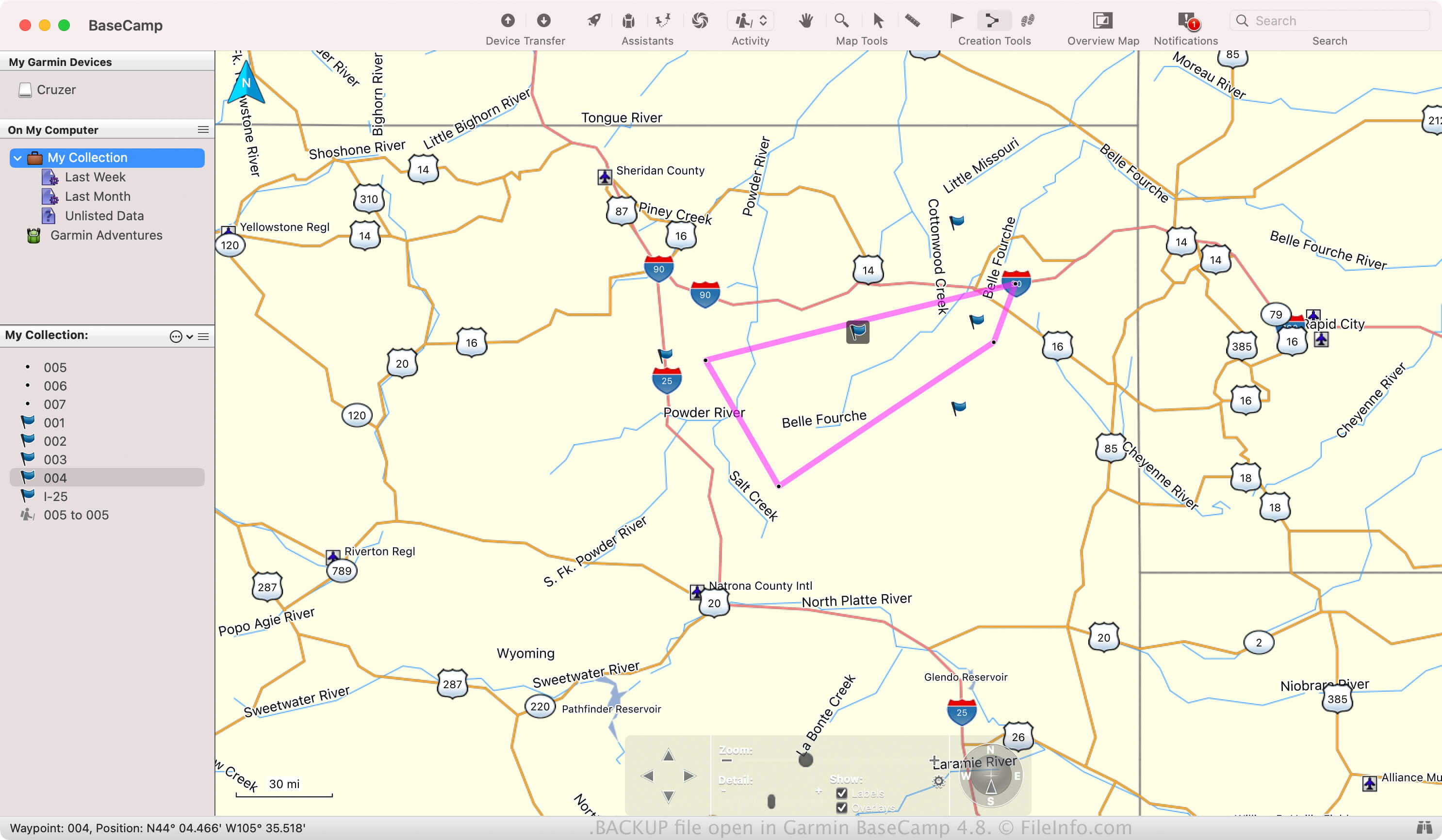
在 Garmin BaseCamp 4.8 中打开的 .backup 文件截图
在 Garmin BaseCamp 4.8 中打开的 BACKUP 文件

BaseCamp allows you to plan and share outdoor activities with others, such as hiking, biking, or road trips. You can also import past trips recorded on Garmin devices to relive it through the software.

If you want to preserve an activity in case the software crashes or if you want to transfer it to another BaseCamp installation, you can save it as a BACKUP file. To create a BACKUP file, select File → Backup.

常见 .BACKUP 文件名

BaseCamp_[YYMMDD].Backup - Default filename BaseCamp gives to BACKUP files where the "YYMMDD" represents the date. For example, if a BaseCamp creates a BACKUP file on March 25, 2024, the app names the file BaseCamp_240325.Backup.

如何打开 BACKUP 文件

You can open a BACKUP file with Garmin BaseCamp in Windows and macOS. For example, to open a BACKUP file, select File → Restore.

Since BACKUP files are Zip-compressed, you can also open them with a Zip utility, such as Microsoft File Explorer (Windows) or Apple Archive Utility (macOS). For example, you can rename the .backup file extension to .zip, then extract its contents and view them with a Zip utility.

可打开 BACKUP 文件的程序

Windows
Mac
分类: 备份
更新时间: 2024-03-25

验证者 FileInfo.com

FileInfo.com 团队 独立研究了本页面列出的所有文件格式和软件程序。 我们的目标是达到 100% 的准确率,并且仅发布我们已验证过的文件类型信息。

如果您想为此页面提出新增或更新建议,请告诉我们