.BACKUP 파일 확장자
Android Backup
| 개발사 | |
| 인기도 |
3.6 | 162 투표 |
BACKUP 파일이란 무엇인가요?
A BACKUP file contains a backup created by various Android phones and tablets. It stores user information, such as contacts and user files, and is useful for archiving save points from your mobile device so the data can be restored if a problem occurs with the device. The BACKUP format has been replaced by the .AB format.
추가 정보
In the past, Android users could create BACKUP files by accessing their device's System Recovery Mode and selecting the option to back up their data. When the backup process finished, the BACKUP file(s) were saved to the Android device's SD card.
You will most likely encounter an Android BACKUP file only on the SD card of an Android device. Therefore, if you discover a BACKUP file on your computer, it was most likely created by a program on your computer, and is not an Android BACKUP file.
참고: Some Android devices split users' data across multiple BACKUP files, with extensions such as .BACKUP1, .backup2, and so on.
일반적인 .BACKUP 파일 이름
userdata_yyyymmdd_HHMMSS.backup - A BACKUP file, saved with a filename that includes the date and time at which the file was created.
BACKUP 파일을 여는 방법
To restore a BACKUP file, first hold the power button and volume button on your Android device to start the device in System Recovery Mode. Then, select the option to restore user information from the System Recovery menu.
BACKUP 파일을 열거나 참조하는 프로그램
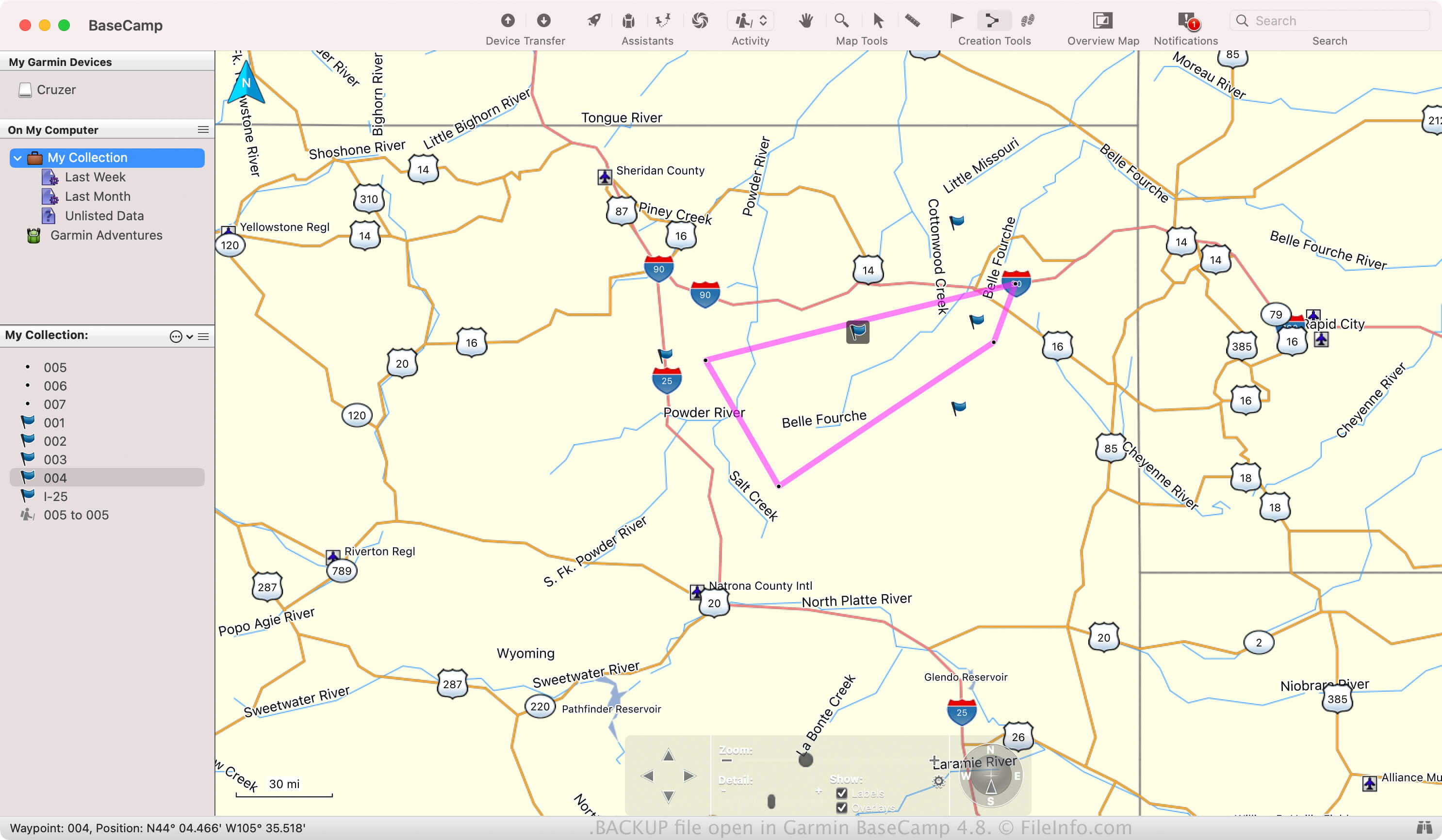
Garmin BaseCamp Backup
| 개발사 | Garmin |
| 인기도 |
2.0 | 1 투표 |
A BACKUP file is a backup file that contains a project created by Garmin BaseCamp. It is a Zip-compressed archive that stores all of the project data, including a .GDB GPS database and .GPI Garmin Point of Interest file. Garmin BaseCamp users create backups to preserve projects they can restore later in the software.
추가 정보
BaseCamp allows you to plan and share outdoor activities with others, such as hiking, biking, or road trips. You can also import past trips recorded on Garmin devices to relive it through the software.
If you want to preserve an activity in case the software crashes or if you want to transfer it to another BaseCamp installation, you can save it as a BACKUP file. To create a BACKUP file, select File → Backup.
일반적인 .BACKUP 파일 이름
BaseCamp_[YYMMDD].Backup - Default filename BaseCamp gives to BACKUP files where the "YYMMDD" represents the date. For example, if a BaseCamp creates a BACKUP file on March 25, 2024, the app names the file BaseCamp_240325.Backup.
BACKUP 파일을 여는 방법
You can open a BACKUP file with Garmin BaseCamp in Windows and macOS. For example, to open a BACKUP file, select File → Restore.
Since BACKUP files are Zip-compressed, you can also open them with a Zip utility, such as Microsoft File Explorer (Windows) or Apple Archive Utility (macOS). For example, you can rename the .backup file extension to .zip, then extract its contents and view them with a Zip utility.