

.BACKUP Extensão de arquivo
Backup do Garmin BaseCamp
| Desenvolvedor | Garmin |
| Popularidade |
2,0 | 1 Voto |
Um arquivo BACKUP é um arquivo de backup que contém um projeto criado pelo Garmin BaseCamp. Ele é um arquivo compactado com Zip que armazena todos os dados do projeto, incluindo um banco de dados GPS .GDB e um arquivo de pontos de interesse do Garmin .GPI. Os usuários do Garmin BaseCamp criam backups para preservar projetos que podem restaurar posteriormente no software.
Mais informações
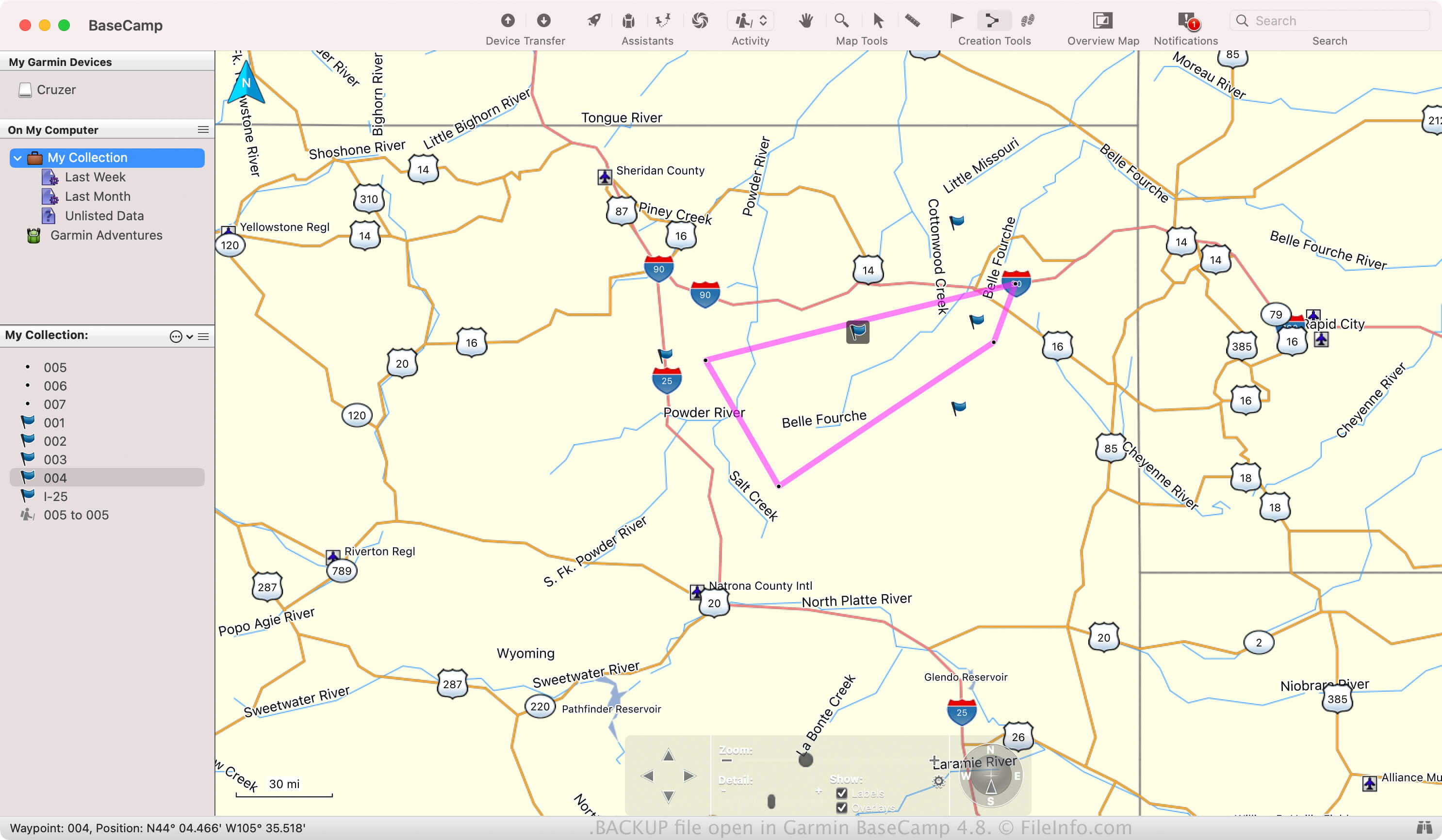
O BaseCamp permite planejar e compartilhar atividades ao ar livre com outras pessoas, como caminhadas, ciclismo ou viagens de carro. Você também pode importar viagens anteriores registradas em dispositivos Garmin para revivê-las no software.
Se quiser preservar uma atividade caso o software apresente falha ou se quiser transferi-la para outra instalação do BaseCamp, você poderá salvá-la como um arquivo BACKUP. Para criar um arquivo BACKUP, selecione .
Nomes de arquivo .BACKUP comuns
BaseCamp_[YYMMDD].Backup - Nome de arquivo padrão que o BaseCamp atribui aos arquivos BACKUP, em que "YYMMDD" representa a data. Por exemplo, se o BaseCamp criar um arquivo BACKUP em 25 de março de 2024, o aplicativo nomeará o arquivo BaseCamp_240325.Backup.
Como abrir um arquivo BACKUP
Você pode abrir um arquivo BACKUP com o Garmin BaseCamp no Windows e no macOS. Por exemplo, para abrir um arquivo BACKUP, selecione .
Como os arquivos BACKUP são compactados com Zip, você também pode abri-los com um utilitário de Zip, como o Microsoft File Explorer (Windows) ou o Apple Archive Utility (macOS). Por exemplo, você pode renomear a extensão do arquivo .backup para .zip, extrair seu conteúdo e visualizá-lo com um utilitário de Zip.