

.ECS5 Extensão de arquivo
Projeto do Easy Cut Studio versão 5
| Desenvolvedor | Craft Edge |
| Popularidade |
3,5 | 2 Votos |
O que é um arquivo ECS5?
Um arquivo ECS5 é um projeto criado pela versão 5 do Craft Edge Easy Cut Studio, um aplicativo para criar designs que serão recortados por máquinas de corte eletrônicas. Ele armazena o layout de um design, incluindo gráficos, formas, texto, desenhos feitos a lápis ou caneta, traços de pincel ou formas. Depois de criar seu design, você pode exportá-lo para vários formatos com o Easy Cut Studio, incluindo .JPEG e .SVG.
Mais informações
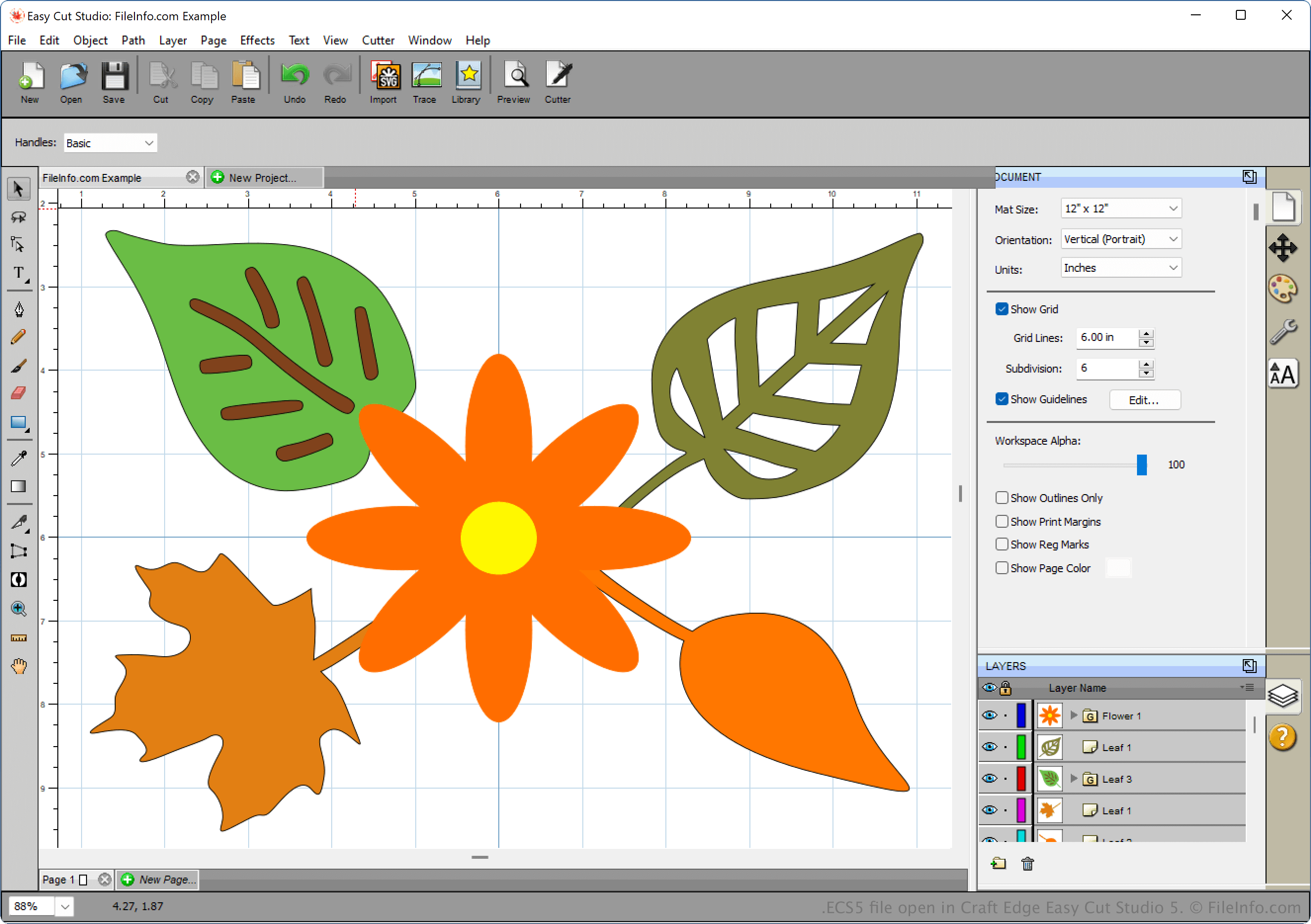
O Easy Cut Studio permite criar designs, como placas, adesivos, etiquetas, estênceis e logotipos que podem ser recortados com um plotter de recorte. Ele está disponível para Windows e macOS.
À medida que cria seu design, você pode salvá-lo como um arquivo ECS5 para armazenar seu progresso no arquivo. Depois, você pode fechar o arquivo e reabri-lo para editá-lo. Para criar um arquivo ECS5, selecione ou .
Como abrir um arquivo ECS5
Você pode abrir um arquivo ECS5 com o Craft Edge Easy Cut Studio (versão 5 ou posterior). Por exemplo, para abrir um arquivo ECS5 com a versão 5 do Easy Cut Studio, selecione .