
.CLIP Extensão de arquivo

Clip Studio Paint Illustration

Desenvolvedor CELSYS
Popularidade
3.9  |  51 Votos
 

O que é um arquivo CLIP?

A CLIP file is an illustration created by CELSYS Clip Studio Paint, a 2D drawing application. It consists of one or more raster or vector layers, which may include shapes, text, filters, images, and pen, pencil, or brush strokes. The CLIP format replaced the .LIP format in Clip Studio Paint 1.5.4.

Mais informações
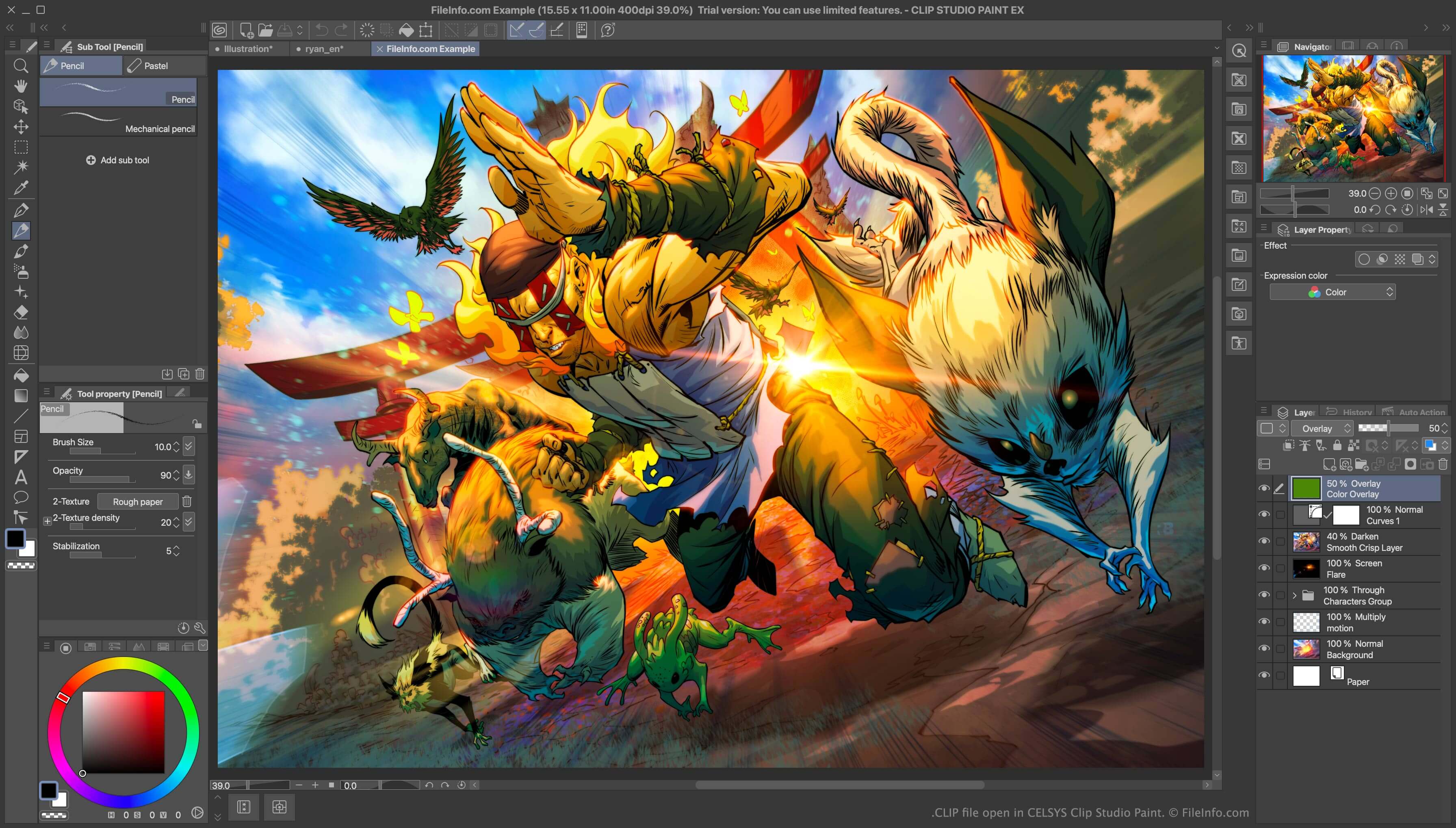
Captura de tela de um arquivo .clip em CELSYS Clip Studio Paint
Arquivo CLIP aberto em CELSYS Clip Studio Paint

Illustrators use Clip Studio Paint to create comics, illustrations, and animations. The program saves illustrators' images as CLIP files. CLIP files are layer-based images, which are similar to Adobe Photoshop's .PSD files.

The CLIP format replaced the LIP format in March 2016, with the release of Clip Studio Paint 1.5.4. Notably, CLIP images are usually smaller in size and load more quickly than similar LIP images.

NOTA: Versions 1.5.4 and later of Clip Studio Paint can still open LIP files.

Como abrir um arquivo CLIP

You can open a CLIP file in CELSYS Clip Studio Paint (Windows, Mac). To do so:

  1. Select File → Open from the program's menu bar.
  2. Navigate to and open your CLIP file.

Como converter um arquivo CLIP

You can use CELSYS Clip Studio Paint to convert CLIP files to other formats, including:

  • .BMP - Bitmap Image
  • .JPG - JPEG Image
  • .PNG - Portable Network Graphic
  • .TIFF - Tagged Image File Format
  • .TGA - Targa Graphic
  • .PSD - Adobe Photoshop Document
  • .PSB - Adobe Photoshop Large Document
  • .PDF - Portable Document Format
Abra mais de 400 formatos de arquivo com File Viewer Plus.Download gratuito

Programas que abrem arquivos CLIP

Windows
Mac

Grand Theft Auto 5 Clip

Desenvolvedor Rockstar Games
Popularidade
3.2  |  23 Votos
 

Replay clip created by Grand Theft Auto 5 (GTA V), a drive-and-shoot sandbox game; stores controller input data that is referenced by the Rockstar editor to replay a sequence from gameplay.

Mais informações

The controller input data in the CLIP file is timed so when it is used during the replay it appears as if it was an actual video recording of the gameplay. However, you can export the replay to the .MP4 video format in the editor and it will be located in the AppData\​Local\​Rockstar Games\​GTA V\​videos\​rendered directory.

NOTA: CLIP files are named according to the time that they were created and are stored in the Rockstar Games\​GTA V\​Clips directory.

Programas que abrem arquivos CLIP

Categoria: Jogo
Atualizado: 2015-10-22

Verificado por FileInfo.com

A equipe do FileInfo.com pesquisou de forma independente todos os formatos de arquivo e programas listados nesta página. Nosso objetivo é 100% de precisão, e só publicamos informações sobre tipos de arquivo que verificamos.

Se quiser sugerir adições ou atualizações a esta página, avise-nos.